
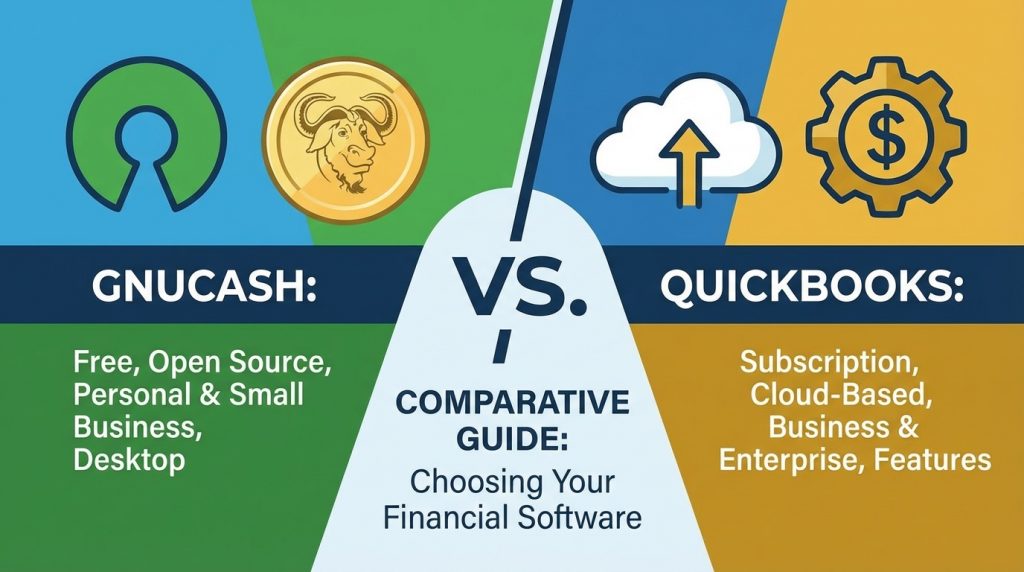
GnuCash and QuickBooks represent two different approaches to accounting software. GnuCash offers a free, open-source solution ideal for budget-conscious users and those who prefer local data storage. QuickBooks provides a professional, cloud-based platform with extensive features, integrations, and support. The gnucash vs quickbooks decision comes down to your budget, technical comfort, and business requirements. Both handle basic bookkeeping tasks effectively. Your choice should reflect your current needs and anticipated growth.
What is the Main Difference Between GnuCash and QuickBooks?
The main difference between gnucash and quickbooks is that GnuCash is a free, open-source accounting application built for personal and small business finance management, while QuickBooks is a paid, commercial accounting software developed by Intuit with cloud-based features, extensive integrations, and professional support aimed at small to medium-sized businesses.
Try QuickBooks free for 30 days here.
What is GnuCash and What is QuickBooks?
GnuCash is a free, open-source financial accounting program. It runs on Windows, macOS, and Linux. GnuCash uses double-entry bookkeeping principles. The software handles personal finances, small business accounting, and investment tracking. A community of developers maintains it. Users can modify the source code to fit their needs.
QuickBooks is proprietary accounting software owned by Intuit. It offers both desktop and cloud-based versions. QuickBooks targets freelancers, small businesses, and mid-sized companies. The platform provides invoicing, payroll, tax preparation, and payment processing. Subscription plans vary by feature set. Customer support is available through phone, chat, and online resources.
Get started with QuickBooks today.
Key Differences Between GnuCash and QuickBooks
- Cost Structure: GnuCash is completely free with no subscription fees. QuickBooks requires monthly or annual payments ranging from $30 to $200+ per month depending on the plan.
- Source Code Access: GnuCash provides full access to its source code under the GPL license. QuickBooks is closed-source and proprietary.
- Cloud Functionality: QuickBooks Online offers native cloud storage and syncing across devices. GnuCash is primarily desktop-based with manual backup options.
- Third-Party Integrations: QuickBooks connects with thousands of apps including PayPal, Shopify, and Square. GnuCash has limited integration options.
- Customer Support: QuickBooks offers dedicated customer service teams. GnuCash relies on community forums and documentation.
- Payroll Features: QuickBooks includes built-in payroll processing. GnuCash lacks native payroll functionality.
- Mobile Applications: QuickBooks provides full-featured iOS and Android apps. GnuCash has no official mobile app.
- Automatic Bank Feeds: QuickBooks automatically imports bank transactions. GnuCash requires manual import via OFX/QIF files.
- User Interface Design: QuickBooks has a modern, polished interface. GnuCash uses a more traditional, functional design.
See QuickBooks features in action.
Key Similarities Between GnuCash and QuickBooks
- Double-Entry Bookkeeping: Both applications use the double-entry accounting method for accurate financial records.
- Invoice Generation: Each software allows users to create and send professional invoices to clients.
- Financial Reporting: Both generate standard reports including balance sheets, income statements, and cash flow reports.
- Multi-Currency Support: GnuCash and QuickBooks can handle transactions in multiple currencies.
- Account Reconciliation: Both platforms allow users to reconcile bank statements with recorded transactions.
- Expense Tracking: Each software tracks business expenses by category.
- Tax Preparation Support: Both help organize financial data for tax filing purposes.
Start your QuickBooks free trial now.
Features of GnuCash vs Features of QuickBooks
| Feature | GnuCash | QuickBooks |
|---|---|---|
| Invoicing | Basic invoice creation | Advanced invoicing with payment links |
| Bank Reconciliation | Manual import | Automatic sync |
| Reporting | Standard financial reports | Customizable reports with dashboards |
| Inventory Tracking | Basic tracking | Full inventory management |
| Multi-Currency | Supported | Supported with real-time rates |
| Tax Tools | Manual organization | Automatic tax categorization |
| Receipt Capture | Not available | Mobile receipt scanning |
Claim your QuickBooks discount here.
Pros of GnuCash Over QuickBooks
- Zero Cost: GnuCash is 100% free with no hidden fees or premium tiers.
- No Vendor Lock-In: Open-source format means your data stays accessible forever.
- Privacy Control: All data stays on your local machine without third-party cloud storage.
- Cross-Platform Compatibility: Runs natively on Linux, Windows, and macOS.
- Customization Options: Users can modify the code to add features or fix issues.
- No Internet Required: Works offline without needing a connection.
- Lightweight Installation: Smaller file size and lower system requirements.
Compare QuickBooks plans and pricing.
Cons of GnuCash Compared to QuickBooks
- Steeper Initial Setup: Requires more technical knowledge to configure properly.
- No Official Support: Users must rely on forums and community help.
- Dated Interface: Visual design feels outdated compared to modern software.
- Manual Data Entry: Bank feeds require manual download and import.
- Limited Scalability: Not ideal for growing businesses with complex needs.
- No Built-In Payroll: Payroll must be handled through external tools.
- Fewer Integrations: Cannot connect directly with most business apps.
Switch to QuickBooks and save time.
Pros of QuickBooks Over GnuCash
- Professional Support: Access to trained support staff via phone and chat.
- Automatic Bank Syncing: Direct connections to over 14,000 financial institutions.
- Extensive App Ecosystem: Integrates with CRM, e-commerce, and project management tools.
- Mobile Access: Full-featured apps for managing finances on the go.
- Payroll Processing: Built-in payroll with direct deposit and tax filing.
- Regular Updates: Consistent improvements and new features added frequently.
- Team Collaboration: Multiple users can access accounts with permission controls.
Cons of QuickBooks Compared to GnuCash
- Monthly Subscription Costs: Ongoing fees add up over time.
- Price Increases: Intuit frequently raises subscription prices.
- Data Ownership Concerns: Cloud storage means Intuit controls your information.
- Feature Limitations by Plan: Advanced features locked behind higher-priced tiers.
- Internet Dependency: Online version requires constant internet access.
- Overwhelming for Simple Needs: Many features go unused by basic users.
- Proprietary Format: Data export options are limited compared to open formats.
Get QuickBooks at the best price.
Situations When GnuCash is Better Than QuickBooks
- Personal Finance Tracking: Individuals managing household budgets benefit from GnuCash’s free model.
- Tight Budget Constraints: Startups and nonprofits with no software budget.
- Linux Users: Those running Linux get native support without workarounds.
- Privacy-Focused Users: People who want complete control over financial data.
- Investment Portfolio Tracking: GnuCash handles stock and mutual fund tracking well.
- Simple Bookkeeping Needs: Sole proprietors with straightforward finances.
- Offline Environments: Locations with unreliable or no internet access.
Ready for automation? Try QuickBooks.
Situations When QuickBooks is Better Than GnuCash
- Growing Businesses: Companies needing scalable solutions with advanced features.
- Payroll Management: Businesses with employees requiring regular payroll processing.
- Multiple User Access: Teams needing collaborative accounting access.
- E-Commerce Integration: Online sellers connecting with Shopify, Amazon, or eBay.
- Professional Accountant Collaboration: Sharing access with external CPAs or bookkeepers.
- Time-Saving Priority: Users who value automated data entry over manual work.
- Mobile-First Users: People who manage finances primarily from smartphones.
Start managing your books with QuickBooks.
Making the Right Choice for Your Financial Management
Selecting accounting software depends on your specific circumstances. Your budget, technical comfort level, and business size all play a role.
Evaluating Your Budget Constraints
GnuCash appeals to users who refuse to pay monthly fees. The savings over several years can be substantial.
QuickBooks costs between $360 and $2,400+ annually depending on your plan. For businesses generating sufficient revenue, this expense may be worthwhile.
Assessing Your Technical Abilities
GnuCash works best for those comfortable with manual processes. You’ll need patience during initial setup.
QuickBooks offers guided setup wizards and tutorials. New users can start working within hours.
Considering Future Growth
Think about where your business will be in 3-5 years. GnuCash suits stable, small operations well.
QuickBooks scales with your business. Adding employees, locations, or sales channels becomes easier.
Scale your business with QuickBooks.
Data Migration and Long-Term Considerations
Moving between accounting platforms requires careful planning. Both options have specific import/export capabilities.
Exporting Data from Either Platform
GnuCash saves data in XML format by default. This open format allows flexibility in future migrations.
QuickBooks uses proprietary formats. Exporting typically produces CSV files or IIF files for transfers.
Backup and Security Practices
GnuCash users must create their own backup routines. Local backups to external drives or personal cloud storage work well.
QuickBooks Online automatically backs up data to secure servers. Desktop versions require manual backup processes.
Switching Between Platforms
Moving from GnuCash to QuickBooks is possible through CSV imports. Some manual cleanup may be necessary.
Transitioning from QuickBooks to GnuCash requires exporting transaction lists. Account structures may need rebuilding.
Make the switch to QuickBooks now.
FAQs
Is GnuCash safe to use for business accounting?
GnuCash is safe for business accounting. The software has been developed and maintained since 1998 by a dedicated community. Because it stores data locally on your computer, you control security measures. Regular backups protect against data loss. Many small businesses and nonprofits worldwide rely on GnuCash for their daily financial management without issues.
Can QuickBooks import data from GnuCash?
Yes, QuickBooks can import data from GnuCash. You’ll need to export your GnuCash data as CSV or QIF files first. QuickBooks accepts these formats through its import wizard. Some manual mapping of accounts may be required. The process takes time but preserves most historical transaction data.
Does GnuCash work on Mac computers?
GnuCash runs natively on macOS. You can download the Mac version directly from the official GnuCash website. The application works on most recent macOS versions. Performance and features match the Windows and Linux versions. Installation follows standard Mac app procedures.
Which software do professional accountants prefer?
Most professional accountants prefer QuickBooks due to its widespread adoption. QuickBooks Accountant versions offer special features for managing multiple clients. Many accounting firms have standardized on QuickBooks workflows. GnuCash remains less common in professional settings but works well when accountants are familiar with it.
Can GnuCash handle multiple businesses?
GnuCash can manage multiple businesses using separate data files. Each business requires its own file with distinct accounts. You switch between files manually. QuickBooks handles multiple companies more seamlessly within a single interface. GnuCash’s approach works but requires more organization.
Is QuickBooks worth the monthly cost?
QuickBooks value depends on your needs. Businesses saving 5+ hours monthly on bookkeeping often find the cost justified. Automatic bank feeds and integrations provide real time savings. Smaller operations with simple needs may not recoup the expense. Calculate your time savings against subscription costs.
How long does it take to set up GnuCash?
GnuCash initial setup typically takes 2-4 hours for basic configuration. Creating account structures requires understanding double-entry principles. Importing historical data adds more time. First-time users should allow a full day for setup and testing. Online tutorials speed up the process significantly.
Can I use GnuCash and QuickBooks together?
Using both programs simultaneously is possible but uncommon. Some users track personal finances in GnuCash while running business accounts in QuickBooks. Data doesn’t sync automatically between them. This approach creates extra work maintaining two systems. Choosing one platform for all accounting typically works better.
GnuCash vs QuickBooks Summary
The gnucash vs quickbooks comparison reveals clear differences suited to different users. GnuCash serves personal finance trackers, Linux users, and budget-conscious small businesses excellently. Its free model and offline capability appeal to privacy-focused individuals. QuickBooks fits growing businesses needing automation, integrations, and professional support. The monthly cost delivers time savings and scalability. Evaluate your specific situation before deciding. Consider testing both options—GnuCash costs nothing to try, and QuickBooks offers trial periods. Your accounting software should match your workflow and growth plans.
| Aspect | GnuCash | QuickBooks |
|---|---|---|
| Price | Free | $30-$200+/month |
| Source Code | Open-source | Proprietary |
| Cloud Access | No | Yes |
| Bank Feeds | Manual import | Automatic sync |
| Mobile App | No | Yes |
| Payroll | No | Built-in |
| Support | Community forums | Professional support |
| Integrations | Limited | 750+ apps |
| Best For | Personal finance, small budgets | Growing businesses |
| Offline Use | Full functionality | Limited |
Get your QuickBooks free trial and see the difference.


