
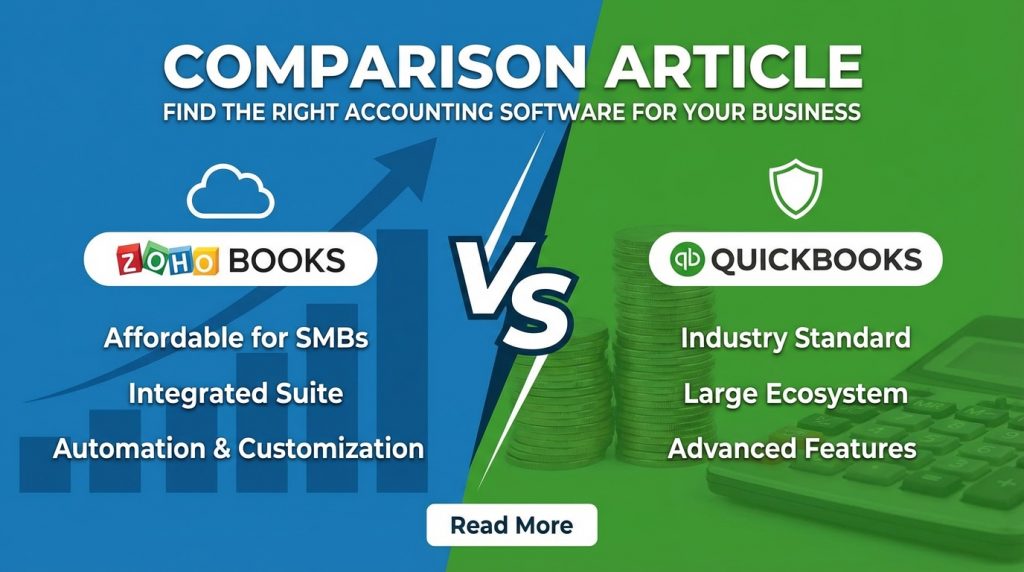
Choosing the right accounting software shapes how efficiently your business manages finances. Both Zoho Books and QuickBooks offer solid cloud-based accounting with invoicing, expense tracking, and financial reporting. This zoho books vs quickbooks comparison breaks down pricing, features, and ideal use cases to help you pick the platform that fits your business size, budget, and workflow requirements.
What is the Main Difference Between Zoho Books and QuickBooks?
The main difference between zoho books and quickbooks is that Zoho Books offers a more affordable pricing structure with a free plan for small businesses, while QuickBooks provides a more established ecosystem with broader third-party integrations and a larger accountant network in the United States.
Try QuickBooks free for 30 days and see the difference
What is Zoho Books?
Zoho Books is a cloud-based accounting software developed by Zoho Corporation. It handles invoicing, expense tracking, bank reconciliation, and financial reporting. The platform integrates seamlessly with other Zoho applications like Zoho CRM and Zoho Inventory.
Small businesses and freelancers often choose Zoho Books for its competitive pricing. The software supports multiple currencies and complies with tax regulations in various countries. It offers automation features for recurring invoices and payment reminders.
What is QuickBooks?
QuickBooks is an accounting software product developed by Intuit. It has been a market leader in small business accounting since 1983. QuickBooks Online is its cloud-based version that competes directly with Zoho Books.
The platform serves millions of businesses worldwide. QuickBooks offers payroll services, tax preparation tools, and extensive reporting capabilities. Many accountants prefer QuickBooks due to its widespread adoption and professional training programs.
Get started with QuickBooks today
Key Differences Between Zoho Books and QuickBooks
- Pricing Structure: Zoho Books offers a free plan for businesses with less than $50K annual revenue, while QuickBooks has no free tier and starts at a higher price point.
- User Limits: Zoho Books includes more users in its base plans, whereas QuickBooks charges extra for each additional user beyond the plan limit.
- Integration Ecosystem: QuickBooks connects with over 750 third-party apps, while Zoho Books has fewer external integrations but works well within the Zoho ecosystem.
- Market Presence: QuickBooks dominates the US market with greater brand recognition, while Zoho Books has stronger international appeal and multi-currency support.
- Accountant Access: QuickBooks offers a dedicated accountant portal with certification programs, whereas Zoho Books provides accountant access but lacks a formal certification system.
- Mobile App Features: Zoho Books mobile app includes mileage tracking for free, while QuickBooks requires a higher-tier plan for this feature.
- Customer Support: Zoho Books provides email and phone support on most plans, whereas QuickBooks reserves phone support for premium subscribers.
- Inventory Management: QuickBooks offers more advanced inventory features in its Plus plan, while Zoho Books requires integration with Zoho Inventory for complex stock management.
- Learning Curve: QuickBooks has more training resources and community forums available, whereas Zoho Books has a simpler interface that requires less onboarding time.
See QuickBooks pricing and plans here
Key Similarities Between Zoho Books and QuickBooks
- Cloud-Based Access: Both platforms operate entirely in the cloud, allowing users to access their accounts from any device with internet connectivity.
- Bank Reconciliation: Each software connects to bank accounts and automatically imports transactions for easy reconciliation.
- Invoice Creation: Both offer professional invoice templates with customization options and automated payment reminders.
- Financial Reporting: Standard reports like profit and loss statements, balance sheets, and cash flow reports are available on both platforms.
- Tax Preparation: Each software tracks tax-related information and generates reports useful for tax filing.
- Receipt Capture: Both apps allow users to photograph receipts and attach them to expenses using mobile devices.
- Multi-Currency Support: International businesses can manage transactions in multiple currencies on either platform.
Start your QuickBooks free trial now
Features of Zoho Books vs Features of QuickBooks
- Invoicing: Both offer customizable invoices, but Zoho Books includes snail mail delivery of invoices.
- Banking: QuickBooks has broader bank connections, while Zoho Books offers manual bank statement uploads.
- Reporting: QuickBooks provides more pre-built reports; Zoho Books offers good customization options.
- Automation: Zoho Books includes workflow automation; QuickBooks reserves advanced automation for higher plans.
- Collaboration: Zoho Books has a client portal; QuickBooks offers customer payment links.
- Tax Management: QuickBooks integrates with TurboTax; Zoho Books supports GST and VAT natively.
- Document Management: Both allow receipt attachment; Zoho Books offers more storage on lower plans.
Claim your QuickBooks discount today
Pros of Zoho Books Over QuickBooks
- Lower Cost: Zoho Books costs significantly less per month, making it budget-friendly for startups and small businesses.
- Free Plan Available: Businesses earning under $50K annually can use Zoho Books at no cost.
- More Users Included: Standard plans include more user seats without extra charges.
- Zoho Ecosystem Integration: Seamless connection with Zoho CRM, Projects, and other Zoho apps creates a unified business platform.
- Client Portal: Customers can view invoices, make payments, and track project status through a dedicated portal.
- Time Tracking Built-In: Time tracking comes included with Zoho Books plans without needing add-ons.
- GST Compliance: Built-in GST compliance features serve businesses in India and other countries using this tax system.
Switch to QuickBooks and save time on bookkeeping
Cons of Zoho Books Compared to QuickBooks
- Smaller App Marketplace: Fewer third-party integrations limit flexibility for businesses using non-Zoho tools.
- Less Accountant Familiarity: Many US accountants lack experience with Zoho Books, potentially causing collaboration issues.
- Limited Payroll Options: Zoho Books payroll is only available in specific countries, while QuickBooks offers broader payroll services.
- Fewer Training Resources: Less documentation and community support compared to QuickBooks.
- Brand Recognition: Zoho Books lacks the established reputation that QuickBooks has built over decades.
- Advanced Reporting: Complex custom reports are harder to create compared to QuickBooks.
Get QuickBooks with full payroll services
Pros of QuickBooks Over Zoho Books
- Extensive Third-Party Integrations: Over 750 apps connect with QuickBooks, covering almost every business need.
- Accountant Network: A vast network of certified QuickBooks ProAdvisors makes finding professional help easy.
- Payroll Services: Full-service payroll with tax filing is available directly within QuickBooks.
- Industry Templates: Pre-built chart of accounts and reports for specific industries speed up setup.
- Inventory Features: Advanced inventory tracking with FIFO costing and bundle tracking in higher-tier plans.
- Training Resources: QuickBooks University and extensive tutorials help users master the software quickly.
- Bank Feed Reliability: Strong relationships with financial institutions result in fewer bank connection issues.
Sign up for QuickBooks in minutes
Cons of QuickBooks Compared to Zoho Books
- Higher Pricing: Monthly costs run significantly higher, especially when adding users or features.
- No Free Plan: Every QuickBooks subscription requires payment, even for very small businesses.
- User Fees: Adding team members costs extra on every plan level.
- Price Increases: QuickBooks frequently raises prices after promotional periods end.
- Feature Restrictions: Many useful features require upgrading to expensive higher-tier plans.
- Customer Service Complaints: Users often report long wait times and inconsistent support quality.
- File Size Limits: Large company files can slow down performance over time.
Check current QuickBooks promotions
Situations When Zoho Books is Better Than QuickBooks
- Tight Budget Operations: Businesses needing to minimize software expenses benefit from Zoho’s lower costs.
- Using Other Zoho Products: Companies already in the Zoho ecosystem get seamless data flow between applications.
- International Businesses: Multi-currency features and global tax compliance work better in Zoho Books.
- Small Teams Needing Multiple Users: Getting more user accounts without per-user fees saves money.
- Startups Under Revenue Threshold: The free plan supports very small businesses without any cost.
- Client-Facing Portals Needed: Built-in customer portals make client communication easier.
- Project-Based Billing: Time tracking and project management integration streamlines billing for service businesses.
Take QuickBooks for a test drive
Situations When QuickBooks is Better Than Zoho Books
- Working With US Accountants: Most American accountants prefer and know QuickBooks well.
- Needing Payroll Services: Built-in full-service payroll with tax filing simplifies employee management.
- Complex Inventory Requirements: Advanced stock tracking features serve product-based businesses better.
- Extensive App Requirements: Businesses relying on many third-party tools benefit from QuickBooks’ large app marketplace.
- Industry-Specific Needs: Pre-configured settings for contractors, nonprofits, and retailers save setup time.
- Lending and Financing: QuickBooks Capital offers business loans based on your financial data.
- Large Transaction Volumes: QuickBooks handles high volumes of transactions more reliably.
Join millions of businesses using QuickBooks
Making the Right Choice for Your Business
Selecting between these two platforms depends on your specific business requirements. Your budget, team size, and existing software stack should guide your decision.
Evaluating Your Budget Constraints
Small businesses with limited funds often find Zoho Books more appealing. The free tier and lower paid plans make it accessible to startups and solopreneurs.
QuickBooks requires a larger monthly investment but delivers features that growing businesses may need. Weigh the total cost including add-ons and extra users before committing.
Assessing Your Team’s Technical Skills
Zoho Books presents a cleaner interface that new users can pick up quickly. The simpler design means less time spent on training.
QuickBooks has a steeper learning curve but offers extensive help resources. Users willing to invest time in training gain access to powerful features.
Reviewing Your Growth Plans
Businesses expecting rapid growth should consider scalability early. QuickBooks handles larger transaction volumes and complex operations better as companies expand.
Zoho Books scales well within its ecosystem. Companies planning to add Zoho CRM or other Zoho products benefit from this unified approach.
Get QuickBooks and scale your business
Accounting Software Migration and Data Handling
Moving from one accounting platform to another requires careful planning. Data accuracy during migration affects your financial records and reporting.
Preparing Your Data for Transfer
Export all transactions, customer records, and vendor information before switching platforms. Both Zoho Books and QuickBooks accept data imports from CSV files and other accounting software.
Clean up your existing data before migration. Remove duplicate entries and reconcile all accounts to start fresh on your new platform.
Managing the Transition Period
Run both systems in parallel during the first month if possible. This overlap helps catch any missing transactions or import errors.
Train your team on the new software before going live. Schedule the switch during a slower business period to reduce stress and mistakes.
Post-Migration Verification
Compare key reports between old and new systems after migration. Account balances, outstanding invoices, and vendor balances should match exactly.
Set up bank connections and verify transaction imports work correctly. Test invoice creation, payment recording, and expense entry workflows before full adoption.
Start your QuickBooks setup today
FAQs
Can I switch from QuickBooks to Zoho Books easily?
Yes, Zoho Books provides import tools specifically designed for QuickBooks data. You can export your QuickBooks data as IIF or CSV files and import them into Zoho Books. The process typically takes a few hours for small businesses. Zoho also offers migration assistance for complex accounts. Plan your migration during month-end to maintain clean financial records.
Does Zoho Books work with PayPal and Stripe?
Zoho Books integrates directly with both PayPal and Stripe for payment processing. You can connect these payment gateways to receive online payments on your invoices. Transactions sync automatically to your Zoho Books account. This reduces manual data entry and speeds up reconciliation. Setup takes just a few minutes through the integrations menu.
Which software is better for freelancers?
Zoho Books typically serves freelancers better due to its free plan and lower costs. Freelancers earning under $50K annually pay nothing for basic features. The client portal and time tracking tools help manage projects efficiently. QuickBooks Self-Employed exists as an alternative but costs money monthly. Most solo professionals find Zoho Books sufficient for their accounting needs.
Can multiple accountants access my books simultaneously?
Both platforms allow multiple accountant logins with appropriate permissions. QuickBooks has a dedicated Accountant view that professionals appreciate. Zoho Books permits accountant access through user roles with customizable permissions. Your accountant can work on your books while you continue daily operations. Neither platform charges extra specifically for accountant access.
Is QuickBooks better for retail businesses?
QuickBooks offers stronger retail-specific features in its Plus and Advanced plans. Point-of-sale integrations, inventory tracking, and purchase orders work well for retailers. The app marketplace includes many retail-focused solutions. Zoho Books can handle retail accounting but may require Zoho Inventory for complex stock management. Retailers with simple inventory might find either platform acceptable.
Do both platforms support recurring invoices?
Yes, both Zoho Books and QuickBooks support automated recurring invoices. You can set billing frequency, start dates, and end conditions. Automatic payment collection works when integrated with payment gateways. This feature saves time for subscription-based businesses and retainer clients. Setup involves creating a template and scheduling parameters.
Which has better customer support?
Zoho Books provides email and phone support across most plan levels. QuickBooks reserves phone support for higher-paying customers but offers chat support widely. Response times vary by plan level and time of day on both platforms. Zoho generally receives better reviews for support responsiveness. QuickBooks has more self-service resources like community forums and video tutorials.
Can I access these platforms offline?
Neither Zoho Books nor QuickBooks Online works fully offline. Both require internet connectivity for most functions. QuickBooks Desktop exists as an offline alternative but differs from QuickBooks Online. Mobile apps on both platforms cache some data for limited offline viewing. Always maintain reliable internet access for real-time accounting work.
Ready to decide? Try QuickBooks risk-free
Zoho Books vs QuickBooks Summary
Both Zoho Books and QuickBooks deliver capable cloud accounting for small businesses. Zoho Books wins on affordability with its free plan and lower subscription costs. QuickBooks offers a larger integration marketplace and broader accountant familiarity in the United States. Your choice depends on budget constraints, existing software tools, and whether you need advanced features like full-service payroll. Startups and international businesses often prefer Zoho Books. Companies working with US accountants or needing extensive third-party app connections typically choose QuickBooks. Test both platforms using their trial periods before making a final decision.
| Aspect | Zoho Books | QuickBooks |
|---|---|---|
| Starting Price | Free plan available | No free plan |
| User Limits | More users included | Extra per-user fees |
| Third-Party Apps | Fewer integrations | 750+ app connections |
| Payroll | Limited countries | Full-service US payroll |
| Accountant Network | Smaller network | Large ProAdvisor network |
| Best For | Budget-conscious, international | US businesses, complex inventory |
| Mobile Mileage Tracking | Included free | Higher plans only |
| Client Portal | Built-in | Basic payment links |
| Learning Curve | Easier | Steeper with more resources |


