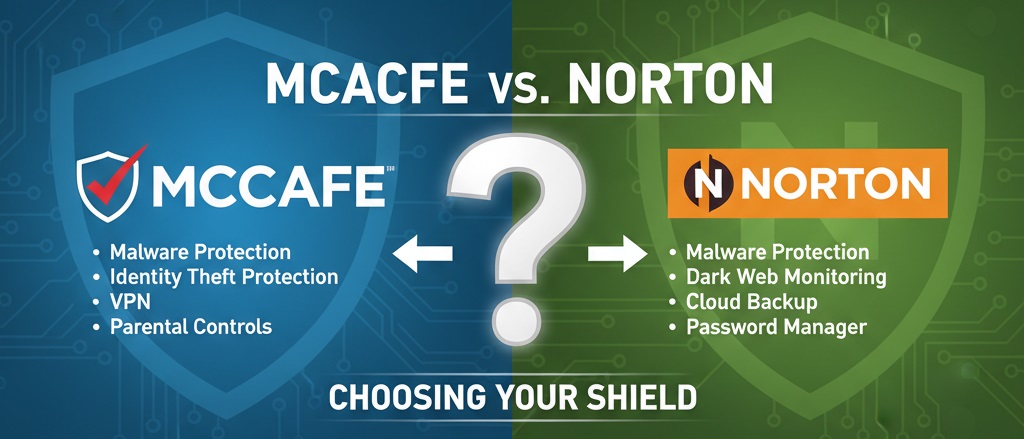
Choosing between McAfee and Norton represents a common decision for anyone seeking reliable antivirus protection. Both brands have protected millions of computers for decades and continue improving their products yearly. This comparison breaks down the specific differences, similarities, and ideal use cases for each security suite. Whether you prioritize unlimited device coverage or maximum malware detection, the information here will help you match your needs with the right product.
What is the Main Difference Between McAfee and Norton?
The main difference between McAfee and Norton is that McAfee offers unlimited device coverage on its premium plans, making it ideal for households with many devices, while Norton focuses on stronger malware detection rates and includes more identity theft protection features built into its standard packages.
What is McAfee and What is Norton?
McAfee is a cybersecurity company founded in 1987 by John McAfee. It provides antivirus software, firewall protection, and internet security tools for personal and business use. McAfee products protect against viruses, malware, ransomware, and online threats. The company serves millions of users worldwide across Windows, Mac, Android, and iOS platforms.
Norton is a cybersecurity brand owned by Gen Digital (formerly NortonLifeLock). It started in 1991 and has become one of the most recognized names in antivirus protection. Norton offers virus protection, VPN services, password managers, and identity theft monitoring. The software consistently ranks high in independent lab tests for malware detection.
Key Differences Between McAfee and Norton
- Device Coverage: McAfee’s premium plans allow unlimited devices, while Norton caps coverage at specific numbers depending on the plan tier.
- Malware Detection Rates: Norton typically scores slightly higher in independent lab tests from AV-TEST and AV-Comparatives for malware detection accuracy.
- System Performance Impact: Norton tends to have a lighter footprint on system resources during scans compared to McAfee.
- Identity Theft Protection: Norton includes LifeLock identity theft protection in higher-tier plans, which McAfee does not offer natively.
- VPN Data Limits: McAfee provides unlimited VPN data on all plans with VPN, while some Norton plans have data caps on VPN usage.
- Parental Controls: McAfee offers parental controls on more plan tiers, whereas Norton reserves full parental features for its premium packages.
- Cloud Backup: Norton provides cloud backup storage starting at 2GB, scaling up to 500GB. McAfee does not include cloud backup in its standard offerings.
- Pricing Structure: McAfee often has lower first-year promotional pricing, but renewal rates can be higher than Norton’s in some cases.
- Browser Extensions: Norton’s Safe Web browser extension offers more detailed website safety ratings than McAfee’s WebAdvisor.
Key Similarities Between McAfee and Norton
- Real-Time Protection: Both provide continuous scanning and real-time threat detection against viruses and malware.
- Multi-Platform Support: Each software works on Windows, macOS, Android, and iOS devices.
- Firewall Protection: Both include built-in firewalls to monitor incoming and outgoing network traffic.
- Password Manager: McAfee and Norton each offer password management tools as part of their security suites.
- Money-Back Guarantee: Both companies provide 60-day money-back guarantees on annual subscriptions.
- 24/7 Customer Support: Each brand offers round-the-clock customer service through chat, phone, and online resources.
- Automatic Updates: Both programs update virus definitions and software automatically without user intervention.
Protect Your Devices with McAfee
Features of McAfee vs Features of Norton
- Antivirus Engine: Both offer real-time scanning, but Norton scores higher in detection benchmarks.
- VPN Service: McAfee provides unlimited VPN data; Norton may cap data on certain plans.
- Password Manager: Both include password managers, though Norton’s integrates more smoothly across platforms.
- Parental Controls: McAfee offers parental tools on more plan levels than Norton.
- Firewall: Both have two-way firewalls, with similar functionality and customization options.
- Identity Protection: Norton has LifeLock; McAfee offers identity monitoring without insurance benefits.
- Cloud Storage: Norton includes cloud backup; McAfee does not offer this feature.
- Performance Optimization: Both include tools to speed up devices, but effectiveness varies by system.
Pros of McAfee Over Norton
- Unlimited Device Protection: McAfee’s Total Protection plan covers unlimited devices, perfect for large families or households with many gadgets.
- File Shredder Tool: McAfee includes a secure file shredder to permanently delete sensitive files beyond recovery.
- Lower Entry Price: McAfee frequently offers aggressive first-year discounts that undercut Norton’s starting prices.
- Home Network Security: McAfee provides network mapping tools to see all connected devices and identify vulnerabilities.
- WebAdvisor Extension: The free browser extension works independently and warns users about risky websites and downloads.
- Identity Monitoring: McAfee includes dark web monitoring for personal information in most plans.
- Gaming Mode: McAfee has a dedicated mode that reduces interruptions during gaming or full-screen activities.
Get McAfee’s Unlimited Device Coverage
Cons of McAfee Compared to Norton
- Higher System Impact: McAfee can slow down older computers more noticeably during full system scans.
- No Cloud Backup: McAfee lacks the built-in cloud storage backup feature that Norton offers.
- Weaker Lab Scores: McAfee occasionally scores lower than Norton in independent antivirus testing labs.
- No LifeLock Integration: McAfee cannot match Norton’s direct integration with LifeLock identity protection services.
- Interface Complexity: Some users find McAfee’s dashboard less intuitive than Norton’s cleaner design.
- Renewal Pricing: McAfee’s renewal prices can jump significantly after the first year discount expires.
- VPN Speed: McAfee’s VPN can be slower than Norton’s Secure VPN in certain regions.
Secure Your Family with McAfee
Pros of Norton Over McAfee
- Superior Malware Detection: Norton consistently achieves higher detection rates in tests by AV-TEST and AV-Comparatives.
- Cloud Backup Included: Norton plans include cloud backup ranging from 2GB to 500GB depending on subscription level.
- LifeLock Identity Protection: Higher-tier Norton plans include LifeLock, offering insurance and restoration services for identity theft.
- Lighter System Footprint: Norton runs more efficiently in the background with less impact on CPU and RAM usage.
- SafeCam Feature: Norton protects webcams from unauthorized access, blocking hackers from spying.
- Better Browser Protection: Norton’s Safe Web provides detailed threat analysis and color-coded safety ratings for websites.
- Cleaner User Interface: Norton’s dashboard is simpler and easier for beginners to navigate.
Try McAfee with 60-Day Guarantee
Cons of Norton Compared to McAfee
- Limited Device Count: Most Norton plans cap the number of devices, which can be restrictive for larger households.
- Higher Starting Price: Norton’s base pricing tends to be higher than McAfee’s promotional rates.
- VPN Data Caps: Some Norton plans limit VPN usage to a set amount of data per month.
- Parental Controls Restricted: Full parental control features require purchasing premium Norton plans.
- No File Shredder on Basic Plans: Norton reserves secure file deletion for higher subscription tiers.
- Complex Uninstall Process: Removing Norton completely sometimes requires a dedicated removal tool.
Situations When McAfee is Better Than Norton
- Large Households: Families with more than five devices benefit from McAfee’s unlimited device coverage.
- Budget-Conscious Buyers: McAfee’s first-year discounts make it more affordable for those watching expenses.
- Network Monitoring Needs: Users wanting to see all devices on their home network prefer McAfee’s mapping tools.
- Secure File Deletion: Those needing to permanently destroy sensitive documents should choose McAfee’s shredder.
- Gaming Focus: Gamers appreciate McAfee’s optimized mode that minimizes scan interruptions.
- Dark Web Monitoring Priority: Users primarily concerned with leaked credentials benefit from McAfee’s monitoring features.
- Basic Antivirus Needs: People wanting straightforward virus protection without extras may find McAfee sufficient.
Situations When Norton is Better Than McAfee
- Maximum Malware Protection: Users prioritizing the highest detection rates should select Norton.
- Identity Theft Concerns: Those wanting LifeLock’s insurance and recovery services need Norton’s premium plans.
- Cloud Backup Requirements: Anyone needing automatic cloud backup for important files benefits from Norton.
- Older Computer Users: Norton’s lighter system impact works better on machines with limited resources.
- Webcam Security Priority: Users concerned about webcam hacking should choose Norton for its SafeCam feature.
- Browsing Safety Focus: People who want detailed website safety ratings prefer Norton’s Safe Web extension.
- Simpler Interface Preference: Beginners and less tech-savvy users often find Norton easier to use.
Installation and Setup Processes
Both McAfee and Norton aim to make installation simple for all users. The setup time for each product ranges from five to fifteen minutes depending on internet speed and system specifications.
McAfee Installation Steps
McAfee requires users to create an account on their website before downloading. The installer file is relatively small, but the full installation downloads additional components during setup.
After installation, McAfee prompts users to run an initial scan. The software then configures firewall settings and browser extensions automatically. Users can customize these settings later through the main dashboard.
Norton Installation Steps
Norton also requires account creation before download. The installer is self-contained and includes most components needed for operation.
The initial setup wizard guides users through enabling each protection layer. Norton asks permission before installing browser extensions, giving users more control during setup.
Post-Installation Configuration
Both programs recommend running a full system scan after installation. This initial scan can take 30 minutes to two hours depending on the amount of data stored on the device.
Users should review default settings after installation completes. Both McAfee and Norton enable most protection features by default, but some advanced options need manual activation.
Customer Support and Resources
Getting help when problems arise matters for any security software. Both McAfee and Norton offer multiple support channels for their paying customers.
McAfee Support Options
McAfee provides phone support, live chat, and a community forum for troubleshooting. Phone support is available 24/7 for subscribers in most regions.
The McAfee Virtual Assistant can handle basic questions and guide users through common fixes. For complex issues, McAfee offers remote assistance where technicians can access your computer with permission.
Norton Support Options
Norton offers phone support, chat support, and an extensive knowledge base. The company also provides community forums where users help each other with common problems.
Norton’s support team can remotely access computers to fix issues directly. The company also offers a Virus Protection Promise, providing refunds if they cannot remove a virus from your system.
Response Times and Quality
Both companies typically respond to chat requests within minutes during normal hours. Phone wait times vary but rarely exceed 15 minutes for premium subscribers.
User reviews suggest Norton’s support team resolves issues slightly faster on average. McAfee’s support receives mixed reviews, with some users reporting inconsistent experiences.
Try McAfee’s Gaming Mode Today
Mobile Protection Capabilities
Smartphones face growing security threats each year. Both McAfee and Norton offer dedicated mobile apps for Android and iOS devices.
Android Protection Features
McAfee’s Android app includes antivirus scanning, Wi-Fi security checks, and anti-theft features. The app can locate, lock, or wipe a lost device remotely.
Norton Mobile Security for Android provides malware scanning, app advisor features, and Wi-Fi security. The app warns users before they download potentially harmful applications from the Play Store.
iOS Protection Features
McAfee’s iOS app focuses on Wi-Fi security, web protection, and VPN access since Apple restricts traditional virus scanning. The app monitors for data breaches affecting user accounts.
Norton’s iOS app similarly emphasizes Wi-Fi scanning, web protection, and device security reports. Both apps are more limited on iOS due to Apple’s security architecture.
Battery and Performance Impact
Mobile security apps can drain battery life on smartphones. McAfee’s mobile app tends to consume slightly more battery during active scanning compared to Norton.
Both apps allow users to schedule scans during charging times. Background protection runs continuously but uses minimal resources when not actively scanning.
Pricing and Value Comparison
Cost plays a major role in choosing security software. Both McAfee and Norton use subscription models with significant first-year discounts.
McAfee Pricing Tiers
McAfee’s Basic plan starts around $30 for the first year and covers one device. The Premium plan offers unlimited devices and typically costs $50 to $60 initially.
Renewal prices increase substantially after year one. McAfee Premium renewals can reach $120 or more annually without promotional discounts.
Norton Pricing Tiers
Norton 360 Standard starts near $40 for the first year with single-device coverage. Norton 360 Deluxe covers five devices and usually costs around $50 initially.
Norton’s renewal rates are often more predictable than McAfee’s. The company sends reminder emails with occasional loyalty discounts before renewal dates.
Value Assessment
McAfee offers better value for households with many devices due to unlimited coverage. Norton provides better value for users who need cloud backup and identity protection features included.
Both companies offer 60-day money-back guarantees. Users can test either product risk-free and request refunds if unsatisfied.
FAQs
Is McAfee or Norton better for gaming?
McAfee is generally better for gaming due to its dedicated gaming mode. This feature pauses notifications and reduces system scans during gameplay. Norton has similar quiet modes, but McAfee’s implementation specifically targets gaming scenarios with minimal resource usage during full-screen applications.
Can I use McAfee and Norton together on the same computer?
Running both programs simultaneously is not recommended. Installing two antivirus programs causes conflicts, system slowdowns, and false threat detections. Each program may identify the other as suspicious software. Choose one solution and uninstall the other completely before installation.
Which antivirus has better customer support?
Both offer 24/7 support through phone and chat channels. Norton tends to receive slightly better reviews for support quality and resolution speed. McAfee’s support experiences vary more widely based on user reports. Both companies provide remote assistance for complex technical problems.
Do McAfee and Norton slow down computers?
Both programs impact system performance during scans. Norton generally has a lighter footprint during background operations. McAfee can cause more noticeable slowdowns on older hardware. Modern computers with SSDs and adequate RAM handle either program without significant issues.
Which offers better protection against ransomware?
Both programs include ransomware protection features. Norton’s detection rates for ransomware variants score slightly higher in lab tests. McAfee’s Ransom Guard feature specifically monitors for ransomware behavior. Either program provides solid ransomware defense for typical home users.
Are free versions of McAfee or Norton available?
Neither offers a fully-featured free antivirus product. McAfee provides a limited free trial period. Norton similarly offers trial versions. Both companies have discontinued their free products, focusing entirely on paid subscriptions with money-back guarantees instead.
How often do McAfee and Norton update virus definitions?
Both update virus definitions multiple times daily. Updates happen automatically in the background without user action. McAfee and Norton push critical updates immediately when new major threats emerge. Regular updates occur every few hours during normal operations.
Which antivirus is easier to uninstall?
McAfee is generally easier to remove using standard Windows uninstall procedures. Norton sometimes requires a dedicated Norton Remove and Reinstall tool for complete removal. Both companies provide uninstall guides and tools on their support websites for users experiencing removal difficulties.
McAfee vs Norton Summary
McAfee and Norton both deliver solid antivirus protection with different strengths. McAfee excels with unlimited device coverage and aggressive promotional pricing, making it ideal for large households on a budget. Norton leads in malware detection scores, includes cloud backup, and offers LifeLock identity protection on premium plans. Your choice depends on priorities: pick McAfee for device flexibility and pick Norton for maximum protection features. Both offer 60-day money-back guarantees, allowing risk-free testing before committing long-term.
| Comparison Aspect | McAfee | Norton |
|---|---|---|
| Device Coverage | Unlimited on premium plans | Limited by plan tier (1-10 devices) |
| Malware Detection Rate | Very good | Excellent (higher lab scores) |
| System Performance Impact | Moderate to heavy | Light to moderate |
| Cloud Backup | Not included | 2GB to 500GB included |
| VPN Data | Unlimited | May have data caps on some plans |
| Identity Protection | Dark web monitoring | LifeLock with insurance |
| Parental Controls | Available on more plans | Premium plans only |
| File Shredder | Included | Higher tiers only |
| Webcam Protection | Basic | SafeCam included |
| First-Year Pricing | Lower promotional rates | Slightly higher starting price |
| Renewal Pricing | Can increase significantly | More predictable |
| Best For | Large households, budget buyers | Maximum protection, identity security |
| Money-Back Guarantee | 60 days | 60 days |
| Mobile App Quality | Good | Good |
| Customer Support Rating | Mixed reviews | Generally positive |