
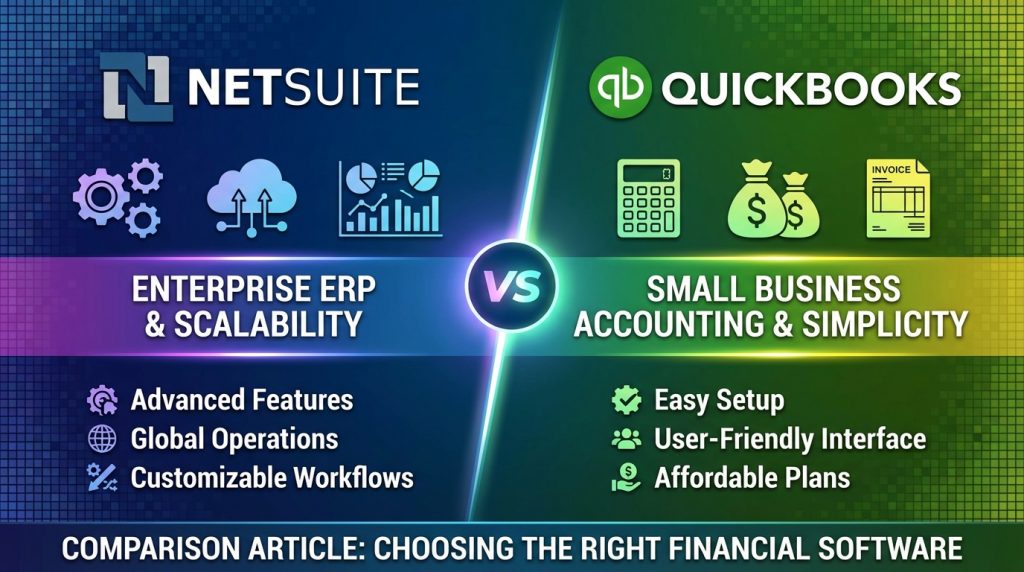
Selecting the right financial software shapes how efficiently your business operates. NetSuite vs QuickBooks represents a choice between enterprise-grade ERP capabilities and streamlined small business accounting. This comparison breaks down the features, costs, pros, cons, and ideal use cases for each platform. Small businesses with straightforward needs typically find QuickBooks sufficient and affordable. Growing companies with complex operations, multiple entities, or global requirements often need NetSuite’s depth. Your selection should align with current needs while accounting for where your business is headed in the next three to five years.
What is the Main Difference Between NetSuite and QuickBooks?
The main difference between NetSuite and QuickBooks is that NetSuite is an enterprise-level ERP (Enterprise Resource Planning) system built for mid-size to large businesses with complex operations, while QuickBooks is an accounting software designed primarily for small to medium-sized businesses seeking straightforward financial management tools.
Ready to see if QuickBooks fits your business? Get started here.
What is NetSuite and What is QuickBooks?
NetSuite is a cloud-based ERP platform owned by Oracle. It offers a full suite of business applications. These include financial management, CRM, e-commerce, inventory, and human resources. NetSuite serves companies that need integrated operations across multiple departments. It works well for businesses with global reach and complex supply chains.
QuickBooks is accounting software developed by Intuit. It comes in several versions: QuickBooks Online, QuickBooks Desktop, and QuickBooks Self-Employed. The platform handles invoicing, expense tracking, payroll, and basic reporting. QuickBooks targets freelancers, startups, and small businesses. It has become one of the most popular accounting tools in North America.
Try QuickBooks free and see the difference for yourself.
Key Differences Between NetSuite and QuickBooks
- Target Market: NetSuite serves mid-market and enterprise companies, while QuickBooks focuses on small businesses and solopreneurs.
- Pricing Structure: NetSuite uses custom pricing based on modules and users, starting around $999/month. QuickBooks offers transparent tiered pricing starting at $30/month.
- Implementation Time: NetSuite deployments often take 3-6 months with professional services. QuickBooks can be set up within hours or days.
- Customization Options: NetSuite provides deep customization through SuiteScript and SuiteFlow. QuickBooks offers limited customization through its app marketplace.
- Multi-Entity Support: NetSuite handles multiple subsidiaries and legal entities natively. QuickBooks requires separate subscriptions for each company.
- Inventory Management: NetSuite offers advanced inventory with demand planning and warehouse management. QuickBooks provides basic inventory tracking suitable for simple needs.
- Financial Reporting: NetSuite delivers real-time consolidated reporting across business units. QuickBooks offers standard financial reports with some customization.
- Global Capabilities: NetSuite supports multi-currency, multi-language, and international tax compliance. QuickBooks has limited international features.
- User Scalability: NetSuite scales to thousands of users without performance issues. QuickBooks has user limits depending on the plan.
Start your QuickBooks free trial today.
Key Similarities Between NetSuite and QuickBooks
- Cloud-Based Access: Both platforms offer cloud versions accessible from any device with internet connectivity.
- Core Accounting Functions: Both handle accounts payable, accounts receivable, general ledger, and bank reconciliation.
- Invoice Generation: Both allow users to create, send, and track customer invoices electronically.
- Third-Party Integrations: Both connect with external applications through APIs and app marketplaces.
- Mobile Applications: Both provide mobile apps for on-the-go financial management and approvals.
- Automated Bank Feeds: Both sync with bank accounts to import transactions automatically.
- Tax Reporting: Both generate reports needed for tax preparation and compliance.
See QuickBooks pricing and plans here.
Features of NetSuite vs Features of QuickBooks
- Financial Management: NetSuite offers multi-book accounting and global consolidation. QuickBooks provides single-entity accounting with standard reports.
- CRM Capabilities: NetSuite has built-in CRM for sales and marketing. QuickBooks requires third-party CRM integration.
- Inventory Control: NetSuite supports lot tracking, serial numbers, and bin management. QuickBooks offers basic quantity tracking.
- Order Management: NetSuite handles complex order-to-cash processes. QuickBooks manages simple sales orders.
- Procurement: NetSuite automates purchase orders and vendor management. QuickBooks tracks basic purchases and bills.
- Project Accounting: NetSuite provides job costing and resource allocation. QuickBooks offers project profitability tracking.
- Human Resources: NetSuite has native HR and payroll modules. QuickBooks integrates with QuickBooks Payroll as an add-on.
Get QuickBooks set up in minutes. Start now.
Pros of NetSuite Over QuickBooks
- All-in-One Platform: NetSuite combines ERP, CRM, e-commerce, and HR in a single database, eliminating data silos.
- Advanced Automation: NetSuite automates complex workflows across departments with approval routing and triggers.
- Real-Time Visibility: Dashboards provide instant insights into business performance across all operations.
- Audit Trail Capabilities: NetSuite maintains detailed logs of all system changes for compliance and governance.
- Revenue Recognition: NetSuite handles ASC 606 and complex revenue recognition rules automatically.
- Role-Based Permissions: Granular access controls let administrators restrict data by role, department, or subsidiary.
- Built-In Business Intelligence: Native reporting and analytics tools eliminate the need for separate BI software.
Cons of NetSuite Compared to QuickBooks
- Higher Total Cost: License fees, implementation costs, and ongoing support make NetSuite significantly more expensive.
- Steep Learning Curve: Users need substantial training to operate NetSuite effectively.
- Complex Setup Process: Implementation requires consultants and careful planning to configure properly.
- Overkill for Small Businesses: Many NetSuite features go unused by companies with simple needs.
- Contract Commitments: NetSuite typically requires annual contracts with limited flexibility.
- Slower Updates: System changes and customizations require development resources and testing.
- Support Costs: Premium support tiers cost extra beyond base subscription fees.
QuickBooks offers affordable plans for every budget. Check them out.
Pros of QuickBooks Over NetSuite
- Affordable Pricing: QuickBooks costs a fraction of NetSuite, making it accessible for budget-conscious businesses.
- Easy Setup: Most users can configure QuickBooks without professional help or technical expertise.
- Intuitive Interface: The design is clean and straightforward, requiring minimal training.
- Large Accountant Network: Thousands of accountants and bookkeepers specialize in QuickBooks.
- Flexible Plans: Users can upgrade, downgrade, or cancel subscriptions monthly.
- Strong Payroll Integration: QuickBooks Payroll integrates tightly with the accounting system.
- Abundant Resources: Tutorials, forums, and help articles are widely available online.
Join millions of small businesses using QuickBooks. Sign up free.
Cons of QuickBooks Compared to NetSuite
- Limited Scalability: QuickBooks struggles with high transaction volumes and large data sets.
- Basic Inventory Features: Stock management lacks depth for manufacturing or distribution businesses.
- No Native ERP Functions: CRM, HR, and supply chain require separate third-party tools.
- Reporting Restrictions: Custom reports have limitations compared to enterprise systems.
- Multi-Company Challenges: Managing multiple entities requires separate subscriptions and manual consolidation.
- International Limitations: Multi-currency and global tax compliance features are basic.
Situations When NetSuite is Better Than QuickBooks
- Rapid Growth Phase: Companies scaling quickly need a system that grows without replacement.
- Multi-Location Operations: Businesses with warehouses, stores, or offices in multiple regions benefit from centralized data.
- Manufacturing Companies: Firms needing bill of materials, work orders, and production tracking require NetSuite’s depth.
- E-Commerce Businesses: Online retailers with high SKU counts and order volumes need integrated fulfillment.
- Global Operations: Companies operating internationally need multi-currency and localization support.
- Complex Revenue Models: Subscription businesses and those with milestone billing need advanced revenue recognition.
- Audit Requirements: Publicly traded companies or those preparing for acquisition need strong audit controls.
Situations When QuickBooks is Better Than NetSuite
- Startup Stage: New businesses with limited revenue should preserve capital with affordable tools.
- Service-Based Firms: Consultants, agencies, and freelancers need basic invoicing and expense tracking.
- Simple Product Sales: Retailers with straightforward inventory can manage stock with QuickBooks.
- Tight Budgets: Organizations with minimal IT budgets cannot justify enterprise software costs.
- Small Teams: Companies with fewer than 20 employees rarely need NetSuite’s capabilities.
- Quick Implementation Needs: Businesses needing immediate functionality cannot wait months for deployment.
- Basic Reporting Needs: Companies satisfied with standard financial statements find QuickBooks sufficient.
Perfect for startups and small teams. Try QuickBooks risk-free.
Making the Right Software Selection for Your Business
Choosing between these two platforms depends on where your company stands today and where it’s headed. Your decision should factor in current transaction volumes, growth projections, and operational complexity.
Assessing Your Current Needs
Start by documenting your existing workflows. Map out how data flows between departments and identify manual processes that slow operations.
Review your transaction volumes from the past 12 months. High volumes often indicate the need for more processing power and automation than basic software provides.
Not sure which plan is right for you? Compare QuickBooks options here.
Projecting Future Requirements
Think about your three-year business plan. If you expect to add locations, product lines, or international markets, factor those into your software decision.
Companies planning acquisitions or preparing for investors should select software that supports due diligence and financial audits.
Calculating Total Cost of Ownership
Look beyond monthly subscription fees. Include implementation costs, training expenses, and productivity loss during transition.
Factor in opportunity costs of delayed deployment. A faster implementation means quicker access to better financial data and decision-making.
QuickBooks delivers value without the enterprise price tag. Get started.
Evaluating Implementation and Support Options
Both platforms require different levels of support during and after deployment. Understanding these differences helps set realistic expectations.
NetSuite Implementation Approaches
Most NetSuite customers work with implementation partners. These certified consultants configure the system, migrate data, and train users.
Plan for a phased rollout. Starting with core accounting and adding modules over time reduces risk and allows teams to adapt gradually.
QuickBooks Setup Process
QuickBooks setup typically happens internally. Many businesses complete basic configuration in a single day with help from online tutorials.
Some companies hire QuickBooks ProAdvisors for complex setups. These certified professionals assist with chart of accounts design and opening balance entry.
Set up QuickBooks yourself in under an hour. Start your free trial.
Ongoing Support Considerations
NetSuite support comes in tiers with different response times. Premium support costs more but provides faster issue resolution.
QuickBooks offers phone, chat, and community support. Response times vary based on plan level and issue complexity.
Data Migration Strategies and Best Practices
Moving financial data between systems requires careful planning. Poor migration leads to reporting errors and reconciliation headaches.
Preparing Your Data
Clean your existing data before migration. Remove duplicate vendors, customers, and inactive accounts that clutter the new system.
Reconcile all bank accounts and credit cards. Starting with accurate balances prevents confusion after go-live.
Mapping Data Fields
Create a detailed mapping document. This shows how data from your old system translates to fields in the new platform.
Test the mapping with sample records. Verify that transactions, customers, and vendors appear correctly before full migration.
Validating After Migration
Run parallel systems for at least one month. This allows comparison of reports between old and new systems.
Check opening balances match perfectly. Even small discrepancies compound over time and complicate audits.
Switching accounting software? QuickBooks makes migration simple.
Training Your Team for Success
User adoption determines software ROI. Even the best system fails if employees don’t use it properly.
Creating Training Programs
Develop role-specific training materials. Accountants need different instruction than sales staff or warehouse workers.
Schedule training close to go-live. Training too early leads to forgotten knowledge before practical application.
Building Internal Expertise
Identify power users in each department. These individuals become first-line support for colleagues with questions.
Document your specific processes. Generic training covers software features but not your company’s unique workflows.
Measuring Adoption
Track system usage metrics after launch. Low login rates or workarounds signal the need for additional training.
Gather feedback from users regularly. Their input helps identify pain points and improvement opportunities.
Your team will love how easy QuickBooks is to use. See for yourself.
FAQs
Can I migrate from QuickBooks to NetSuite?
Yes, migration from QuickBooks to NetSuite is a common path for growing businesses. Most implementation partners offer data migration services that transfer your chart of accounts, customers, vendors, and historical transactions. The process typically takes 2-4 weeks depending on data complexity. Clean data before migration speeds up the process and improves accuracy.
Does NetSuite offer a free trial?
NetSuite does not offer a traditional free trial like QuickBooks. Instead, Oracle provides personalized product demonstrations where sales representatives walk you through features relevant to your industry. Some implementation partners offer sandbox environments for testing. Request a demo focused on your specific use cases to evaluate fit.
Which software has better integrations?
Both platforms offer extensive integration options through different approaches. NetSuite provides SuiteTalk API and pre-built connectors through SuiteApp marketplace. QuickBooks connects with over 750 apps through its app store and offers a developer API. QuickBooks has more consumer-focused integrations while NetSuite offers deeper enterprise connections.
How long does NetSuite implementation take?
NetSuite implementation typically takes 3-6 months for standard deployments. Complex projects with multiple subsidiaries, custom development, or data migration from legacy systems may take 9-12 months. Factors affecting timeline include internal resource availability, decision-making speed, and scope changes during the project.
Is QuickBooks secure enough for my business?
QuickBooks Online uses 128-bit SSL encryption and stores data in secure facilities with 24/7 monitoring. The platform complies with SOC 1 and SOC 2 standards. For most small businesses, QuickBooks security meets or exceeds requirements. Businesses in regulated industries should verify compliance with specific standards like HIPAA or PCI-DSS.
Can QuickBooks handle multiple currencies?
QuickBooks Online Plus and Advanced plans support multiple currencies for international transactions. You can invoice customers and pay vendors in their local currency. Exchange rates update automatically or can be entered manually. The feature works well for occasional international transactions but lacks the depth needed for complex global operations.
What industries use NetSuite most?
NetSuite serves multiple industries with specialized editions. Software and technology companies make up a large portion of users. Wholesale distribution, retail, manufacturing, and professional services firms also frequently choose NetSuite. Industry-specific features called SuiteSuccess packages accelerate implementation for common business types.
Does QuickBooks work for inventory-based businesses?
QuickBooks handles basic inventory tracking for product-based businesses. You can track quantities on hand, set reorder points, and run inventory valuation reports. The system works well for businesses with fewer than 1,000 SKUs and simple fulfillment needs. Companies with complex inventory requirements like lot tracking or multiple warehouses outgrow QuickBooks quickly.
Which platform has better customer support?
Support experiences vary based on plan level and issue complexity. QuickBooks offers phone support during business hours plus chat and community forums. NetSuite provides tiered support with premium options for faster response times. QuickBooks has more self-service resources while NetSuite support handles more complex technical issues.
Still have questions? Try QuickBooks free and test it yourself.
NetSuite vs QuickBooks Summary
Both NetSuite and QuickBooks serve important roles in the accounting software market. NetSuite excels as a full ERP platform for mid-market and enterprise companies needing integrated operations. QuickBooks remains the go-to choice for small businesses wanting affordable, easy-to-use financial management. The right choice depends on your company size, budget, growth trajectory, and operational complexity. Evaluate both platforms against your specific requirements. Request demos, calculate total costs, and involve key stakeholders in the decision. The software you choose today will impact your financial operations for years to come.
Ready to take control of your finances? Start with QuickBooks today.
Comparison Summary Table
| Aspect | NetSuite | QuickBooks |
|---|---|---|
| Target Market | Mid-size to enterprise businesses | Small to medium businesses |
| Starting Price | ~$999/month + implementation | ~$30/month |
| Implementation Time | 3-6 months | Hours to days |
| Multi-Entity Support | Native consolidation | Separate subscriptions |
| Inventory Depth | Advanced (lot tracking, WMS) | Basic quantity tracking |
| Global Capabilities | Multi-currency, multi-language | Limited international features |
| CRM Built-In | Yes | No (requires integration) |
| Customization | Deep (SuiteScript) | Limited |
| Best For | Complex, growing operations | Simple accounting needs |
| User Scalability | Thousands of users | Limited by plan |


