
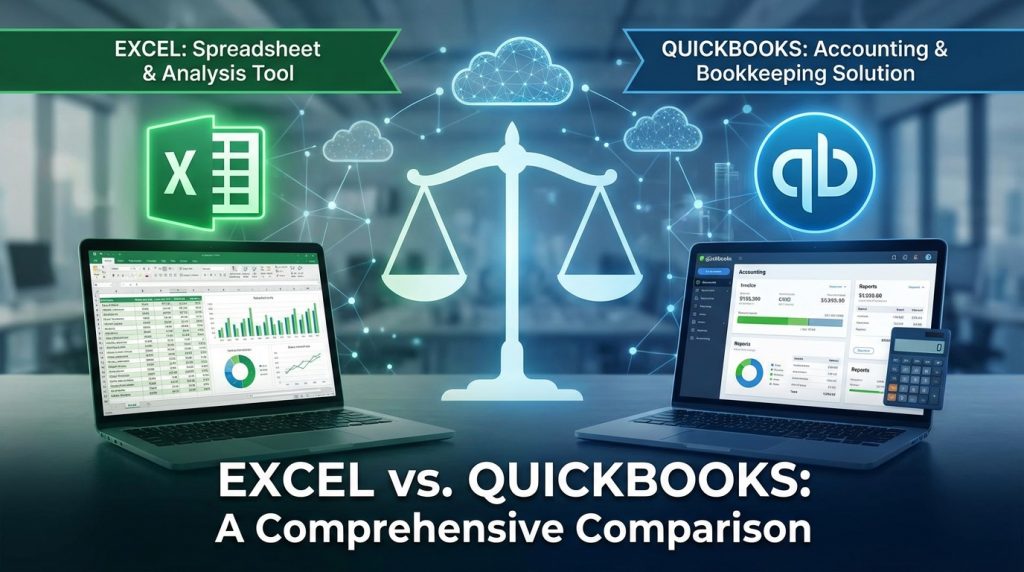
Businesses comparing Excel vs QuickBooks need clarity on which tool handles their financial tracking needs best. Excel offers unmatched flexibility for custom calculations, data analysis, and financial modeling at minimal cost. QuickBooks delivers automated accounting, invoicing, payroll, and tax preparation for growing companies. Your choice depends on transaction volume, accounting complexity, and budget constraints. Small businesses often start with Excel before graduating to QuickBooks as operations expand. Many established companies use both platforms together for maximum efficiency.
What is the Main Difference Between Excel and QuickBooks?
The main difference between excel and quickbooks is that Excel is a general-purpose spreadsheet application built for data analysis, calculations, and custom reporting across any industry, while QuickBooks is dedicated accounting software created specifically for managing business finances, invoicing, payroll, and tax preparation with built-in compliance features.
Ready to streamline your accounting? Try QuickBooks today.
What is Excel and What is QuickBooks?
Microsoft Excel is a spreadsheet program developed by Microsoft. It allows users to organize data in rows and columns. Users can perform calculations using formulas and functions. Excel supports data visualization through charts and graphs. Businesses use it for budgeting, forecasting, and custom financial modeling. The software works across industries for various purposes beyond accounting.
QuickBooks is accounting software developed by Intuit. It targets small to medium-sized businesses. The platform handles invoicing, expense tracking, payroll, and tax calculations. QuickBooks automates many accounting tasks. It generates financial reports like profit and loss statements, balance sheets, and cash flow reports. The software comes in desktop and cloud-based versions.
Start your free QuickBooks trial now.
Key Differences Between Excel and QuickBooks
- Primary Purpose: Excel functions as a multipurpose spreadsheet tool for data manipulation, while QuickBooks serves as specialized accounting software for financial management.
- Automation Level: QuickBooks automates invoicing, bank reconciliation, and payroll processing automatically, whereas Excel requires manual setup of formulas and macros for automation.
- Accounting Compliance: QuickBooks follows Generally Accepted Accounting Principles (GAAP) by default, while Excel needs manual configuration to meet accounting standards.
- User Interface: QuickBooks provides a structured interface designed for accounting workflows, but Excel offers a blank grid that users customize from scratch.
- Bank Integration: QuickBooks connects directly with bank accounts for automatic transaction imports, yet Excel requires manual data entry or CSV file imports.
- Invoice Generation: QuickBooks creates professional invoices with payment tracking built-in, whereas Excel needs custom templates and manual follow-up systems.
- Audit Trail: QuickBooks maintains automatic audit logs of all financial changes, while Excel lacks native version tracking for individual cell edits.
- Multi-User Access: QuickBooks supports simultaneous multi-user access with role-based permissions, but Excel has limited real-time collaboration capabilities in desktop versions.
- Cost Structure: Excel comes bundled with Microsoft 365 subscriptions, while QuickBooks requires separate subscription fees ranging from $30 to $200 monthly.
See QuickBooks pricing and pick your plan.
Key Similarities Between Excel and QuickBooks
- Financial Reporting: Both tools generate financial reports including profit/loss statements and balance sheets for business analysis.
- Data Export Options: Excel and QuickBooks both support exporting data to CSV, PDF, and other common file formats.
- Cloud Accessibility: Both offer cloud-based versions allowing users to access files from any device with internet connection.
- Customization Options: Users can create custom reports and dashboards in both Excel and QuickBooks based on specific business needs.
- Third-Party Integrations: Both platforms support connections with other business applications through APIs and add-ons.
- Security Features: Excel and QuickBooks both provide password protection and user access controls for sensitive financial data.
- Mobile Applications: Both have mobile apps enabling users to manage finances on smartphones and tablets.
Get QuickBooks and automate your bookkeeping.
Features of Excel vs Features of QuickBooks
| Feature Area | Excel | QuickBooks |
|---|---|---|
| Formulas & Functions | 400+ built-in functions for calculations | Pre-configured accounting calculations |
| Data Visualization | Charts, graphs, sparklines, conditional formatting | Standard financial charts and dashboards |
| Collaboration | Co-authoring in Microsoft 365 cloud versions | Multi-user access with permission levels |
| Templates | Thousands of free templates available | Industry-specific accounting templates |
| Macros & Automation | VBA programming for custom automation | Built-in workflow automation |
| Reporting | Fully customizable report creation | Standard and customizable financial reports |
| Integration | Power Platform, databases, APIs | 750+ third-party app integrations |
Sign up for QuickBooks and save time on accounting.
Pros of Excel Over QuickBooks
- Lower Cost Entry: Excel comes included with Microsoft 365, eliminating the need for separate accounting software subscriptions.
- Unlimited Customization: Users build any type of spreadsheet, formula, or model without software limitations or predefined structures.
- Industry Flexibility: Excel works for any business type or personal use without being restricted to accounting functions only.
- Advanced Data Analysis: Pivot tables, Power Query, and statistical functions offer deeper analytical capabilities than QuickBooks reporting.
- Familiar Interface: Most professionals already know Excel basics, reducing training time and learning curves.
- Offline Functionality: Desktop Excel works without internet connection, unlike QuickBooks Online versions.
- One-Time Purchase Option: Excel can be purchased as a standalone product without recurring monthly fees.
Cons of Excel Compared to QuickBooks
- Manual Data Entry: Excel requires typing transactions manually, increasing time spent and error potential.
- No Built-in Compliance: Users must set up their own accounting rules and standards without automated guidance.
- Limited Audit Capabilities: Tracking changes across multiple users and sessions proves difficult without add-ons.
- No Invoice Payment Tracking: Excel cannot automatically track which invoices clients have paid or send reminders.
- Bank Reconciliation Challenges: Matching bank statements with records requires manual comparison and verification.
- Scalability Issues: Large transaction volumes make Excel slow and prone to crashes or corruption.
- Tax Preparation Gaps: Excel does not calculate sales tax, payroll taxes, or generate tax forms automatically.
Tired of manual entry? Switch to QuickBooks now.
Pros of QuickBooks Over Excel
- Automated Bookkeeping: Transactions import automatically from connected bank accounts and credit cards.
- Professional Invoicing: Create branded invoices with online payment options and automatic payment reminders.
- Payroll Processing: Calculate wages, taxes, and deductions while generating pay stubs and tax forms.
- Tax Readiness: Categorize expenses for tax purposes and generate reports ready for accountants or tax software.
- Real-Time Financial View: Dashboard shows current cash position, outstanding invoices, and upcoming bills instantly.
- Receipt Capture: Mobile app lets users photograph receipts and attach them to transactions immediately.
- Accountant Access: Grant your accountant direct access to review books without exchanging files.
Get these features with a free QuickBooks trial.
Cons of QuickBooks Compared to Excel
- Monthly Subscription Costs: QuickBooks requires ongoing payments that add up over years of use.
- Learning Curve: New users need time to master QuickBooks-specific terminology and workflows.
- Limited Customization: Report formats and categories follow QuickBooks templates with restricted modification options.
- Internet Dependency: QuickBooks Online requires constant internet access for full functionality.
- Feature Restrictions by Plan: Lower-priced plans lack features like inventory tracking or time tracking.
- Overkill for Simple Needs: Freelancers or micro-businesses may not need all the features they pay for.
- Data Migration Difficulty: Moving historical data out of QuickBooks to another system can be complex.
Check QuickBooks plans to find the right fit.
Situations When Excel is Better Than QuickBooks
- Custom Financial Modeling: Building complex financial projections, scenarios, or forecasts works better in Excel.
- One-Time Projects: Temporary financial tracking for events or short-term projects suits Excel’s flexibility.
- Personal Finance Tracking: Managing household budgets and personal expenses does not require accounting software.
- Statistical Analysis: Performing advanced statistical calculations on financial data happens more easily in Excel.
- Data Manipulation Tasks: Cleaning, transforming, and reorganizing large datasets is Excel’s strength.
- Budget Creation: Creating detailed departmental or project budgets from scratch fits Excel’s grid format.
- Cross-Department Collaboration: Sharing financial data with non-accounting teams works smoothly with familiar Excel files.
Situations When QuickBooks is Better Than Excel
- Growing Small Businesses: Companies with increasing transaction volumes benefit from QuickBooks automation.
- Invoicing-Heavy Operations: Service businesses sending many invoices need QuickBooks payment tracking.
- Businesses with Employees: Companies running payroll require QuickBooks payroll features and tax compliance.
- Inventory-Based Businesses: Retailers and wholesalers need QuickBooks inventory management integration.
- Multiple Bank Accounts: Businesses juggling several accounts benefit from automatic bank feeds.
- Tax Season Preparation: Companies wanting organized records for tax filing save time with QuickBooks.
- Audit Requirements: Businesses subject to audits need QuickBooks automatic documentation and trails.
Start automating your business finances with QuickBooks.
Choosing the Right Tool for Your Business Size
Picking between Excel and QuickBooks depends heavily on your company size and transaction volume. Each tool fits different business stages and operational complexity.
Startups and Solopreneurs
New businesses with minimal transactions often start with Excel. The cost savings matter when revenue is limited. A simple spreadsheet tracks income and expenses effectively for the first year or two.
As the business grows, limitations appear. Manual entry becomes time-consuming. Errors creep into formulas. This signals the right time to switch to QuickBooks.
Ready to grow? Get QuickBooks for your business.
Small Businesses with Employees
Companies with staff members face payroll obligations. QuickBooks handles wage calculations, tax withholdings, and direct deposits. Excel cannot match this functionality without significant manual work.
Employee expense tracking also improves in QuickBooks. Workers submit expenses through the mobile app. Managers approve and categorize them within the system.
Medium-Sized Companies
Mid-size businesses often use both tools together. QuickBooks manages day-to-day accounting. Excel handles specialized analysis and reporting. This combination gives the best of both platforms.
Financial analysts pull QuickBooks data into Excel for deeper analysis. Custom models and forecasts live in spreadsheets. The official books stay in QuickBooks for compliance purposes.
See how QuickBooks handles your growing needs.
Integration Strategies Between Excel and QuickBooks
Many businesses run Excel and QuickBooks side by side. Getting them to work together improves efficiency and accuracy.
Exporting QuickBooks Data to Excel
QuickBooks exports reports directly to Excel format. Users select any report and click the Excel export button. The data transfers with formatting intact for further manipulation.
Regular exports keep Excel models updated. Some businesses automate daily or weekly exports. This creates a backup while enabling custom analysis.
Importing Excel Data into QuickBooks
Historical data from Excel imports into QuickBooks during initial setup. The import tool maps spreadsheet columns to QuickBooks fields. Transactions transfer in batches rather than one at a time.
Ongoing imports work for specific scenarios. Bulk transaction entry from external sources saves manual typing. The process requires proper formatting to avoid errors.
Third-Party Connection Tools
Software bridges connect Excel and QuickBooks in real-time. These tools sync data automatically between platforms. Changes in one system appear in the other within minutes.
Popular connectors handle bidirectional syncing. Businesses set rules for which data flows where. This eliminates duplicate entry while maintaining data integrity.
Try QuickBooks and connect it with your tools.
Cost Analysis for Long-Term Use
Software costs affect business budgets over time. Understanding total ownership costs helps make smart decisions.
Excel Pricing Breakdown
Microsoft 365 Business Basic starts at $6 per user monthly. This plan provides web-based Excel access. The Business Standard plan at $12.50 monthly adds desktop applications.
One-time purchase options exist for Excel 2021. The cost runs approximately $150 for a permanent license. Updates stop after a few years, requiring eventual repurchase.
QuickBooks Pricing Tiers
QuickBooks Simple Start costs $30 monthly for basic features. The Essentials plan at $60 adds bill management and multi-user access. Plus plan at $90 brings inventory and project tracking.
QuickBooks Advanced runs $200 monthly for larger businesses. This tier supports 25 users and adds business analytics. Payroll and payments cost extra on all plans.
View current QuickBooks pricing and discounts.
Five-Year Cost Comparison
A solopreneur using Excel through Microsoft 365 pays roughly $720 over five years. The same user on QuickBooks Simple Start spends $1,800 in subscription fees.
The cost gap widens with added features. A small business needing QuickBooks Plus with payroll may pay $3,000 annually. Excel stays flat regardless of how users apply it.
Get QuickBooks at the best available rate.
FAQs
Can I use Excel instead of QuickBooks for my small business?
Yes, Excel works for small businesses with low transaction volumes and simple financial needs. You can track income, expenses, and create basic financial reports using templates or custom spreadsheets. The trade-off involves more manual work for data entry, no automatic bank connections, and greater chance of formula errors. Businesses processing fewer than 50 transactions monthly often manage fine with Excel alone.
Does QuickBooks integrate with Excel?
QuickBooks offers direct Excel export functionality for all reports and transaction lists. Users click the export button to transfer data instantly into spreadsheet format. Some versions support scheduled automatic exports. Third-party tools provide real-time synchronization between both platforms for businesses needing constant data flow.
Which is easier to learn, Excel or QuickBooks?
Most people find basic Excel easier since spreadsheet concepts are taught widely. QuickBooks requires learning accounting terminology and specific software workflows. Users with bookkeeping backgrounds adapt to QuickBooks faster. Those without accounting knowledge may struggle with QuickBooks despite its guided setup wizards.
Can QuickBooks replace Excel completely?
QuickBooks cannot fully replace Excel for most businesses. Excel handles custom analysis, complex modeling, and data manipulation that QuickBooks reports cannot perform. Many companies use QuickBooks for official bookkeeping while maintaining Excel for budgeting, forecasting, and ad-hoc analysis. The tools complement each other rather than compete directly.
Is Excel accurate enough for business accounting?
Excel performs calculations accurately when formulas are built correctly. The risk comes from human error in formula creation, accidental deletions, and lack of built-in accounting rules. Professional accountants use Excel successfully but implement controls and verification steps. Growing businesses often switch to QuickBooks to reduce error risk.
How do I transfer my Excel accounting records to QuickBooks?
QuickBooks provides import tools accepting Excel files for customers, vendors, products, and transactions. Users must format spreadsheets according to QuickBooks templates first. The import wizard maps columns to the correct fields. Complex historical data may require professional assistance to migrate cleanly.
What size business should use QuickBooks over Excel?
Businesses processing more than 100 monthly transactions typically benefit from QuickBooks automation. Companies with employees needing payroll save significant time with QuickBooks. Any business requiring professional invoicing with payment tracking should upgrade from Excel. Revenue level matters less than transaction complexity.
Can Excel track inventory like QuickBooks?
Excel can track inventory using formulas and templates, but lacks automatic updates when sales occur. Users must manually adjust quantities after each transaction. QuickBooks connects inventory to sales invoices, updating counts automatically. Businesses with more than 20 products generally need QuickBooks inventory features.
Comparison Summary Table
| Aspect | Excel | QuickBooks |
|---|---|---|
| Primary Function | General spreadsheet and data analysis | Dedicated accounting software |
| Cost | $6-$12.50/month with Microsoft 365 | $30-$200/month subscription |
| Bank Connection | Manual import required | Automatic bank feeds |
| Invoice Creation | Manual templates | Automated with payment tracking |
| Payroll | Not available | Built-in payroll processing |
| Learning Curve | Low for basics | Moderate for non-accountants |
| Customization | Unlimited flexibility | Limited to software templates |
| Audit Trail | Manual tracking needed | Automatic logging |
| Best For | Custom analysis, modeling, budgets | Daily bookkeeping, invoicing, taxes |
| Scalability | Struggles with high volumes | Handles business growth well |
| Offline Use | Full desktop functionality | Limited offline access |
| Multi-User | Basic collaboration | Role-based permissions |
Excel vs QuickBooks Summary
The Excel vs QuickBooks decision comes down to your specific business requirements. Excel suits businesses needing flexible data analysis, custom modeling, and cost-effective solutions for simple financial tracking. QuickBooks fits companies requiring automated bookkeeping, professional invoicing, payroll processing, and tax compliance. Startups and freelancers often thrive with Excel initially. Growing businesses with employees and high transaction volumes gain efficiency from QuickBooks automation. The smartest approach for many organizations combines both tools—QuickBooks for official accounting records and Excel for advanced analysis and custom reporting needs.
Get started with QuickBooks and simplify your accounting today.


