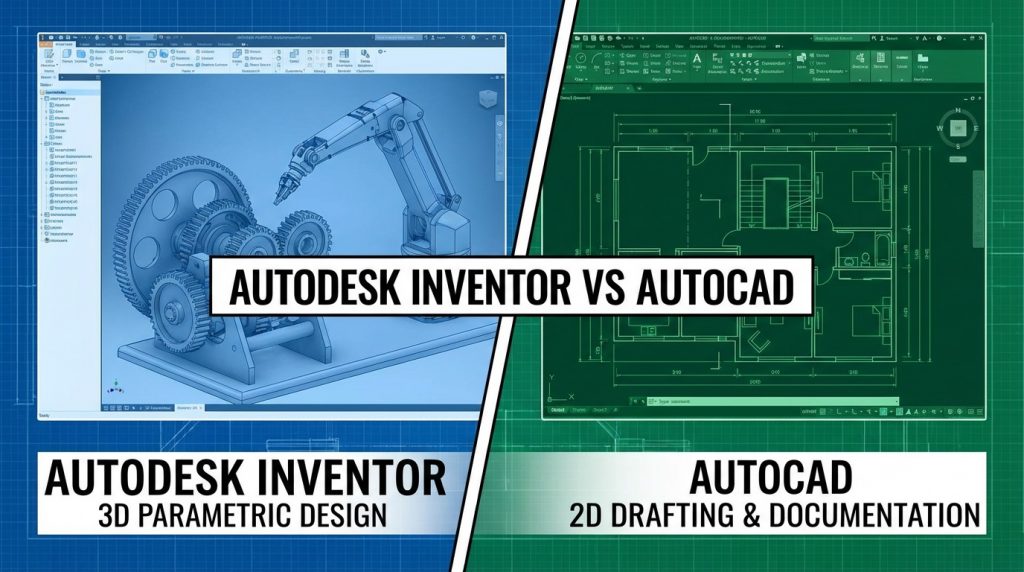
Engineering and design professionals often face the choice between Autodesk Inventor and AutoCAD for their projects. Both applications come from Autodesk but serve different purposes. Inventor focuses on 3D mechanical design with parametric modeling and simulation tools. AutoCAD remains the standard for 2D technical drafting across multiple industries. This comparison breaks down their differences, similarities, strengths, and ideal use cases to help you select the right software for your specific needs.
What is the Main Difference Between Autodesk Inventor and AutoCAD?
The main difference between Autodesk Inventor and AutoCAD is that Inventor is a 3D parametric modeling software built for mechanical design and product simulation, while AutoCAD is primarily a 2D drafting and documentation tool with 3D capabilities suited for architecture, construction, and general design work.
Get expert CAD guidance today.
What is Autodesk Inventor?
Autodesk Inventor is a professional-grade 3D CAD software for mechanical design. Engineers and product designers use it to create digital prototypes. The software supports parametric and direct modeling approaches. It includes tools for assembly design, stress analysis, and motion simulation. Inventor helps teams visualize products before manufacturing.
Start your software comparison now.
What is AutoCAD?
AutoCAD is a versatile CAD application known for precision 2D drafting. Architects, engineers, and designers rely on it for technical drawings. The software also offers 3D modeling capabilities. AutoCAD works across many industries including construction, manufacturing, and electrical design. Its DWG file format is an industry standard.
Key Differences Between Autodesk Inventor and AutoCAD
- Primary Focus: Inventor centers on 3D parametric modeling for mechanical parts, while AutoCAD specializes in 2D technical drafting.
- Design Approach: Inventor uses feature-based modeling with design intent, whereas AutoCAD relies on geometry-based drawing methods.
- Assembly Management: Inventor handles complex multi-part assemblies natively, but AutoCAD lacks dedicated assembly tools.
- Simulation Capabilities: Inventor includes built-in stress analysis and motion simulation; AutoCAD requires third-party add-ons.
- File Formats: Inventor uses IPT, IAM, and IDW files, while AutoCAD primarily uses DWG and DXF formats.
- Industry Application: Inventor targets product manufacturing and mechanical engineering; AutoCAD serves architecture, civil, and general drafting.
- Learning Curve: Inventor demands more training due to parametric complexity; AutoCAD offers faster onboarding for basic tasks.
- Bill of Materials: Inventor generates automatic BOMs from assemblies; AutoCAD needs manual table creation.
- Rendering Quality: Inventor provides advanced rendering for product visualization; AutoCAD offers basic rendering tools.
See which tool fits your workflow.
Key Similarities Between Autodesk Inventor and AutoCAD
- Developer: Both applications come from Autodesk and share similar licensing structures.
- Windows Compatibility: Each software runs on Windows operating systems with similar hardware requirements.
- DWG Support: Both can open and work with DWG file formats for drawing exchange.
- Cloud Integration: Each connects to Autodesk cloud services for file storage and collaboration.
- Subscription Model: Both operate under Autodesk’s subscription pricing system.
- Educational Versions: Free student and educator licenses exist for both programs.
- Customization: Each supports automation through APIs and scripting languages.
Get personalized recommendations here.
Features of Autodesk Inventor vs Features of AutoCAD
- Inventor Features: Parametric modeling, assembly design, FEA simulation, frame generator, sheet metal tools, BOM automation, and Vault integration.
- AutoCAD Features: 2D drafting, basic 3D modeling, annotation tools, dynamic blocks, external references, sheet sets, and industry toolsets.
- Modeling Style: Inventor uses history-based parametric modeling; AutoCAD uses direct geometry creation.
- Documentation: Inventor creates drawings from 3D models; AutoCAD creates standalone 2D documents.
- Data Management: Inventor connects to Vault PDM; AutoCAD uses sheet set manager.
- Customization: Inventor uses iLogic and API; AutoCAD uses LISP, .NET, and API.
- Rendering: Inventor has built-in visualization; AutoCAD relies on external renderers.
Compare your options with expert help.
Pros of Autodesk Inventor Over AutoCAD
- 3D Part Design: Inventor excels at creating complex 3D mechanical components with precise control.
- Assembly Constraints: The software manages relationships between parts automatically as designs change.
- Simulation Tools: Built-in FEA and dynamic simulation test designs without physical prototypes.
- Sheet Metal Design: Specialized tools handle bends, flanges, and flat patterns efficiently.
- Frame Generator: Quick creation of structural frames from standard profiles saves time.
- iLogic Automation: Rules-based design automation speeds repetitive configuration tasks.
- Plastic Part Design: Specific tools address injection molding and plastic component needs.
Find the right CAD solution for you.
Cons of Autodesk Inventor Compared to AutoCAD
- 2D Drafting Speed: Creating simple 2D drawings takes longer than in AutoCAD.
- File Size: 3D model files consume more storage space than 2D drawings.
- Hardware Demands: Inventor needs more powerful computers for smooth operation.
- Industry Scope: Limited usefulness for architecture and civil engineering projects.
- Collaboration Barriers: Sharing files with non-Inventor users requires format conversion.
- Cost Factor: Higher subscription price compared to AutoCAD LT options.
- Overkill for Simple Tasks: Basic drawings don’t need Inventor’s advanced capabilities.
Get started with professional advice.
Pros of AutoCAD Over Autodesk Inventor
- 2D Efficiency: Fastest tool for creating precise technical drawings and floor plans.
- Industry Versatility: Works across architecture, MEP, civil, and manufacturing sectors.
- File Compatibility: DWG format is universally accepted in the CAD industry.
- Lighter System Load: Runs well on moderate hardware configurations.
- Quick Start: New users produce useful work faster than with Inventor.
- Specialized Toolsets: Industry-specific versions like AutoCAD Architecture and Electrical exist.
- Legacy Support: Opens drawings from decades of archived projects.
Make your CAD decision with confidence.
Cons of AutoCAD Compared to Autodesk Inventor
- Limited 3D Modeling: 3D capabilities fall short for complex mechanical assemblies.
- No Parametric Control: Design changes require manual updates throughout drawings.
- Missing Simulation: Cannot perform stress analysis or motion studies natively.
- Manual BOM Creation: No automatic parts lists from assembly data.
- Assembly Limitations: Lacks tools for managing multi-component product designs.
- Manufacturing Gaps: Poor support for CNC output and manufacturing workflows.
Talk to our CAD specialists today.
Situations When Autodesk Inventor is Better Than AutoCAD
- Product Development: Designing consumer products, appliances, or machinery suits Inventor.
- Manufacturing Engineering: Creating parts for CNC machining or 3D printing works best in Inventor.
- Assembly Design: Projects with hundreds of interconnected components need Inventor.
- Stress Testing: Validating structural integrity before prototyping requires Inventor’s FEA.
- Motion Analysis: Simulating moving mechanisms and linkages happens in Inventor.
- Sheet Metal Fabrication: Designing enclosures and brackets benefits from Inventor tools.
- Piping and Tubing: Routing systems through machinery suits Inventor’s capabilities.
Situations When AutoCAD is Better Than Autodesk Inventor
- Architectural Drafting: Floor plans, elevations, and construction documents fit AutoCAD.
- Civil Engineering: Site plans, surveys, and infrastructure drawings work best in AutoCAD.
- Electrical Schematics: Circuit diagrams and panel layouts suit AutoCAD Electrical.
- Quick Modifications: Simple edits to existing 2D drawings happen faster in AutoCAD.
- Cross-Industry Collaboration: Sharing files with diverse teams requires AutoCAD’s DWG format.
- Documentation Only: Creating views of existing 3D models from other software suits AutoCAD.
- Budget Constraints: Smaller firms with basic needs save money with AutoCAD LT.
Let experts guide your software choice.
Choosing the Right Software for Your Workflow
Selecting between Inventor and AutoCAD depends on your project types and industry. Your daily tasks should guide this decision.
Evaluating Your Design Requirements
Think about what you create most often. Mechanical parts and assemblies point toward Inventor. Architectural plans and technical documentation favor AutoCAD.
Your team’s existing skills matter too. Training costs and productivity losses during transition affect the total investment.
Considering Your Budget and Resources
Subscription costs differ between these applications. AutoCAD LT offers a cheaper entry point for basic drafting. Inventor commands premium pricing for its advanced capabilities.
Hardware requirements also impact costs. Inventor needs graphics cards and RAM that AutoCAD doesn’t demand.
Planning for Future Growth
Your company’s direction affects software choice. Expanding into product development suggests Inventor adoption. Focusing on construction documentation keeps AutoCAD relevant.
Some firms use both applications together. Inventor handles 3D design while AutoCAD manages legacy drawings and documentation.
Start optimizing your design workflow.
Making the Transition Between Applications
Moving from one software to another requires planning and patience. Training resources from Autodesk and third parties can help.
Training Options and Resources
Autodesk provides official courses through its website. LinkedIn Learning and Udemy offer affordable alternatives. YouTube channels cover specific techniques for free.
Practice projects build real skills faster than passive watching. Set aside time for hands-on exercises with sample files.
Managing File Exchange
Both applications can share DWG files for 2D data. 3D model exchange needs STEP or IGES formats. Native files don’t transfer directly between programs.
Establish file naming conventions early. Version control prevents confusion when multiple team members access shared folders.
Building Team Proficiency
Identify power users who can mentor others. Create internal documentation for company-specific workflows. Regular check-ins catch problems before they compound.
Measure productivity metrics during transition. Adjust training emphasis based on where teams struggle most.
Get answers to your CAD questions.
FAQs
Can Autodesk Inventor open AutoCAD files?
Inventor can import DWG files for reference or sketch geometry. 2D drawings come in as flat sketches. Full editing of AutoCAD drawings requires AutoCAD itself. The import works best for incorporating existing 2D data into 3D models.
Is AutoCAD harder to use than Inventor?
AutoCAD is generally easier for beginners creating 2D drawings. Its interface is straightforward for drafting tasks. Inventor has a steeper learning curve due to parametric modeling concepts. Each software becomes intuitive with practice.
Can I use both Inventor and AutoCAD together?
Many engineering firms use both applications in their workflows. Inventor handles 3D product design. AutoCAD manages architectural layouts and documentation. Autodesk offers collection bundles that include both programs.
Which software is better for 3D printing?
Inventor provides better tools for creating 3D printable parts. Its solid modeling creates watertight geometry. AutoCAD’s 3D capabilities work for simple objects. Complex parts with precise tolerances suit Inventor.
Does AutoCAD have simulation tools like Inventor?
AutoCAD lacks built-in stress analysis or motion simulation. Third-party plugins add limited analysis capabilities. Inventor includes FEA and dynamic simulation as standard features. Engineering validation requires Inventor or external software.
What industries prefer Inventor over AutoCAD?
Manufacturing, industrial equipment, and consumer products favor Inventor. Automotive suppliers and machinery builders rely on it. Architecture, civil engineering, and construction prefer AutoCAD. Each industry standardizes on tools matching their work.
Can Inventor create 2D drawings?
Inventor generates 2D drawings directly from 3D models. Views update automatically when models change. The drawing environment handles dimensions, annotations, and title blocks. Stand-alone 2D drafting remains faster in AutoCAD.
Which software has better job opportunities?
AutoCAD skills apply across more industries and job listings. Inventor positions focus on mechanical design and manufacturing. Having both skills maximizes employment options. Check local job postings for regional demand patterns.
Begin your CAD transformation today.
Autodesk Inventor vs AutoCAD Summary
Autodesk Inventor and AutoCAD represent two distinct approaches to computer-aided design. Inventor serves mechanical engineers and product designers who need 3D parametric modeling, assembly management, and simulation capabilities. AutoCAD remains the go-to choice for architects, civil engineers, and drafters who prioritize 2D precision and industry-standard file formats. Your choice depends on project requirements, industry standards, team skills, and budget constraints. Many organizations benefit from using both applications where their strengths apply. Evaluate your typical workflows, collaboration needs, and growth plans before committing to either platform.
Comparison Summary Table
| Aspect | Autodesk Inventor | AutoCAD |
|---|---|---|
| Primary Strength | 3D parametric mechanical modeling | 2D precision drafting |
| Assembly Tools | Advanced constraint-based system | Basic block references |
| Simulation | Built-in FEA and motion analysis | Requires external plugins |
| File Format | IPT, IAM, IDW | DWG, DXF |
| Industry Focus | Manufacturing, products, machinery | Architecture, civil, MEP |
| Learning Curve | Steeper, parametric concepts | Moderate, intuitive drafting |
| Hardware Needs | High RAM and GPU required | Runs on moderate systems |
| Best For | Complex 3D assemblies | Technical documentation |
| Pricing | Higher subscription cost | Lower cost options available |
| BOM Generation | Automatic from assemblies | Manual table creation |