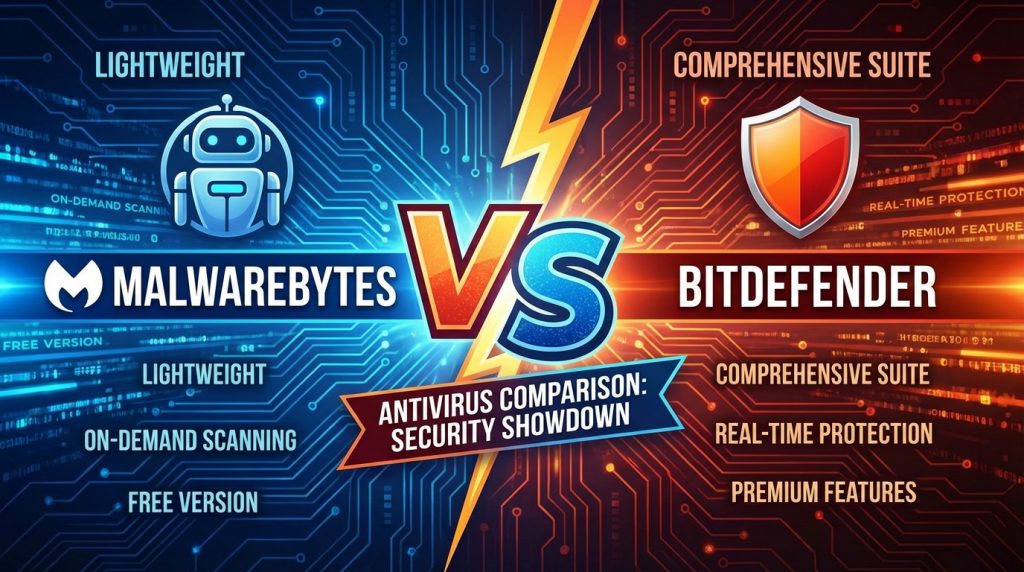
Choosing between Malwarebytes and Bitdefender requires understanding what each security software does best. Malwarebytes started as a specialized malware removal tool and maintains that focus today. Bitdefender grew into a comprehensive security suite covering multiple protection needs. This Malwarebytes vs Bitdefender breakdown covers features, pricing, performance, and ideal use cases. Home users, business administrators, and IT professionals will find relevant information for making smart security software choices.
What is the Main Difference Between Malwarebytes and Bitdefender?
The main difference between Malwarebytes and Bitdefender is that Malwarebytes focuses primarily on malware removal and remediation as a specialized anti-malware tool, while Bitdefender offers a full-featured antivirus suite with real-time protection, firewall, VPN, parental controls, and system optimization tools built into one package.
What is Malwarebytes and What is Bitdefender?
Malwarebytes is a cybersecurity software company founded in 2008. The product started as an anti-malware scanner designed to detect and remove threats that traditional antivirus programs miss. It excels at finding zero-day threats, adware, potentially unwanted programs (PUPs), and rootkits. The free version works as an on-demand scanner. The premium version adds real-time protection.
Bitdefender is a Romanian cybersecurity company established in 2001. It provides comprehensive antivirus protection with multiple product tiers. Bitdefender uses advanced machine learning and behavioral detection. The software includes extras like a password manager, file shredder, and anti-tracker browser extension. It consistently earns top scores from independent testing labs like AV-TEST and AV-Comparatives.
Get Malwarebytes Premium Protection Now
Key Differences Between Malwarebytes and Bitdefender
- Product Focus: Malwarebytes specializes in malware detection and removal, while Bitdefender provides all-in-one security suites.
- Feature Set: Bitdefender includes VPN, firewall, parental controls, and webcam protection; Malwarebytes keeps features minimal and targeted.
- Pricing Structure: Malwarebytes offers a functional free version; Bitdefender’s free version has more limits on advanced features.
- System Impact: Malwarebytes is lighter on system resources during scans; Bitdefender runs more background processes.
- Independent Lab Testing: Bitdefender appears in more third-party lab tests with top ratings; Malwarebytes participates in fewer evaluations.
- Real-Time Protection: Bitdefender offers stronger real-time shielding out of the box; Malwarebytes requires premium for this feature.
- Target Audience: Malwarebytes appeals to users wanting a second-opinion scanner; Bitdefender targets users seeking primary antivirus protection.
- Browser Protection: Bitdefender includes anti-phishing and safe banking tools; Malwarebytes browser guard is a separate extension.
- Password Management: Bitdefender bundles a password manager; Malwarebytes does not include this feature.
Start Your Malwarebytes Free Trial
Key Similarities Between Malwarebytes and Bitdefender
- Malware Detection: Both programs detect and remove malware, ransomware, and spyware effectively.
- Multi-Platform Support: Both offer versions for Windows, Mac, Android, and iOS devices.
- Free Versions Available: Both companies provide free tiers with limited functionality.
- Automatic Updates: Both products update their threat databases automatically.
- Scheduled Scans: Both allow users to schedule scans at preferred times.
- Quarantine Function: Both isolate suspicious files before permanent removal.
- Customer Support: Both offer knowledge bases, email support, and premium phone support options.
Download Malwarebytes and Scan Your PC
Features of Malwarebytes vs Features of Bitdefender
- Malwarebytes Browser Guard: Free extension blocking ads, trackers, and malicious sites.
- Bitdefender Photon Technology: Adapts to system configuration for optimal performance.
- Malwarebytes Katana Engine: Advanced detection for zero-day and fileless malware.
- Bitdefender Safepay: Secure browser for online transactions.
- Malwarebytes Exploit Protection: Shields vulnerable applications from attacks.
- Bitdefender Autopilot: Automated security decisions without user prompts.
- Malwarebytes Real-Time Protection Layers: Web, malware, ransomware, and exploit shields.
- Bitdefender Anti-Theft: Locate, lock, and wipe lost devices remotely.
Protect Your Devices with Malwarebytes
Pros of Malwarebytes Over Bitdefender
- Lightweight Scanner: Malwarebytes uses fewer system resources during active scans.
- Second-Opinion Scanner: Works well alongside other antivirus programs without conflicts.
- Fast Scans: Quick threat scans complete in minutes rather than hours.
- Simple Interface: Clean, uncluttered design makes navigation easy for beginners.
- Strong PUP Detection: Catches potentially unwanted programs that other tools miss.
- Free Version Usefulness: The free scanner provides genuine value without payment.
- Rootkit Removal: Specialized rootkit detection and removal capabilities.
Get Malwarebytes at the Best Price
Cons of Malwarebytes Compared to Bitdefender
- Limited Feature Set: Lacks firewall, VPN, and parental controls included with Bitdefender.
- Fewer Lab Test Results: Less third-party verification of protection effectiveness.
- No Safe Banking Mode: Missing dedicated browser protection for financial transactions.
- Basic Real-Time Protection: Premium real-time shield is less comprehensive than Bitdefender’s.
- No Password Manager: Users must get a separate tool for credential management.
- Limited Multi-Device Plans: Fewer options for family or multi-device licensing.
- No System Optimization: Lacks tune-up tools that Bitdefender includes.
Check Malwarebytes Latest Offers
Pros of Bitdefender Over Malwarebytes
- Complete Security Suite: All-in-one protection including firewall, VPN, and webcam shield.
- Top Lab Scores: Consistently rated highest by AV-TEST and AV-Comparatives.
- Advanced Ransomware Protection: Multi-layer ransomware remediation and recovery.
- Parental Controls: Built-in tools for monitoring and protecting children online.
- Password Manager: Secure credential storage included with premium plans.
- Safe Banking Feature: Isolated browser environment for financial transactions.
- Anti-Tracker Extension: Blocks website tracking across browsers.
- File Shredder: Secure deletion of sensitive files.
See Why Users Choose Malwarebytes
Cons of Bitdefender Compared to Malwarebytes
- Higher Resource Usage: Runs more background processes that affect system performance.
- Complex Interface: More features mean steeper learning curve for new users.
- Pricier Plans: Premium tiers cost more than Malwarebytes equivalents.
- Occasional False Positives: Aggressive detection sometimes flags safe files.
- VPN Data Limits: Free VPN allocation is capped on lower-tier plans.
- Slower Full Scans: Comprehensive scans take longer to complete.
- Compatibility Issues: May conflict with other security software installed.
Situations When Malwarebytes is Better Than Bitdefender
- Secondary Scanner Need: When you want a backup scanner alongside existing antivirus.
- Infected System Cleanup: When removing existing malware from a compromised computer.
- Low-Resource Systems: When running on older hardware with limited RAM and CPU.
- Budget Constraints: When you need effective free protection without paying.
- PUP Removal: When dealing with adware and unwanted browser toolbars.
- Quick Scan Requirement: When you need fast threat checks during busy workdays.
- Minimalist Preference: When you want security without extra features cluttering the system.
Start Scanning with Malwarebytes Now
Situations When Bitdefender is Better Than Malwarebytes
- Primary Antivirus Need: When you need standalone, comprehensive protection.
- Family Protection: When managing security for multiple family members and devices.
- Online Banking: When frequently conducting financial transactions online.
- Privacy Concerns: When you need VPN, anti-tracker, and webcam protection.
- Children’s Device Security: When parental controls are required.
- Password Management: When you need integrated credential storage.
- Maximum Protection Priority: When top-rated security matters more than system impact.
Claim Your Malwarebytes Discount
User Experience and Interface Design
Both Malwarebytes and Bitdefender put significant effort into their user interfaces. The visual presentation affects how easily users can access protection features.
Malwarebytes Dashboard Layout
Malwarebytes uses a dark-themed interface with large status indicators. The main dashboard shows protection status with green or red indicators. Scan options appear prominently on the left sidebar.
Navigation requires minimal clicks to access core functions. Settings are grouped logically. New users can start scanning within seconds of installation.
Bitdefender Control Panel
Bitdefender presents a modular dashboard with customizable widgets. Quick actions appear at the top for common tasks. The interface adapts based on which features you use most.
The settings menu goes deeper with advanced options. Power users appreciate the granular control available. Notifications can be customized to reduce interruptions.
Mobile App Comparison
Both companies offer mobile apps for Android and iOS platforms. Malwarebytes mobile focuses on scanning and web protection. Bitdefender mobile includes more features like app lock and account privacy checks.
Performance on mobile devices favors Malwarebytes for battery impact. Bitdefender mobile offers more protection layers at the cost of higher resource use.
Get Malwarebytes for All Your Devices
Pricing and Value Assessment
Cost plays a major role in security software decisions. Both vendors offer multiple pricing tiers targeting different user needs.
Malwarebytes Pricing Options
Malwarebytes Premium costs less than most full antivirus suites annually. The free version handles on-demand scanning without expiration. Premium adds real-time protection across multiple devices.
Teams and business pricing scales based on endpoint count. Educational and non-profit discounts exist. Renewal rates typically match initial purchase prices.
Bitdefender Subscription Tiers
Bitdefender offers Antivirus Plus, Internet Security, and Total Security tiers. Each level adds features like parental controls and device optimization. First-year discounts often reach 50% or more.
Family packs cover up to 15 devices at competitive rates. Renewal prices increase from promotional rates. Multi-year subscriptions reduce per-year costs.
Cost Per Feature Analysis
Malwarebytes offers better value for focused malware protection needs. Bitdefender provides more features per dollar for users wanting comprehensive suites. Free tiers from both work well for basic protection.
Business users find Bitdefender’s central management tools worth the premium. Home users with simple needs may find Malwarebytes sufficient.
View Malwarebytes Pricing Plans
FAQs
Can I run Malwarebytes and Bitdefender together on the same computer?
Yes, Malwarebytes is designed to work alongside other antivirus programs without causing conflicts. Many users run Malwarebytes as a secondary scanner while using Bitdefender as their primary protection. The free version of Malwarebytes works particularly well in this setup since it only scans on demand rather than running constant real-time protection that might interfere with Bitdefender’s shields.
Which software provides better ransomware protection?
Bitdefender generally offers stronger ransomware defense with its multi-layered approach including ransomware remediation, safe files protection, and behavioral monitoring. Malwarebytes Premium includes ransomware protection but with fewer backup and recovery options. Both detect most ransomware variants before encryption begins when real-time protection is active.
Does Malwarebytes slow down your computer more than Bitdefender?
No, Malwarebytes typically has a lighter system footprint than Bitdefender. Malwarebytes runs fewer background processes and completes scans faster. Bitdefender’s additional features like VPN, firewall, and continuous monitoring require more system resources. Users with older computers often notice better performance with Malwarebytes installed.
Which product offers better customer support?
Bitdefender provides more customer support channels including 24/7 live chat, phone support, and extensive documentation. Malwarebytes offers email support and community forums but limited phone support. Both maintain active knowledge bases with troubleshooting articles. Premium customers receive priority support from both companies.
Is Bitdefender worth the extra cost over Malwarebytes?
This depends on your security needs. Bitdefender’s extra cost brings VPN access, password management, parental controls, and webcam protection. Users who need only malware scanning will find these extras unnecessary. Those wanting all-in-one protection get solid value from Bitdefender’s bundled features compared to buying each tool separately.
How do the free versions compare between Malwarebytes and Bitdefender?
Malwarebytes Free offers unrestricted on-demand scanning and removal of detected threats. Bitdefender Free Antivirus provides basic real-time protection but lacks advanced features. Malwarebytes Free works better as a cleanup tool while Bitdefender Free works better as ongoing protection. Neither free version includes all premium features.
Which is better for removing existing malware infections?
Malwarebytes has a stronger reputation for cleaning already-infected systems. The software was originally designed specifically for malware removal. Bitdefender excels at preventing infections but Malwarebytes often catches threats that other tools miss during cleanup operations. Many IT professionals keep Malwarebytes available specifically for remediation tasks.
Do both programs protect against phishing attacks?
Yes, both offer phishing protection through different methods. Bitdefender includes anti-phishing in its core product with real-time URL checking. Malwarebytes offers Browser Guard as a separate free extension that blocks malicious sites. Bitdefender’s protection is more integrated while Malwarebytes requires the additional browser extension installation.
Which software updates its threat database more frequently?
Both update their databases multiple times daily. Bitdefender pushes updates roughly every hour during active threat periods. Malwarebytes updates its signatures several times daily. Both use cloud-based detection that doesn’t rely solely on local database updates. Performance differences in update frequency are minimal for most users.
Get Started with Malwarebytes Today
Malwarebytes vs Bitdefender Summary
Malwarebytes and Bitdefender serve different primary purposes despite both protecting against malware. Malwarebytes works best as a lightweight scanner for malware detection and removal, particularly alongside other security tools. Bitdefender functions as a complete security solution with firewall, VPN, parental controls, and additional privacy features. Budget-conscious users may prefer Malwarebytes while those wanting maximum protection in one package should consider Bitdefender. Both products receive regular updates and catch most threats effectively. Your choice depends on whether you need focused malware scanning or comprehensive security coverage.
Comparison Table: Malwarebytes vs Bitdefender
| Aspect | Malwarebytes | Bitdefender |
|---|---|---|
| Primary Focus | Malware removal and scanning | Full security suite |
| System Resource Usage | Low impact, lightweight | Higher resource consumption |
| Free Version Value | Strong on-demand scanner | Basic real-time protection |
| Lab Test Scores | Limited participation | Top ratings consistently |
| Firewall Included | No | Yes |
| VPN Included | No | Yes (with data limits) |
| Parental Controls | No | Yes |
| Password Manager | No | Yes |
| Best For Second Scanner | Yes | No |
| Ransomware Protection | Basic | Multi-layered |
| Infected System Cleanup | Excellent | Good |
| Pricing | Lower cost | Higher cost with more features |
| Safe Banking Mode | No | Yes |
| Mobile App Features | Basic scanning | Full protection suite |