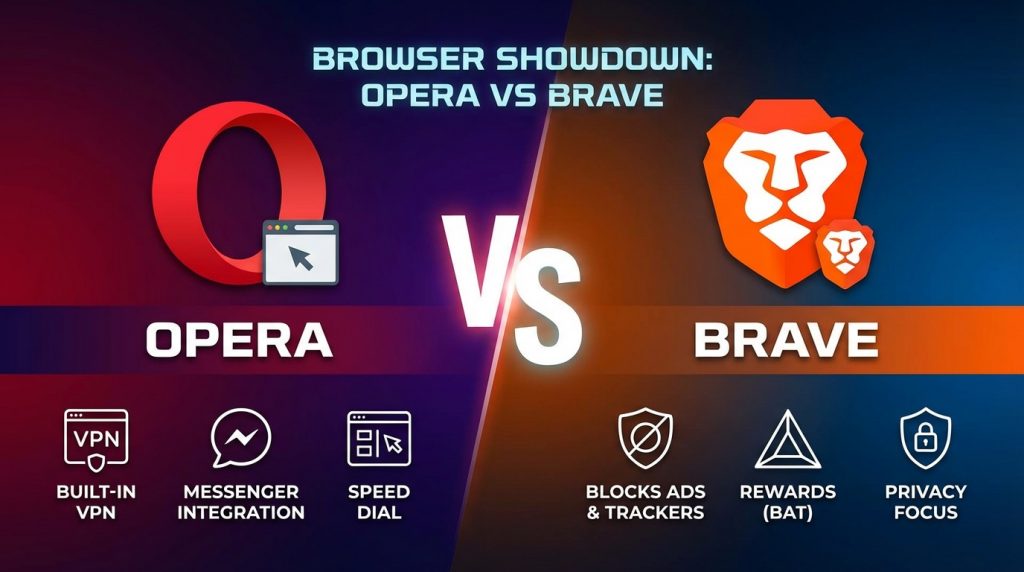
When picking between popular Chromium-based browsers, Opera and Brave stand out as leading alternatives to Chrome and Edge. Opera brings decades of development experience with productivity tools like workspaces, integrated messengers, and a free VPN, while Brave focuses on privacy protection and user rewards through its BAT cryptocurrency system. This comparison helps you identify which browser matches your browsing habits and priorities.
What is the Main Difference Between Opera and Brave?
The main difference between opera and brave is that Opera focuses on productivity features like built-in messengers, a free VPN, and workspaces for tab management, while Brave prioritizes privacy and security with native ad-blocking, tracker prevention, and a cryptocurrency rewards system that pays users for viewing optional ads.
What is Opera and What is Brave?
Opera is a Chromium-based web browser developed by Opera Software. It launched in 1995, making it one of the oldest browsers still in active development. Opera offers a built-in VPN, ad blocker, and integrated social media sidebars for apps like Telegram, WhatsApp, and Facebook Messenger. The browser targets users who want productivity tools built directly into their browsing experience.
Brave is also a Chromium-based browser, created by Brendan Eich (co-founder of Mozilla and creator of JavaScript) in 2016. Brave built its reputation on privacy-first browsing. It blocks ads and trackers by default. The browser features a cryptocurrency called BAT (Basic Attention Token) that rewards users who opt into viewing privacy-respecting ads. Brave appeals to users who want strong privacy without manual configuration.
Key Differences Between Opera and Brave
- Privacy approach: Brave blocks ads and trackers by default at the browser level, while Opera requires users to manually enable its ad blocker.
- VPN service: Opera offers a free built-in VPN with unlimited data, whereas Brave provides a paid VPN service called Brave VPN.
- Cryptocurrency integration: Brave has its own BAT token ecosystem and crypto wallet, but Opera only offers a third-party crypto wallet without a native rewards program.
- Social media integration: Opera includes sidebar access to messaging apps like WhatsApp and Telegram, while Brave has no built-in social media features.
- Business model: Brave earns revenue through its optional ad program that shares earnings with users, while Opera uses traditional advertising and partnerships.
- Default search engine: Brave uses its own Brave Search by default, whereas Opera defaults to Google.
- Resource usage: Brave typically uses less RAM due to aggressive ad and tracker blocking, while Opera can consume more memory with its extra features running.
- Data collection: Brave collects minimal user data and emphasizes anonymity, but Opera collects more telemetry data for product improvement.
- Tab management: Opera provides Workspaces for grouping tabs by project or topic, while Brave uses standard tab grouping similar to Chrome.
Key Similarities Between Opera and Brave
- Chromium foundation: Both browsers are built on the open-source Chromium engine, giving them similar performance and website compatibility.
- Built-in ad blocking: Each browser offers native ad-blocking capabilities without needing third-party extensions.
- Extension support: Both support Chrome Web Store extensions due to their Chromium base.
- Cross-platform availability: Opera and Brave are available on Windows, macOS, Linux, Android, and iOS.
- Dark mode support: Each browser offers dark mode themes for reduced eye strain.
- Speed dial or home screen: Both provide customizable start pages with quick access to favorite sites.
- Sync features: Each browser allows syncing bookmarks, history, and settings across devices.
Features of Opera vs Features of Brave
| Feature | Opera | Brave |
|---|---|---|
| Built-in VPN: | Free unlimited VPN included | Paid Brave VPN subscription |
| Ad blocking: | Manual activation required | Enabled by default |
| Cryptocurrency: | Third-party wallet only | Native BAT wallet and rewards |
| Messenger integration: | WhatsApp, Telegram, Messenger sidebar | Not available |
| Private browsing: | Standard private windows | Tor-enabled private windows |
| Search engine: | Google default | Brave Search default |
| Tab organization: | Workspaces feature | Standard tab groups |
See Opera’s Features in Action
Pros of Opera Over Brave
- Free unlimited VPN: Opera’s built-in VPN costs nothing and has no data caps, making it accessible for all users.
- Integrated messaging: Quick access to WhatsApp, Telegram, and Messenger without switching apps saves time.
- Workspaces feature: Organize tabs into separate workspaces for work, personal, and other categories.
- Flow feature: Easily send files and links between your phone and computer through Opera’s Flow.
- Built-in music player: Control Spotify and Apple Music directly from the browser sidebar.
- Opera GX gaming browser: A specialized version exists for gamers with CPU/RAM limiters and Twitch integration.
- Longer track record: Opera has been around since 1995, giving it decades of development refinement.
Cons of Opera Compared to Brave
- More data collection: Opera gathers more user telemetry compared to Brave’s minimal data approach.
- Chinese ownership: Opera was acquired by a Chinese consortium in 2016, raising privacy concerns for some users.
- No rewards program: Users cannot earn cryptocurrency or rewards for browsing like they can with Brave.
- Higher resource usage: The extra built-in features can lead to increased RAM consumption.
- Weaker default privacy: Ad blocking and tracker prevention require manual activation.
- No proprietary search engine: Opera relies on Google search, which tracks user queries.
Pros of Brave Over Opera
- Superior privacy defaults: Ads, trackers, and fingerprinting are blocked automatically without setup.
- BAT rewards system: Users earn cryptocurrency by opting into privacy-respecting advertisements.
- Lower resource consumption: Blocking ads and trackers reduces page load times and memory usage.
- Brave Search: The browser’s own search engine provides private searching without tracking.
- IPFS support: Brave natively supports the InterPlanetary File System for decentralized web access.
- Tor integration: Private windows can route traffic through Tor for enhanced anonymity.
- Transparent business model: Revenue sharing with users creates aligned incentives.
Cons of Brave Compared to Opera
- Paid VPN only: Brave VPN requires a subscription, unlike Opera’s free option.
- No built-in messengers: Users must open separate tabs or apps for social media communication.
- Fewer productivity tools: Lacks workspaces, Flow, and integrated music controls.
- Younger browser: Less development history compared to Opera’s 28+ years.
- Cryptocurrency complexity: The BAT system may confuse users unfamiliar with crypto.
- Limited customization: Fewer visual themes and sidebar options than Opera.
Get Opera’s Productivity Tools
Situations When Opera is Better Than Brave
- Frequent messenger use: If you constantly check WhatsApp or Telegram, Opera’s sidebar integration helps.
- Budget VPN needs: Users wanting free VPN protection without paying benefit from Opera.
- Multi-project workflows: Workspaces help professionals managing multiple clients or projects.
- Gaming sessions: Opera GX offers RAM/CPU limiters and gaming-specific features.
- Cross-device file sharing: Flow makes sending links and files between devices simple.
- Music streaming while browsing: Built-in player controls for Spotify and Apple Music add convenience.
- Visual customization preferences: Opera offers more themes and appearance options.
Try Opera’s Workspaces Feature
Situations When Brave is Better Than Opera
- Maximum privacy priority: Users wanting the strongest default privacy protections prefer Brave.
- Earning while browsing: Those interested in BAT rewards benefit from Brave’s ad program.
- Slow internet connections: Aggressive blocking speeds up page loads on limited bandwidth.
- Tor browsing needs: Built-in Tor windows provide anonymous browsing without extra software.
- Avoiding big tech tracking: Brave Search offers Google-free searching.
- Cryptocurrency activities: The integrated wallet and Web3 support help crypto users.
- Minimal resource environments: Older computers run better with Brave’s lighter footprint.
Browser Performance and System Requirements
Both Opera and Brave run well on modern hardware. Each browser has specific strengths depending on your system specifications.
Memory Management
Opera’s additional features like the VPN and messenger sidebar consume extra RAM. A typical Opera session with 10 tabs uses around 1.2-1.5 GB of memory. The browser does offer a battery saver mode that reduces resource usage on laptops.
Brave’s aggressive blocking means fewer scripts and ads load per page. This results in memory savings of 30-40% compared to browsers without blocking. Users with 4GB RAM machines notice smoother performance with Brave.
Startup Speed
Opera takes slightly longer to start due to loading sidebar services and workspace data. Cold boot times average 2-3 seconds on SSDs. Hot restarts are faster since background processes remain active.
Brave launches quickly because it doesn’t preload extra services. Average startup is under 2 seconds. The browser also offers a “startup boost” setting for even faster launches.
Page Load Times
Opera’s optional ad blocker improves load times when enabled. Without it, pages load at standard Chromium speeds. The built-in VPN can add latency depending on server location.
Brave consistently loads pages faster due to default blocking. Studies show 3x faster load times on ad-heavy sites. This matters most on news sites and blogs with many trackers.
Download Opera and Test Performance
Security Architecture and Updates
Security remains a primary concern for modern browser users. Both Opera and Brave receive regular security patches from Chromium upstream.
Update Frequency
Opera releases stable updates every 3-4 weeks. Security patches arrive faster when critical vulnerabilities emerge. The browser auto-updates by default, keeping most users protected.
Brave follows a similar update schedule tied to Chromium releases. The team adds security features on top of Chromium’s base. Auto-updates keep the browser current without user intervention.
Phishing Protection
Opera uses Google Safe Browsing to warn users about malicious sites. This database checks URLs against known phishing and malware pages. Users can disable this feature if privacy concerns outweigh security benefits.
Brave implements its own Safe Browsing proxy to avoid sending URLs to Google directly. This adds a privacy layer while maintaining protection. The browser also warns about potentially harmful downloads.
Extension Security
Both browsers support Chrome extensions, which introduces potential security risks. Opera vets extensions in its own add-ons store but also allows Chrome Web Store installs. Users should stick to popular, well-reviewed extensions.
Brave similarly warns users about extension permissions. The browser blocks extensions from running in private Tor windows by default. This prevents accidental privacy leaks through poorly coded add-ons.
Mobile Browser Comparison
The mobile versions of Opera and Brave differ from their desktop counterparts. Each offers distinct advantages for smartphone and tablet users.
Data Savings Features
Opera Mini and Opera Browser for Android include data compression technology. This reduces data usage by up to 90% on slow connections. Users in areas with limited bandwidth or expensive data plans benefit most.
Brave mobile blocks ads and trackers just like the desktop version. Data savings come from not loading advertising scripts. Users report 35% less data usage compared to Chrome on Android.
Sync Capabilities
Opera connects mobile and desktop through Opera Flow and standard sync. Sending tabs between devices works smoothly. Bookmarks and history sync across platforms.
Brave Sync uses encrypted sync chains instead of accounts. No email or personal information required. This approach protects privacy but requires saving a sync code.
Battery Impact
Opera’s data compression reduces CPU work on mobile devices. Less data processing means better battery life on long browsing sessions. The difference becomes noticeable over full-day usage.
Brave’s blocking similarly reduces battery drain. Fewer scripts running means less processor activity. Users report 1-2 extra hours of battery on heavy browsing days.
Try Opera on Mobile and Desktop
User Interface and Customization
Browser appearance affects daily usability. Both Opera and Brave offer customization options with different approaches.
Theme Options
Opera provides extensive theming with custom wallpapers, color schemes, and dark mode. Users can install community-created themes. The sidebar icons and colors are also adjustable.
Brave takes a more minimal approach to theming. Standard dark and light modes are available. New Tab page backgrounds rotate through curated images. Fewer options exist for deep customization.
Sidebar Design
Opera’s sidebar houses messengers, downloads, history, and more. Users can add or remove sidebar items based on preference. The sidebar can be hidden completely for a cleaner look.
Brave lacks a sidebar in the traditional sense. Navigation happens through the address bar and menu. This appeals to users who prefer a minimalist interface.
FAQs
Is Brave really more private than Opera?
Yes, Brave offers stronger privacy protections out of the box. The browser blocks third-party trackers, ads, and fingerprinting attempts by default. Opera requires users to manually enable its ad blocker and does not block trackers as aggressively. Brave also offers Tor integration for anonymous browsing, which Opera lacks. For users prioritizing privacy above other features, Brave provides better protection without configuration.
Can I use Chrome extensions on both Opera and Brave?
Both browsers support Chrome extensions since they’re built on Chromium. You can install extensions directly from the Chrome Web Store in either browser. Opera also has its own extension store with curated add-ons. Some extensions may behave differently due to each browser’s privacy features blocking certain scripts.
Does Opera’s free VPN slow down browsing?
Opera’s VPN can add some latency to your connection. The speed impact depends on server distance and current load. Most users experience a 10-20% speed reduction with the VPN active. For general browsing, the slowdown is barely noticeable. Streaming and gaming may require disabling the VPN for best performance.
How does Brave’s BAT rewards system work?
Brave Rewards lets users opt into viewing privacy-respecting ads. These appear as system notifications, not webpage ads. Users earn BAT tokens for each ad viewed. Earned BAT can tip website creators, pay for subscriptions, or convert to cash through exchange. You’re not required to participate—the feature is entirely optional.
Which browser uses less RAM?
Brave typically uses less RAM than Opera. The difference comes from Brave blocking ads and trackers that would otherwise consume memory. Opera’s sidebar features and built-in services add to its memory footprint. On a system with limited RAM, Brave performs better during multi-tab sessions.
Is Opera safe to use despite Chinese ownership?
Opera has maintained its headquarters in Norway after the 2016 acquisition. The browser has not been caught in major privacy scandals. That said, users handling sensitive data may prefer Brave’s transparent, privacy-focused approach. Opera states it complies with European data protection laws regardless of ownership.
Can I import my bookmarks from Chrome to Opera or Brave?
Both browsers support importing bookmarks, history, and saved passwords from Chrome. The import process takes just a few clicks during initial setup or through settings. Your data transfers over quickly, making the switch from Chrome straightforward.
Which browser is better for streaming video?
Both handle video streaming equally well since they use the same Chromium engine. Opera’s free VPN helps access geo-restricted streams but may add buffering. Brave’s ad blocking can break some streaming site functionality, requiring shields to be lowered. For pure playback quality, neither has an advantage.
Does Brave work with password managers?
Yes, Brave works with all major password managers like 1Password, Bitwarden, and LastPass. Extensions install just like in Chrome. The browser also has its own built-in password manager if you prefer not to use third-party options.
Opera vs Brave Summary
Opera and Brave serve different user needs despite sharing the same Chromium foundation. Opera excels at productivity with its messenger integration, free VPN, and workspace organization features. Brave wins on privacy with default ad/tracker blocking, Tor integration, and minimal data collection. Choose Opera if you value built-in tools and don’t want to pay for VPN service. Pick Brave if privacy matters most and you like the idea of earning cryptocurrency while browsing. Both browsers perform well and support Chrome extensions, so either choice provides a solid browsing experience over mainstream options.
| Aspect | Opera | Brave |
|---|---|---|
| Main Focus | Productivity and features | Privacy and security |
| VPN | Free unlimited | Paid subscription |
| Ad Blocking | Manual activation | Default enabled |
| Tracker Blocking | Basic | Aggressive |
| Messenger Sidebar | Yes | No |
| Cryptocurrency | Third-party wallet | Native BAT rewards |
| Tor Integration | No | Yes |
| Memory Usage | Higher | Lower |
| Tab Organization | Workspaces | Standard groups |
| Default Search | Brave Search | |
| Data Collection | More telemetry | Minimal |
| Best For | Multitaskers | Privacy seekers |