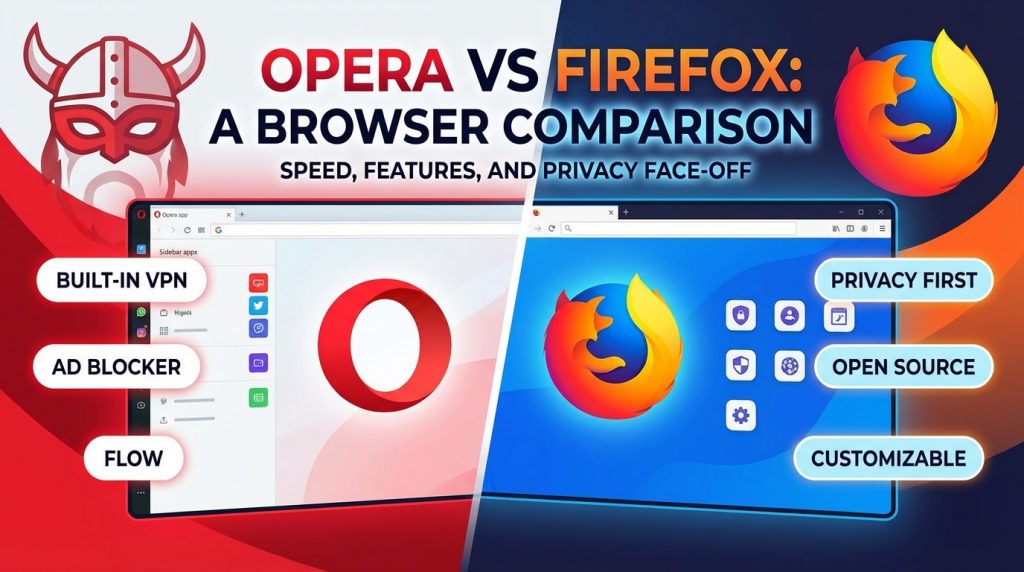
Selecting the right web browser affects your daily internet experience in significant ways. Opera vs Firefox represents a choice between two distinct philosophies in browser development. Opera delivers convenience through integrated features like its free VPN, ad blocker, and messenger sidebar. Firefox focuses on privacy, transparency, and giving users complete control over their browsing data. This comparison covers the technical differences, practical advantages, and ideal use cases for each browser. By the end, you will know exactly which browser matches your specific requirements and preferences.
What is the Main Difference Between Opera and Firefox?
The main difference between opera and firefox is that Opera is a proprietary Chromium-based browser with built-in tools like a free VPN, ad blocker, and social media sidebars, while Firefox is an open-source browser built on Mozilla’s Gecko engine that prioritizes user privacy, customization through extensions, and transparency in its development process.
Ready to make the switch? Get started here.
What is Opera and What is Firefox?
Opera is a web browser developed by Opera Software. It runs on the Chromium engine, the same foundation used by Google Chrome. Opera comes packed with built-in features such as a free VPN, ad blocker, cryptocurrency wallet, and integrated messengers for platforms like Telegram, WhatsApp, and Facebook Messenger. The browser targets users who want an all-in-one browsing solution without installing extra extensions.
Firefox is a free and open-source web browser created by the Mozilla Foundation. It uses the Gecko rendering engine, which Mozilla develops independently. Firefox has built its reputation on strong privacy protections, extensive customization options, and a commitment to an open internet. The browser appeals to users who value transparency, data control, and the ability to modify their browsing experience through thousands of available add-ons.
Try Opera today and see the difference yourself.
Key Differences Between Opera and Firefox
- Browser Engine: Opera uses the Chromium/Blink engine, while Firefox runs on Mozilla’s proprietary Gecko engine.
- Source Code Availability: Firefox is fully open-source with publicly accessible code, whereas Opera is proprietary software with closed-source components.
- Built-in VPN: Opera offers a free built-in VPN service at no cost, but Firefox requires a separate paid subscription for Mozilla VPN.
- Social Media Integration: Opera features built-in sidebar access to messaging apps like WhatsApp and Telegram, while Firefox lacks native social media integration.
- Ad Blocking: Opera has a native ad blocker included by default, whereas Firefox users must install third-party extensions like uBlock Origin.
- RAM Usage: Firefox typically consumes less memory than Opera, especially with multiple tabs open.
- Extension Ecosystem: Firefox supports its own extensive add-on library, while Opera relies on Chrome Web Store extensions.
- Organization Type: Mozilla Foundation is a non-profit organization, while Opera Software operates as a for-profit company.
- Data Collection Policies: Firefox collects minimal user data by default, whereas Opera collects more browsing data for service improvement.
Download Opera now and experience these features firsthand.
Key Similarities Between Opera and Firefox
- Cross-Platform Support: Both browsers run on Windows, macOS, Linux, Android, and iOS operating systems.
- Tab Management: Opera and Firefox both offer tab grouping, pinning, and management features for organized browsing.
- Password Manager: Each browser has a built-in password manager to store and autofill login credentials.
- Private Browsing Mode: Both offer private or incognito browsing modes that don’t save history or cookies.
- Sync Capabilities: Users can sync bookmarks, history, and settings across devices with both browsers.
- Reader Mode: Opera and Firefox include reader modes that strip away ads and distractions from articles.
- Regular Updates: Both browsers receive frequent security patches and feature updates.
Start browsing with Opera’s built-in tools today.
Features of Opera vs Features of Firefox
- Opera Flow vs Firefox Sync: Opera Flow shares items instantly while Firefox Sync focuses on settings and bookmarks.
- Opera Workspaces vs Firefox Tab Groups: Opera offers visual workspace separation while Firefox provides simpler tab grouping.
- Opera Speed Dial vs Firefox Home: Opera’s Speed Dial is more visual and customizable than Firefox’s default home page.
- Opera Sidebar vs Firefox Sidebar: Opera’s sidebar features messengers while Firefox’s sidebar shows bookmarks and history.
- Opera Snapshot vs Firefox Screenshot: Both offer built-in screenshot tools with similar functionality.
- Opera Battery Saver vs Firefox Power Efficiency: Opera has a dedicated battery mode while Firefox optimizes automatically.
- Opera Personal News vs Firefox Pocket: Opera curates news feeds while Firefox integrates with Pocket for article saving.
Get Opera’s free VPN and ad blocker instantly.
Pros of Opera Over Firefox
- Free Built-in VPN: Opera provides unlimited VPN access without any subscription fees or third-party installations.
- Integrated Messengers: Access WhatsApp, Telegram, and Facebook Messenger directly from the browser sidebar.
- Native Ad Blocker: Block ads out of the box without searching for and installing extensions.
- Flow Feature: Send files, links, and notes between your phone and computer through Opera’s Flow feature.
- Workspaces: Organize tabs into separate workspaces for different projects or activities.
- Cryptocurrency Wallet: Built-in crypto wallet supports Web3 browsing and token management.
- Gaming Browser Option: Opera GX variant offers CPU/RAM limiters and Twitch integration for gamers.
Switch to Opera and enjoy these benefits now.
Cons of Opera Compared to Firefox
- Closed Source Code: Users cannot audit Opera’s code for security vulnerabilities or privacy issues.
- Higher RAM Consumption: Opera tends to use more system memory than Firefox during typical browsing sessions.
- Data Collection Concerns: Opera collects more user data compared to Firefox’s minimal data approach.
- Chinese Ownership: Opera was acquired by a Chinese consortium in 2016, raising privacy concerns for some users.
- Smaller Extension Library: Opera’s native extension store is smaller than Firefox’s add-on repository.
- Less Customization: Firefox offers deeper UI and behavior customization through about:config settings.
- Dependent on Chromium: Opera relies on Google’s Chromium project for its core rendering engine.
Test Opera yourself and form your own opinion.
Pros of Firefox Over Opera
- Full Open Source: Firefox’s code is publicly available for anyone to inspect, audit, or modify.
- Non-Profit Development: Mozilla Foundation prioritizes user interests over profit motives.
- Superior Privacy Controls: Firefox offers Enhanced Tracking Protection and strict anti-fingerprinting measures.
- Lower Memory Usage: Firefox handles multiple tabs more efficiently with less RAM consumption.
- Container Tabs: Isolate different browsing activities to prevent cross-site tracking.
- Extensive Customization: Modify nearly every aspect of the browser through about:config and userChrome.css.
- Larger Add-on Library: Access thousands of Firefox-specific extensions with deep browser integration.
See how Opera compares in real-world use.
Cons of Firefox Compared to Opera
- No Built-in VPN: Users must subscribe to Mozilla VPN separately or install third-party VPN extensions.
- No Native Ad Blocker: Requires installation of extensions like uBlock Origin for ad blocking.
- Missing Messenger Integration: No sidebar access to social media and messaging platforms.
- Slower JavaScript Performance: Some benchmarks show Firefox trailing behind Chromium-based browsers in JavaScript speed.
- Compatibility Issues: Some websites optimized for Chrome may not display correctly in Firefox.
- No Workspaces Feature: Firefox lacks Opera’s built-in workspace organization system.
- Steeper Learning Curve: Advanced customization options can be overwhelming for casual users.
Give Opera a try and skip the extension hassle.
Situations When Opera is Better Than Firefox
- VPN Usage Required: When you need VPN protection without paying for a subscription service.
- Social Media Heavy Users: If you frequently use messaging apps while browsing other sites.
- Gaming Sessions: Opera GX provides resource limiters and gaming-focused features.
- Quick Setup Needs: When you want a feature-rich browser immediately without installing extensions.
- File Sharing Between Devices: The Flow feature makes cross-device sharing simple and fast.
- Cryptocurrency Activities: Built-in wallet support streamlines Web3 browsing and transactions.
- Low-Bandwidth Environments: Opera’s Turbo mode compresses data for slower connections.
Download Opera and start browsing smarter today.
Situations When Firefox is Better Than Opera
- Maximum Privacy Required: When protecting personal data is your top priority.
- Open Source Preference: If you only trust software with publicly auditable code.
- Limited System Resources: Firefox performs better on older computers with less RAM.
- Deep Customization Needs: When you want full control over browser behavior and appearance.
- Corporate or Government Use: Organizations with strict security policies often mandate open-source software.
- Extension Development: Firefox’s WebExtensions API offers powerful capabilities for developers.
- Anti-Tracking Focus: Container tabs and Enhanced Tracking Protection exceed Opera’s privacy features.
Check out Opera’s features and decide for yourself.
Browser Performance and Speed Considerations
Both Opera and Firefox deliver solid performance for everyday browsing tasks. Your choice may depend on specific use cases and hardware configurations.
JavaScript Benchmark Results
Opera typically scores higher in JavaScript benchmarks like Speedometer and JetStream. The Chromium engine receives constant optimization from Google’s development team. These improvements translate to faster web app performance in Opera.
Firefox has made significant strides with its Quantum update. The browser now competes closely with Chromium-based alternatives. Many users report no noticeable speed difference during normal browsing.
Page Loading Times
Initial page load speeds vary depending on the website’s optimization. Sites built primarily for Chrome may load marginally faster in Opera. Firefox handles complex CSS and HTML5 elements efficiently through its Gecko engine.
Caching behavior differs between the two browsers. Firefox’s intelligent caching can make repeat visits faster. Opera’s preloading features speed up navigation between frequently visited pages.
Resource Management
Firefox excels at managing system resources during extended browsing sessions. The browser releases memory from inactive tabs automatically. This feature helps maintain system stability with many open tabs.
Opera’s Chromium base can consume more RAM per tab. The browser does offer a battery saver mode for laptops. Users on desktop computers with ample RAM may not notice resource differences.
Experience Opera’s speed performance yourself.
Security Features and Protection Mechanisms
Web browser security has become a major concern for all internet users. Both Opera and Firefox implement multiple layers of protection against online threats.
Malware and Phishing Protection
Opera uses Google’s Safe Browsing database to identify dangerous websites. The browser warns users before they can access known malicious pages. This protection activates automatically without any user configuration.
Firefox also integrates Safe Browsing protection by default. The browser updates its threat database regularly. Users receive clear warnings when attempting to visit suspicious sites.
Certificate and Connection Security
Both browsers support modern TLS protocols and strong encryption standards. Firefox has historically pushed for stronger web encryption standards. The browser was among the first to implement DNS over HTTPS.
Opera supports similar security protocols through its Chromium foundation. The browser displays clear indicators for secure and insecure connections. Users can easily verify website certificates through the address bar.
Extension Security Scanning
Firefox reviews all add-ons before they appear in the official repository. The manual review process catches malicious extensions before distribution. Users who stick to official sources face minimal extension-related risks.
Opera allows Chrome Web Store extensions with less oversight. The browser does scan for known threats during installation. Users should exercise caution when installing extensions from unfamiliar developers.
Try Opera’s built-in security features now.
Mobile Browser Experience and Features
The mobile versions of Opera and Firefox differ from their desktop counterparts. Each browser adapts its features for touchscreen devices and mobile networks.
Android App Comparison
Opera’s Android app includes the free VPN and ad blocker found on desktop. The browser also offers a data saving mode for limited mobile plans. Flow synchronization works between the mobile and desktop versions.
Firefox for Android supports the same extensions as the desktop version. This feature sets it apart from most mobile browsers. Users can install uBlock Origin and other add-ons directly on their phones.
iOS App Limitations
Apple requires all iOS browsers to use the WebKit engine. This means Opera and Firefox on iPhone perform identically at the core level. The browsers can only differentiate through their user interface and extra features.
Opera Touch focuses on one-handed browsing with a unique interface. Firefox Focus provides a privacy-first mobile experience. Both offer something different from Safari while working within Apple’s restrictions.
Data Synchronization Options
Cross-device sync works well on both platforms. Opera account holders can access bookmarks and history on any device. Firefox Account provides similar functionality with end-to-end encryption for passwords.
Setting up sync requires creating an account with either browser. The process takes only a few minutes on each device. Both browsers encrypt synchronized data during transfer.
Get Opera on all your devices today.
Developer Tools and Web Standards Support
Web developers often choose browsers based on their built-in development tools. Both Opera and Firefox offer capable developer toolsets with different strengths.
Inspector and Debugging Features
Firefox Developer Tools have earned praise from professional web developers. The CSS Grid inspector provides visual debugging for complex layouts. The accessibility inspector helps developers build inclusive websites.
Opera inherits Chrome DevTools through its Chromium base. These tools receive frequent updates and improvements. Many developers appreciate the consistent experience across Chrome and Opera.
Web Standards Implementation
Firefox frequently implements new web standards ahead of other browsers. Mozilla actively participates in standards body discussions. The browser often serves as a testing ground for experimental features.
Opera adopts standards as they land in Chromium. This approach provides good compatibility with most modern websites. Cutting-edge features may arrive slightly later than in Firefox.
Testing and Compatibility
Developers typically test websites in multiple browsers during development. Firefox’s Gecko engine renders pages differently than Chromium browsers. Testing in both Opera and Firefox catches cross-browser issues early.
Responsive design testing tools exist in both browsers. Firefox’s device simulation mode offers preset device profiles. Opera provides similar functionality through inherited Chrome DevTools.
FAQs
Which browser uses less RAM, Opera or Firefox?
Firefox generally uses less RAM than Opera, especially with multiple tabs open. Firefox releases memory from inactive tabs automatically. Opera’s Chromium foundation tends to allocate more memory per tab. Users with limited RAM will likely notice better performance with Firefox during heavy browsing sessions.
Is Opera’s built-in VPN safe to use?
Opera’s VPN provides basic encryption and IP masking for casual privacy needs. The service works well for accessing geo-restricted streaming sites. Security experts note that it functions more like a proxy than a full VPN. For sensitive activities, a dedicated VPN service offers stronger protection and clearer privacy policies.
Can I use Chrome extensions in Firefox?
No, Chrome extensions do not work directly in Firefox. Firefox uses its own WebExtensions API that differs from Chrome’s implementation. Most popular extensions have separate Firefox versions available. You can find Firefox add-ons in Mozilla’s official Add-ons repository.
Does Opera sell user data?
Opera’s privacy policy states that the company collects browsing data for service improvement. The browser was acquired by a Chinese consortium in 2016. Opera Software maintains that user data stays protected under Norwegian privacy laws. Privacy-conscious users often prefer Firefox’s minimal data collection approach.
Which browser is better for old computers?
Firefox performs better on older computers with limited resources. The browser’s memory management releases RAM from inactive tabs. Firefox also offers a Lite mode on Android for low-end devices. Opera’s resource usage can slow down systems with less than 4GB of RAM.
Can I import bookmarks from Opera to Firefox?
Yes, Firefox can import bookmarks directly from Opera. Open Firefox and go to Bookmarks > Manage Bookmarks. Click Import and Backup, then select Import Data from Another Browser. Choose Opera from the list and select what data you want to import.
Is Firefox really more private than Opera?
Firefox provides stronger privacy protections through Enhanced Tracking Protection and container tabs. Mozilla operates as a non-profit focused on user rights. Firefox blocks third-party tracking cookies by default. Opera offers good privacy features but collects more data than Firefox.
Which browser gets updates more frequently?
Both browsers receive regular updates approximately every four weeks. Firefox follows a predictable release schedule with announced dates. Opera updates arrive as features and fixes become ready. Security patches deploy quickly on both browsers when vulnerabilities appear.
Does Opera work with all websites?
Opera works with nearly all websites due to its Chromium foundation. Sites optimized for Chrome display identically in Opera. Very rare compatibility issues may occur with Opera-specific features enabled. Disabling the VPN or ad blocker usually resolves any loading problems.
Opera vs Firefox Summary
Opera and Firefox both serve as capable alternatives to Chrome and other mainstream browsers. Opera appeals to users who want an all-in-one solution with built-in VPN, ad blocking, and social media integration. The browser saves time by eliminating the need for multiple extensions. Firefox suits users who prioritize privacy, open-source software, and deep customization options. Mozilla’s non-profit structure means Firefox development focuses on user interests rather than advertising revenue. Your final choice depends on whether convenience or privacy ranks higher in your priorities. Both browsers receive regular updates and provide secure browsing experiences. Test each browser for a week to see which workflow fits your habits best.
Make the switch to Opera and start enjoying built-in features today.
| Aspect | Opera | Firefox |
|---|---|---|
| Browser Engine | Chromium/Blink | Gecko |
| Source Code | Proprietary/Closed | Open Source |
| Built-in VPN | Yes, Free | No (Paid Mozilla VPN available) |
| Built-in Ad Blocker | Yes | No (Extension required) |
| RAM Usage | Higher | Lower |
| Social Media Sidebar | Yes | No |
| Privacy Focus | Moderate | High |
| Extension Source | Chrome Web Store | Firefox Add-ons |
| Organization Type | For-Profit | Non-Profit |
| Container Tabs | No | Yes |
| Best For | Convenience, VPN users | Privacy, Customization |
| Mobile Add-on Support | Limited | Full Extension Support |
| Workspace Organization | Built-in Workspaces | Basic Tab Groups |
| Data Collection | More Extensive | Minimal |