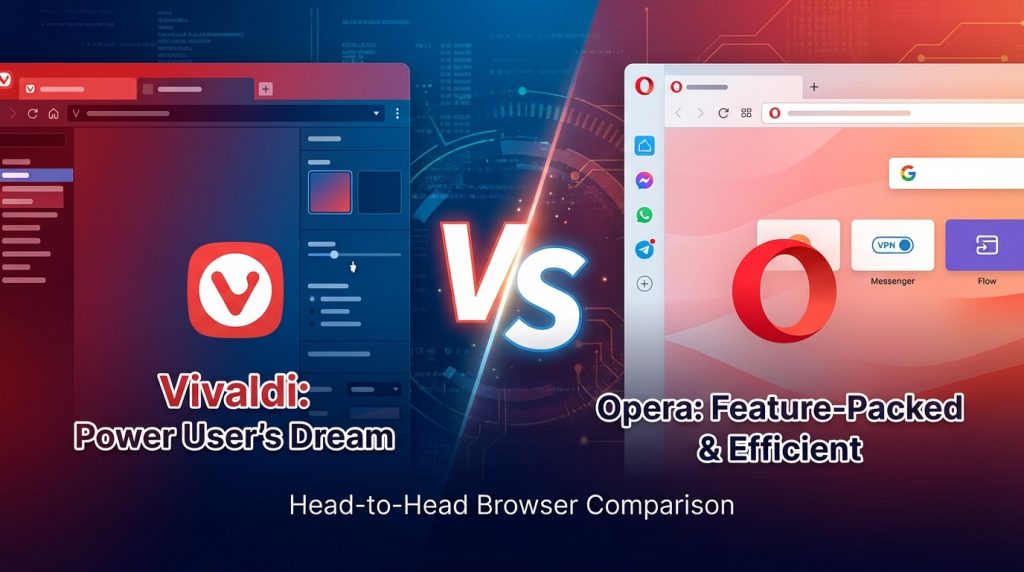
Choosing between Vivaldi and Opera depends on what you value most in a browser. Both are free, Chromium-based options that support Chrome extensions and run on all major platforms. Vivaldi appeals to users who want full control over their browsing setup with features like tab stacking, a built-in email client, and extensive theme options. Opera works better for users who prefer a clean interface with useful extras like a free VPN and social media sidebars ready out of the box. This vivaldi vs opera comparison covers all the factors you need to make the right choice for your daily browsing.
What is the Main Difference Between Vivaldi and Opera?
The main difference between Vivaldi and Opera is that Vivaldi focuses heavily on customization and power-user features with extensive options for tweaking the interface, while Opera prioritizes a streamlined experience with built-in tools like a free VPN and integrated messaging apps.
Try Opera’s streamlined browser today.
What is Vivaldi and What is Opera?
Vivaldi is a Chromium-based web browser developed by Vivaldi Technologies, a company founded by former Opera co-founder Jon von Tetzchner. Released in 2016, Vivaldi was created for users who want maximum control over their browsing experience. The browser offers deep customization options for tabs, panels, keyboard shortcuts, and visual themes. It targets tech-savvy users who prefer granular settings over simplicity.
Opera is a Chromium-based web browser developed by Opera Software. It has been around since 1995, making it one of the oldest browsers still in active development. Opera is known for its sleek design and built-in features like a free VPN, ad blocker, and social media sidebars. The browser appeals to mainstream users who want useful features without manual configuration.
Download Opera and see the difference.
Key Differences Between Vivaldi and Opera
- Customization Level: Vivaldi provides far more customization options than Opera, letting users adjust nearly every aspect of the interface.
- Target Audience: Vivaldi targets power users and tech enthusiasts, while Opera aims at general consumers.
- Built-in VPN: Opera offers a free built-in VPN; Vivaldi does not include one natively.
- Tab Management: Vivaldi has advanced tab stacking and tiling features that Opera lacks.
- Social Media Integration: Opera has built-in sidebars for WhatsApp, Telegram, and Messenger; Vivaldi does not.
- Resource Usage: Vivaldi tends to use more RAM due to its feature-rich nature compared to Opera.
- Mobile Sync: Opera has a more polished mobile app with Flow feature for sharing files between devices.
- Privacy Focus: Vivaldi has a stronger stance on user privacy and does not collect browsing data.
- Built-in Tools: Vivaldi has a built-in email client, calendar, and feed reader; Opera focuses on browser-only features.
Key Similarities Between Vivaldi and Opera
- Chromium Base: Both browsers are built on the Chromium engine and support Chrome extensions.
- Cross-Platform Availability: Both work on Windows, macOS, Linux, and mobile platforms.
- Ad Blocking: Both browsers offer built-in ad-blocking capabilities.
- Speed Dial: Both feature a speed dial homepage for quick access to favorite sites.
- Dark Mode: Both offer dark themes and customizable appearance options.
- Sidebar Panels: Both browsers use sidebar panels for quick access to various tools.
- Free to Use: Both are completely free with no premium tiers required.
Start browsing with Opera for free.
Features of Vivaldi vs Features of Opera
- Vivaldi Tab Stacking vs Opera Tab Islands: Vivaldi offers true stacking; Opera has basic grouping.
- Vivaldi Email Client vs Opera Mail (None): Vivaldi includes M3 mail; Opera has none.
- Vivaldi Web Panels vs Opera Sidebar: Both have sidebars, but Vivaldi allows custom websites.
- Vivaldi Notes vs Opera Notes (None): Vivaldi has a built-in notes tool; Opera does not.
- Opera VPN vs Vivaldi VPN (None): Opera wins with a free built-in VPN.
- Opera Flow vs Vivaldi Sync: Opera Flow is better for quick file sharing.
- Vivaldi Themes vs Opera Themes: Vivaldi offers far more theme customization.
- Opera GX vs Vivaldi (None): Opera has a gaming-focused variant; Vivaldi does not.
Experience Opera’s built-in features yourself.
Pros of Vivaldi Over Opera
- Extreme Customization: Users can modify themes, toolbar positions, tab behaviors, and keyboard shortcuts extensively.
- Tab Stacking: Group tabs into stacks and view them in split-screen mode.
- Built-in Productivity Tools: Includes an email client, calendar, notes, and RSS feed reader.
- Better Privacy Practices: Vivaldi does not track users or sell data to third parties.
- Mouse Gestures: More advanced mouse gesture support for quick navigation.
- Web Panels: Add any website as a sidebar panel for quick access.
- Command Chains: Create custom automated workflows within the browser.
Switch to Opera and compare for yourself.
Cons of Vivaldi Compared to Opera
- Steeper Learning Curve: The sheer number of options can overwhelm new users.
- No Built-in VPN: Users must install a separate VPN extension.
- Higher Resource Usage: More features mean higher memory consumption.
- Slower Updates: Feature releases can take longer compared to Opera.
- Less Polished Mobile App: The mobile version lacks some desktop features.
- No Native Social Integration: No built-in messaging sidebars for popular apps.
- Complex Interface: The UI can feel cluttered for users who prefer simplicity.
Try Opera’s simple setup today.
Pros of Opera Over Vivaldi
- Free Built-in VPN: Includes a no-log VPN at no extra cost.
- Cleaner Interface: A more minimalist design that is easier to use immediately.
- Social Media Sidebars: Quick access to WhatsApp, Telegram, Facebook Messenger, and Twitter.
- Opera Flow: Seamlessly share files, links, and notes between devices.
- Gaming Mode (Opera GX): A dedicated gaming browser variant with CPU/RAM limiters.
- Faster Setup: Works well out of the box without configuration.
- Lighter on Resources: Generally uses less RAM than Vivaldi.
Download Opera and get started in seconds.
Cons of Opera Compared to Vivaldi
- Limited Customization: Far fewer options to personalize the interface.
- Privacy Concerns: Opera was acquired by a Chinese consortium, raising data privacy questions.
- No Built-in Email Client: Users need a separate email application.
- Basic Tab Management: Lacks advanced tab stacking and tiling features.
- No Notes or Calendar: Missing built-in productivity tools found in Vivaldi.
- Less Keyboard Shortcut Control: Fewer options for custom shortcuts.
- Ad-heavy Promotions: Sometimes displays promotional material on the start page.
See Opera’s features in action.
Situations When Vivaldi is Better Than Opera
- Heavy Tab Users: Those who work with dozens of tabs benefit from Vivaldi’s tab management.
- Privacy-Conscious Users: People who prioritize data privacy should choose Vivaldi.
- All-in-One Workflow: Users who want email, calendar, and notes in one app.
- Customization Enthusiasts: Anyone who wants to tweak every detail of their browser.
- Keyboard Power Users: Those who rely heavily on shortcuts and gestures.
- Research Work: Vivaldi’s web panels and split-screen help with research tasks.
- Ad-Free Experience: Users who dislike promotional material on start pages.
Test Opera’s lightweight performance now.
Situations When Opera is Better Than Vivaldi
- Casual Browsing: Users who want a simple, ready-to-use browser.
- VPN Needs: Anyone needing a free VPN without installing extensions.
- Social Media Users: People who frequently use messaging apps while browsing.
- Gamers: Opera GX offers features specifically for gaming.
- Low-Spec Machines: Computers with limited RAM run Opera more smoothly.
- Device Syncing: Users who frequently share files between phone and desktop.
- Quick Setup: Those who want to start browsing without configuration.
Get Opera’s free browser download here.
How Browser Performance Affects Daily Productivity
Choosing a browser impacts how efficiently you complete tasks. Both Vivaldi and Opera offer different approaches to boosting your daily output.
Speed and Page Load Times
Vivaldi and Opera both use the Chromium engine. This means page rendering speeds are nearly identical in most cases. Opera may feel slightly faster on older hardware due to lower memory usage.
Vivaldi’s extra features can add minor overhead. But modern computers handle this without noticeable slowdowns. For most users, speed differences between the two are negligible.
Memory Management
Opera generally uses less RAM than Vivaldi. This matters for users running many applications at once. A lighter browser leaves more resources for other programs.
Vivaldi’s memory usage increases with its feature set. Tab stacking, panels, and built-in tools consume additional RAM. Users with 8GB or more of RAM will not notice major issues.
Extension Compatibility
Both browsers support Chrome Web Store extensions. This gives users access to thousands of add-ons. You can install the same productivity tools on either browser.
Vivaldi’s built-in features may reduce the need for extensions. This can lead to better performance since fewer extensions run in the background. Opera users might need more extensions to match Vivaldi’s native features.
Try Opera’s efficient browsing experience.
Security and Data Protection Considerations
Online safety remains a top priority for browser users. Vivaldi and Opera take different approaches to protecting user data.
Data Collection Policies
Vivaldi has a strict no-tracking policy. The company does not collect browsing history or personal data. This appeals to users who value privacy above convenience.
Opera collects some usage data for product improvement. The browser’s acquisition by a Chinese consortium raised concerns among privacy advocates. Users should review Opera’s privacy policy before making a decision.
Built-in Security Features
Both browsers include pop-up blockers and phishing protection. These baseline security measures come standard. Opera adds its free VPN for encrypted connections on public networks.
Vivaldi lacks a native VPN but offers a built-in tracker blocker. Users can install third-party VPN extensions from the Chrome Web Store. Both browsers receive regular security updates from their developers.
HTTPS and Certificate Handling
Vivaldi and Opera both enforce HTTPS connections when available. They warn users before visiting insecure sites. Certificate handling follows Chromium’s standards in both browsers.
Opera’s VPN adds an extra encryption layer for all traffic. This can be useful on untrusted networks. Vivaldi users need external tools to achieve similar protection.
Secure your browsing with Opera’s VPN.
Accessibility Features for Different User Needs
Both browsers include options for users with different abilities. Accessibility features make browsing easier for everyone.
Screen Reader Support
Vivaldi and Opera both work with popular screen readers. They support standard accessibility APIs on Windows and macOS. Users with visual impairments can browse with either option.
Vivaldi’s heavy customization extends to accessibility settings. Users can adjust font sizes, contrast, and spacing extensively. Opera offers fewer granular controls in this area.
Keyboard Navigation
Vivaldi excels at keyboard-based browsing. Custom shortcuts can control nearly every function. Power users often prefer this level of keyboard access.
Opera supports standard keyboard shortcuts. The browser works well for basic keyboard navigation. Vivaldi offers more options for users who avoid using a mouse.
Zoom and Display Options
Both browsers allow page zoom adjustments. Users can set default zoom levels for all sites. Individual site zoom settings persist between sessions.
Vivaldi adds page tiling for viewing multiple pages at once. This helps users compare information side by side. Opera lacks this native split-view capability.
Make the switch to Opera today.
Long-term Browser Maintenance and Updates
Keeping your browser updated matters for security and features. Both Vivaldi and Opera handle updates differently.
Update Frequency
Opera releases updates more frequently than Vivaldi. These often include security patches and minor improvements. The faster cycle means quicker bug fixes.
Vivaldi takes more time between major releases. Each update tends to include larger feature additions. Users who prefer stability over new features may appreciate this approach.
Settings Backup and Restore
Vivaldi stores settings that users can back up manually. The sync feature also preserves preferences across devices. Restoring a Vivaldi setup on a new machine is straightforward.
Opera’s sync handles settings, bookmarks, and passwords. The Flow feature adds easy file transfer between devices. Both browsers make switching to a new computer manageable.
Community and Support Resources
Vivaldi has an active community forum. Users share tips, themes, and troubleshooting advice. The company’s team participates in discussions regularly.
Opera offers official support channels and community forums. Documentation covers common issues and features. Both browsers provide adequate resources for resolving problems.
Download Opera and join the community.
FAQs
Is Vivaldi owned by Opera?
No, Vivaldi is not owned by Opera. Vivaldi Technologies is an independent company founded in 2013 by Jon von Tetzchner, who was a co-founder of Opera Software. He left Opera and created Vivaldi as a separate project to build a browser focused on power users and customization.
Does Vivaldi use more RAM than Opera?
Yes, Vivaldi typically uses more RAM than Opera. This is because Vivaldi runs more built-in features like an email client, calendar, notes, and feed reader. Opera is designed to be lighter and uses fewer system resources for basic browsing tasks.
Can I use Chrome extensions on both Vivaldi and Opera?
Yes, both Vivaldi and Opera support Chrome extensions from the Chrome Web Store. Since both browsers are built on the Chromium engine, most Chrome extensions work without issues. Simply visit the Chrome Web Store and install extensions directly.
Which browser is better for privacy, Vivaldi or Opera?
Vivaldi is generally better for privacy. The company has a strict policy against collecting user data or tracking browsing habits. Opera, after its acquisition by a Chinese consortium, has faced scrutiny over data collection practices, though it still offers privacy features like a built-in VPN.
Does Opera GX work better for gaming than Vivaldi?
Yes, Opera GX is specifically designed for gamers with features like CPU and RAM limiters, Twitch integration, and gaming-themed visuals. Vivaldi does not have a dedicated gaming variant, so gamers looking for browser-integrated gaming tools may prefer Opera GX.
Can Vivaldi replace my email client?
Yes, Vivaldi has a built-in email client called Vivaldi Mail. It supports multiple accounts, RSS feeds, and a calendar. Users who prefer an all-in-one solution can use Vivaldi instead of a separate email application like Outlook or Thunderbird.
Is the Opera VPN safe to use?
Opera’s built-in VPN provides basic encryption and IP masking. It is free and requires no registration. It works for casual privacy needs, but users requiring strong anonymity for sensitive activities should use a dedicated VPN service with stricter no-log policies.
Which browser has better mobile apps?
Opera has a more polished mobile experience with features like Opera Flow for sharing files between devices. Vivaldi’s mobile app is functional but lacks some power-user features found on the desktop version. Casual mobile users may find Opera’s app more convenient.
Vivaldi vs Opera Comparison Table
| Aspect | Vivaldi | Opera |
|---|---|---|
| Customization Level | Extensive (themes, shortcuts, toolbars) | Limited (basic options) |
| Built-in VPN | No | Yes (free) |
| Email Client | Yes (Vivaldi Mail) | No |
| Calendar | Yes | No |
| Notes Tool | Yes | No |
| Tab Stacking | Yes (advanced) | Basic grouping |
| Social Media Sidebars | No | Yes (WhatsApp, Messenger, Telegram) |
| RAM Usage | Higher | Lower |
| Privacy Focus | Strong (no tracking) | Moderate (some data collection) |
| Gaming Variant | No | Yes (Opera GX) |
| Mobile App | Functional | Polished with Flow feature |
| Target Audience | Power users | General consumers |
| Best For | Heavy tab users, privacy focus | Casual browsing, VPN needs |
Vivaldi vs Opera Summary
Vivaldi and Opera serve different user needs despite sharing the Chromium foundation. Vivaldi stands out for its deep customization, built-in productivity tools, and strong privacy stance. It suits power users who want to tweak every setting and manage many tabs efficiently. Opera shines with its polished interface, free VPN, social media integration, and gaming-focused GX variant. It fits users who want a capable browser without spending time on configuration. Consider your priorities—customization and privacy favor Vivaldi, while simplicity and built-in extras favor Opera. Both browsers receive regular updates and have active user communities. Test each one to see which fits your workflow best.
Get Opera free and start browsing now.