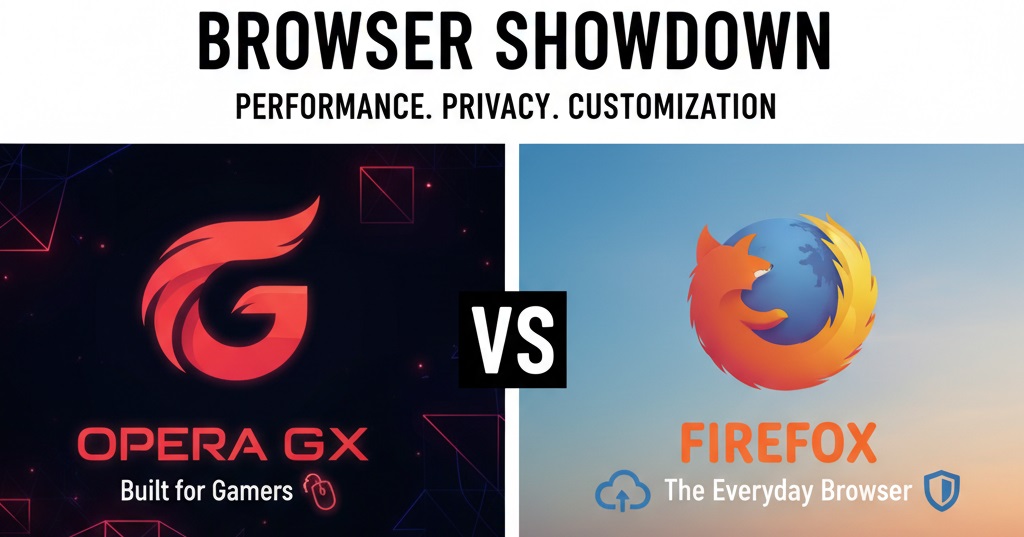
Choosing between Opera GX and Firefox depends on what you value most in a web browser. Opera GX appeals to gamers who want resource controls, built-in streaming tools, and flashy RGB aesthetics all in one package. Firefox serves users who prioritize privacy, open-source transparency, and a nonprofit mission behind their browser. Both are free, capable, and receive regular updates. Your decision should reflect whether gaming optimization or data protection matters more for your daily browsing needs.
What is the Main Difference Between Opera GX and Firefox?
The main difference between Opera GX and Firefox is that Opera GX is a gaming-focused browser with built-in CPU/RAM limiters, RGB themes, and Twitch integration, while Firefox is a privacy-focused, open-source browser that prioritizes user data protection and extensive customization through add-ons.
Try Opera GX for yourself today!
What is Opera GX and What is Firefox?
Opera GX is a specialized web browser built by Opera Software. It targets gamers and power users. The browser offers resource control features like CPU and RAM limiters. It has a striking visual design with customizable RGB lighting effects. Built-in sidebar panels give quick access to Discord, Twitch, and Telegram. GX Corner provides gaming news and free game alerts.
Firefox is a free, open-source web browser developed by Mozilla Foundation. It has been around since 2004. The browser puts privacy at the forefront of its design. Firefox blocks trackers by default and does not sell user data. It runs on the Gecko engine rather than Chromium. Users can customize Firefox heavily through thousands of available extensions.
Key Differences Between Opera GX and Firefox
- Target Audience: Opera GX markets itself to gamers, while Firefox appeals to privacy-conscious general users.
- Browser Engine: Opera GX uses the Chromium engine, but Firefox runs on Mozilla’s own Gecko engine.
- Resource Management: Opera GX has built-in CPU and RAM limiters. Firefox lacks these native controls.
- Visual Design: Opera GX features RGB color themes and gaming aesthetics. Firefox has a more traditional, minimalist look.
- Built-in Integrations: Opera GX bundles Discord, Twitch, and Telegram in the sidebar. Firefox requires extensions for similar features.
- Privacy Model: Firefox is open-source and operated by a nonprofit. Opera GX is closed-source and owned by a for-profit company.
- Extension Compatibility: Opera GX supports Chrome Web Store extensions. Firefox has its own add-on ecosystem.
- Gaming Features: Opera GX offers GX Corner for game deals and news. Firefox has no gaming-specific tools.
- Data Collection: Firefox collects minimal data. Opera GX collects more telemetry by default.
Download Opera GX and see the difference!
Key Similarities Between Opera GX and Firefox
- Free to Use: Both browsers are completely free to download and use.
- Cross-Platform Support: Both work on Windows, macOS, and Linux operating systems.
- Tab Management: Each browser supports multiple tabs with grouping and pinning options.
- Sync Features: Both allow syncing bookmarks, history, and settings across devices.
- Ad Blocking: Opera GX has a built-in ad blocker. Firefox supports ad-blocking extensions easily.
- Dark Mode: Both browsers offer dark mode or dark theme options.
- Password Managers: Each includes a built-in password saving and management tool.
Ready to switch? Get Opera GX here!
Features of Opera GX vs Features of Firefox
- Resource Controls: Opera GX offers CPU, RAM, and network limiters. Firefox has none.
- Built-in VPN: Opera GX includes free VPN. Firefox needs extensions.
- Tracker Blocking: Firefox has Enhanced Tracking Protection. Opera GX has basic blocking.
- Sidebar Tools: Opera GX has messenger and music sidebars. Firefox requires add-ons.
- Theme Options: Opera GX has RGB and dynamic themes. Firefox has static themes.
- Container Tabs: Firefox supports multi-account containers. Opera GX does not.
- Reader Mode: Both browsers offer distraction-free reading modes.
- Screenshot Tool: Both have built-in screenshot capture features.
Experience these features with Opera GX!
Pros of Opera GX Over Firefox
- CPU Limiter: You can cap how much processor power the browser uses during gaming sessions.
- RAM Limiter: Set maximum memory usage to keep games running without browser lag.
- Network Limiter: Control bandwidth usage so downloads don’t slow your online games.
- Built-in VPN: Free VPN service comes included without needing extra software.
- Sidebar Messengers: Access Discord, Telegram, and WhatsApp directly from the browser sidebar.
- Twitch Integration: Watch and manage Twitch streams from a dedicated sidebar panel.
- GX Corner: Get free game alerts and gaming news in one dedicated space.
Start gaming smarter with Opera GX!
Cons of Opera GX Compared to Firefox
- Closed Source: The code is not open for public review, raising transparency concerns.
- More Data Collection: Opera GX gathers more usage data compared to Firefox.
- Chinese Ownership: Opera is owned by a Chinese consortium, which concerns some users.
- Limited Extension Library: While it supports Chrome extensions, some may not work perfectly.
- Resource Heavy: Despite limiters, the browser itself can use significant resources when idle.
- Privacy Concerns: The built-in VPN logs some connection data.
- Niche Design: The gamer aesthetic may not appeal to professional or business users.
Test Opera GX free and decide for yourself!
Pros of Firefox Over Opera GX
- True Open Source: All Firefox code is publicly available for audit and review.
- Nonprofit Backing: Mozilla Foundation does not profit from selling user data.
- Strong Privacy Defaults: Enhanced Tracking Protection blocks trackers out of the box.
- Massive Add-on Library: Thousands of vetted extensions available from Mozilla’s store.
- Container Tabs: Isolate different accounts and activities in separate tab containers.
- No Telemetry Pressure: Users can easily disable all data collection.
- Long Track Record: Over 20 years of development and security updates.
Want gaming features instead? Grab Opera GX!
Cons of Firefox Compared to Opera GX
- No Resource Limiters: Cannot cap CPU, RAM, or network usage natively.
- No Built-in VPN: Users must install third-party VPN extensions or software.
- No Gaming Features: No game deals, news, or Twitch integration built in.
- Plain Design: Default look is functional but not visually exciting.
- Slower Extension Updates: Some popular extensions get Chrome versions first.
- Lower Market Share: Some websites optimize less for Firefox than Chromium browsers.
Get the gaming browser you deserve!
Situations When Opera GX is Better Than Firefox
- PC Gaming Sessions: The resource limiters help keep games running without browser interference.
- Streaming on Twitch: Built-in Twitch panel makes managing streams simple.
- Chatting While Browsing: Sidebar messengers let you stay connected without switching apps.
- Limited Bandwidth: Network limiter helps when you need to control download speeds.
- VPN Needs on Budget: Free built-in VPN works for basic location masking.
- Visual Customization Fans: RGB themes and sound effects appeal to those who want flair.
- Following Game Deals: GX Corner alerts you to free games and sales automatically.
Make the switch to Opera GX now!
Situations When Firefox is Better Than Opera GX
- Privacy Priority: Firefox’s open-source nature and nonprofit model offer more trust.
- Corporate Environments: The professional look fits workplace settings better.
- Heavy Extension Users: Firefox’s mature add-on ecosystem has more tested options.
- Developer Work: Firefox Developer Edition offers strong web development tools.
- Low-Spec Machines: Firefox can run lighter without the gaming extras loaded.
- Avoiding Data Collection: Firefox makes it easy to turn off all telemetry.
- Cross-Platform Consistency: Firefox behaves identically across all operating systems.
Prefer gaming features? Try Opera GX!
Browser Performance and Speed Comparison
Both browsers perform well on modern hardware. Speed tests show mixed results depending on the task.
Startup Time Analysis
Opera GX tends to load slower at startup due to its gaming features and visual effects. The sidebar panels and GX Corner all initialize during launch. This adds a few seconds compared to a clean Firefox install.
Firefox starts up faster with default settings. Minimal background processes run at launch. Adding many extensions will slow startup on either browser.
Page Load Performance
Chromium-based Opera GX renders most websites quickly. Google sites work particularly well since they optimize for Chrome-like browsers. Complex web apps load without issues.
Firefox handles standard websites just as fast. The Gecko engine has improved greatly over the years. Some Google services may feel slightly slower on Firefox due to less optimization.
Memory Usage Patterns
Opera GX can use lots of RAM despite having limiters. The limiters cap browser RAM but don’t reduce actual usage. Many open tabs still consume memory.
Firefox has worked hard on memory efficiency. Recent versions handle many tabs better than before. Tab unloading helps manage resources on systems with less RAM.
Check out Opera GX performance yourself!
Security Measures and Update Cycles
Security matters for any browser you use daily. Both Opera GX and Firefox take different approaches here.
Vulnerability Response Time
Firefox pushes security patches quickly after finding issues. Mozilla has a dedicated security team monitoring threats. Critical fixes often arrive within days of discovery.
Opera GX relies partly on Chromium security updates. They must wait for Google to patch the base code. Opera-specific features may have longer fix times.
Update Frequency
Firefox releases major updates every four weeks. Security fixes come between major versions as needed. Users can also choose Extended Support Release for slower updates.
Opera GX updates follow a similar schedule. The browser auto-updates by default. Gaming features receive separate smaller updates.
Safe Browsing Features
Both browsers warn users about dangerous websites. Firefox uses Google Safe Browsing data. Opera GX also uses similar blocklists for phishing sites.
Firefox offers more granular privacy controls in settings. Users can adjust tracker blocking strength. Opera GX keeps these options simpler.
Download Opera GX and stay protected!
Customization Options and User Interface
How you personalize your browser affects daily use. Each browser offers different customization paths.
Theme and Appearance Settings
Opera GX leads with visual customization options. Users pick from preset color schemes or create custom ones. RGB effects sync with gaming peripherals on some setups. Sound effects add another layer of personalization.
Firefox themes are more traditional. Users download themes from the add-on store. Colors and backgrounds change but nothing animated. The look stays clean and professional.
Toolbar and Layout Changes
Firefox allows extensive toolbar editing. Users can add, remove, and rearrange buttons freely. The customize mode gives full control over interface elements.
Opera GX has a fixed layout with fewer options. The sidebar is always present by default. Users can hide elements but not fully rearrange them.
Extension Customization
Both browsers support extensions that change functionality. Firefox add-ons go through Mozilla review. Opera GX uses Chrome extensions with varying compatibility.
Firefox has container tabs for workflow separation. Different accounts stay isolated from each other. Opera GX lacks this feature entirely.
Get Opera GX and customize your setup!
Mobile Browser Experience
Both companies offer mobile versions of their browsers. The mobile experience differs from desktop.
Android and iOS Availability
Firefox is available on both Android and iOS platforms. The Android version supports some desktop extensions. iOS version runs on WebKit due to Apple requirements.
Opera GX launched a mobile version called Opera GX Mobile. It keeps some gaming features like the design and Flow. Resource limiters don’t exist on mobile versions.
Sync Between Devices
Firefox Sync works across all platforms smoothly. Bookmarks, passwords, and history transfer quickly. Open tabs appear on other devices.
Opera GX uses Opera Sync for cross-device features. The Flow feature sends files and links between devices easily. Gaming-specific features don’t always sync.
Mobile-Specific Features
Opera GX Mobile has a built-in VPN on mobile too. The gaming news feed works on phones. Data saving mode helps on limited plans.
Firefox Focus offers a privacy-first mobile option. It blocks trackers aggressively. The main Firefox app supports picture-in-picture video.
FAQs
Is Opera GX safe to use?
Opera GX is generally safe for everyday browsing. It receives regular security updates and has built-in protection against malicious sites. The main concern comes from its closed-source nature and data collection practices. The browser is owned by a Chinese consortium, which makes some users cautious about data handling. If you stick to basic browsing and gaming features, Opera GX poses no significant risks for most users.
Does Firefox use less RAM than Opera GX?
Firefox typically uses less RAM than Opera GX with similar tabs open. Recent Firefox versions have improved memory management significantly. Opera GX can consume more memory due to its gaming features, visual effects, and sidebar panels running. The RAM limiter in Opera GX caps browser usage but doesn’t reduce actual consumption. For systems with limited memory, Firefox often performs better.
Can I use Chrome extensions on Opera GX?
Yes, Opera GX supports most Chrome extensions from the Chrome Web Store. You need to first install the “Install Chrome Extensions” add-on from Opera’s store. After that, you can browse and install extensions directly from Google’s store. Some extensions may not work perfectly due to minor differences between Opera and Chrome.
Which browser is better for privacy?
Firefox is better for privacy between these two options. Mozilla is a nonprofit that does not profit from user data. Firefox blocks trackers by default and offers container tabs for isolation. Opera GX collects more telemetry data and has a free VPN that logs some connection information. If privacy is your top concern, Firefox is the clear choice.
Does Opera GX actually improve gaming performance?
Opera GX can help gaming performance indirectly. The CPU and RAM limiters prevent the browser from stealing resources from your games. The network limiter stops background downloads from causing lag. The browser itself doesn’t make games run faster. It simply stays out of the way better than browsers without these controls.
Is Firefox slower than Opera GX?
Neither browser is definitively faster than the other. Speed depends on the websites you visit and your system specs. Opera GX may load some Google services slightly faster. Firefox has caught up in benchmark tests over recent years. Real-world differences are minimal for most users.
Can I customize Opera GX to look like a normal browser?
You can tone down Opera GX’s gaming appearance somewhat. The RGB effects and sound effects can be disabled in settings. You cannot completely remove the sidebar or change the overall layout. The browser will still look different from standard browsers even with minimal settings.
Does Firefox have a built-in VPN?
Firefox does not have a built-in VPN in the free browser. Mozilla offers a separate paid service called Mozilla VPN. This requires a subscription and separate app installation. Opera GX includes its free VPN directly in the browser, though it logs some data.
Which browser gets updates more often?
Both browsers update frequently with similar schedules. Firefox releases major updates every four weeks. Opera GX follows a comparable pattern for major versions. Security patches come as needed between major releases for both.
Opera GX vs Firefox Summary
Opera GX and Firefox serve different user needs effectively. Opera GX wins for gamers who want built-in limiters, Twitch integration, and visual flair without installing extra software. Firefox wins for privacy-focused users who want open-source code, minimal data collection, and strong tracker blocking. Neither browser is objectively better. The right choice depends entirely on your priorities. Gamers and streamers should try Opera GX. Privacy advocates and developers should stick with Firefox. Both browsers continue improving with regular updates and new features.
Get started with Opera GX today!
Opera GX vs Firefox Comparison Table
| Aspect | Opera GX | Firefox |
|---|---|---|
| Target Users | Gamers and streamers | Privacy-conscious users |
| Browser Engine | Chromium | Gecko |
| Source Code | Closed source | Open source |
| CPU/RAM Limiters | Yes, built-in | No |
| Built-in VPN | Yes, free | No (paid separate service) |
| Sidebar Messengers | Discord, Twitch, Telegram | Requires extensions |
| Privacy Level | Moderate, more data collection | High, minimal collection |
| Extension Support | Chrome Web Store | Firefox Add-ons |
| Visual Themes | RGB and gaming aesthetics | Traditional static themes |
| Container Tabs | No | Yes |
| Gaming News Feed | Yes (GX Corner) | No |
| Company Type | For-profit (Chinese owned) | Nonprofit (Mozilla) |
| Best For | Gaming sessions, streaming | Privacy, development |
| Mobile Version | Opera GX Mobile | Firefox for Android/iOS |