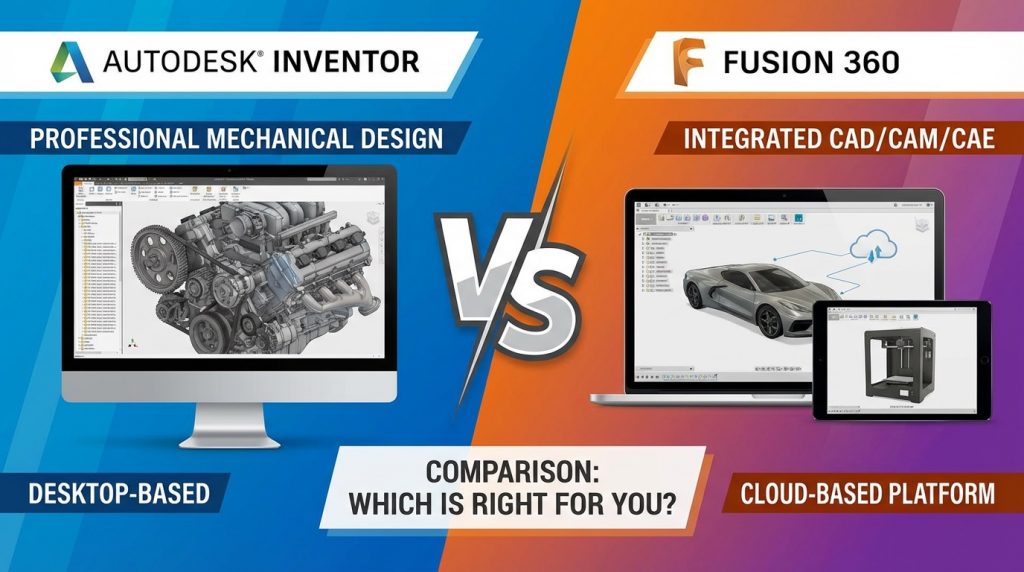
Choosing between Autodesk Inventor and Fusion 360 impacts how engineering teams approach product design, collaboration, and manufacturing preparation. This autodesk inventor vs fusion 360 comparison breaks down the practical differences that affect daily work. Both platforms come from Autodesk yet serve different user needs and project scales. Readers will gain clarity on pricing, performance, features, and ideal use cases for each CAD solution.
What is the Main Difference Between Autodesk Inventor and Fusion 360?
The main difference between Autodesk Inventor and Fusion 360 is that Inventor is a desktop-based professional CAD software built for large assemblies and manufacturing workflows, while Fusion 360 is a cloud-based platform that combines CAD, CAM, CAE, and PCB design in one integrated package suited for collaborative product development.
Ready to choose your CAD platform? Get expert guidance now.
What is Autodesk Inventor?
Autodesk Inventor is a professional-grade 3D mechanical design software. It focuses on parametric modeling for product design and engineering. Inventor runs locally on Windows machines and stores files on local drives or network servers.
The software excels at handling large assemblies with thousands of parts. Engineers use it for detailed part modeling, sheet metal design, and frame generation. Inventor integrates with Autodesk Vault for data management.
Need help selecting the right CAD tool? Talk to our specialists.
What is Fusion 360?
Fusion 360 is a cloud-native CAD/CAM/CAE platform from Autodesk. It runs on both Windows and Mac operating systems. Data syncs automatically to cloud storage.
The software combines multiple disciplines in one interface. Users can model, simulate, render, and generate toolpaths without switching programs. Fusion 360 targets startups, small businesses, and hobbyists alongside professionals.
Start your CAD software evaluation today.
Key Differences Between Autodesk Inventor and Fusion 360
- Platform Architecture: Inventor operates as desktop software with local file storage, while Fusion 360 uses cloud-based infrastructure with automatic syncing.
- Operating System Support: Inventor runs exclusively on Windows, but Fusion 360 works on both Windows and macOS.
- Pricing Model: Inventor requires a full commercial subscription, whereas Fusion 360 offers free personal licenses and lower-cost tiers.
- Assembly Performance: Inventor handles assemblies with 10,000+ components more efficiently than Fusion 360’s current assembly capabilities.
- Integrated Manufacturing: Fusion 360 includes built-in CAM functionality, while Inventor requires separate Inventor CAM or third-party software.
- Collaboration Tools: Fusion 360 provides native cloud collaboration with real-time sharing, but Inventor relies on Vault or external tools.
- Simulation Depth: Inventor paired with Nastran offers advanced FEA, while Fusion 360 includes mid-range simulation built-in.
- Learning Curve: Fusion 360 presents a gentler learning curve for beginners compared to Inventor’s traditional CAD interface.
- Generative Design: Fusion 360 includes generative design tools natively, while Inventor requires separate add-ons.
Compare CAD solutions with professional support.
Key Similarities Between Autodesk Inventor and Fusion 360
- Parametric Modeling: Both platforms support parametric design with feature-based modeling and design intent capture.
- Autodesk Ownership: Both products come from Autodesk and share data compatibility through neutral formats.
- Sheet Metal Tools: Each software includes sheet metal design capabilities with flat pattern generation.
- Rendering Capabilities: Both offer realistic rendering options for visualization and presentations.
- Drawing Creation: Each platform generates 2D drawings with dimensions, annotations, and standard views.
- Direct Modeling: Both support direct editing for modifying imported geometry without parametric history.
- Technical Support: Autodesk provides documentation, forums, and support channels for both products.
Get personalized CAD software recommendations.
Features of Autodesk Inventor vs Features of Fusion 360
- Inventor Feature – Content Center: Massive library of standard parts including fasteners, bearings, and structural shapes built into the software.
- Fusion 360 Feature – Integrated CAM: 2.5-axis through 5-axis machining toolpaths generate directly from design models.
- Inventor Feature – Stress Analysis: Built-in FEA for parts and assemblies with detailed reporting capabilities.
- Fusion 360 Feature – Electronics Design: PCB layout tools allow mechanical and electrical design in one file.
- Inventor Feature – BIM Interoperability: Export options for building information modeling workflows and Revit compatibility.
- Fusion 360 Feature – Mesh Modeling: Sculpt organic shapes using T-spline surfaces and mesh bodies.
- Inventor Feature – Cable and Harness: Wire routing tools design electrical harnesses with accurate lengths.
- Fusion 360 Feature – Cloud Rendering: High-quality renders process on Autodesk servers without local GPU demands.
See which features match your workflow needs.
Pros of Autodesk Inventor Over Fusion 360
- Large Assembly Handling: Inventor manages massive assemblies with superior performance and stability.
- Frame Generator: Built-in structural frame tools speed up machine frame design significantly.
- iLogic Automation: Rules-based automation allows custom configurators and design automation.
- Tube and Pipe Design: Specialized routing tools streamline piping and tubing layouts.
- Industry Adoption: Wider acceptance in traditional manufacturing sectors means easier data exchange with clients.
- Vault Integration: Native PDM integration provides robust version control for enterprise teams.
- Drawing Detailing: More advanced annotation and drafting tools meet strict documentation standards.
Find the best CAD solution for your team.
Cons of Autodesk Inventor Compared to Fusion 360
- Higher Cost: Subscription pricing runs considerably higher than Fusion 360 options.
- Windows Only: Mac users cannot run Inventor natively without virtualization.
- No Built-in CAM: Manufacturing toolpaths require additional software purchases.
- Steeper Learning Curve: Traditional interface takes longer for new users to master.
- Limited Collaboration: Real-time cloud collaboration requires third-party tools or Vault.
- No Free Tier: Hobbyists and students have fewer free access options compared to Fusion 360.
- Separate Simulation: Advanced simulation needs Nastran or other add-ons.
Get unbiased CAD software advice today.
Pros of Fusion 360 Over Autodesk Inventor
- All-in-One Platform: CAD, CAM, CAE, and PCB tools exist in a single integrated environment.
- Cross-Platform Support: Native Mac and Windows versions serve broader user bases.
- Affordable Entry: Free personal licenses and lower subscription costs reduce barriers.
- Cloud Collaboration: Real-time sharing and version history work without extra software.
- Generative Design: AI-driven design exploration creates optimized geometry automatically.
- Modern Interface: Streamlined UI helps beginners become productive faster.
- Regular Updates: Cloud delivery brings new features frequently without manual installations.
Start making smarter CAD decisions now.
Cons of Fusion 360 Compared to Autodesk Inventor
- Assembly Limitations: Performance degrades with very large assemblies beyond several hundred parts.
- Internet Dependency: Core functionality requires consistent internet connectivity.
- Drawing Tools: 2D documentation features lag behind Inventor’s mature capabilities.
- Enterprise Features: Lacks some PDM and PLM integrations that large companies need.
- Frame Design: No equivalent to Inventor’s Frame Generator for structural design.
- Automation Tools: Limited scripting compared to iLogic for design automation.
- Industry Perception: Some traditional manufacturers hesitate to accept cloud-based design data.
Request your free CAD consultation.
Situations When Autodesk Inventor is Better Than Fusion 360
- Heavy Machinery Design: Large equipment with thousands of components needs Inventor’s assembly power.
- Enterprise Deployment: Companies with existing Vault infrastructure benefit from tight integration.
- Structural Frame Projects: Machine frames and structural steel leverage Frame Generator tools.
- Strict Documentation Requirements: Industries demanding detailed drawings prefer Inventor’s drafting depth.
- Design Automation Needs: Custom configurators and automated designs use iLogic effectively.
- Offline Work Environments: Secure facilities without internet access require desktop software.
- Legacy Data Migration: Organizations with years of Inventor files maintain continuity.
Match your project needs to the right software.
Situations When Fusion 360 is Better Than Autodesk Inventor
- Startup Product Development: Small teams benefit from integrated tools and lower costs.
- Consumer Product Design: Mid-complexity products with rendering and simulation fit well.
- Prototype to Production: Makers and small shops use CAD-to-CAM workflows efficiently.
- Remote Team Collaboration: Distributed teams share designs seamlessly through cloud storage.
- Mac-Based Workflows: Design studios on Apple hardware run Fusion 360 natively.
- Educational Settings: Schools and students access free licenses for training purposes.
- Rapid Iteration Projects: Quick design changes sync instantly across all team members.
Get expert CAD selection support.
Workflow Considerations for CAD Selection
Selecting between these platforms requires evaluating your specific workflow patterns and team structure. Your choice impacts daily productivity and long-term data management strategies.
Single User vs Team Environments
Individual designers often find Fusion 360’s simplicity appealing for personal projects. The cloud storage removes backup concerns and enables work from any computer.
Larger teams with established processes may prefer Inventor’s structured approach. Vault provides check-in/check-out controls that prevent conflicting edits on shared files.
Manufacturing Integration Requirements
Shop floors running CNC equipment need reliable CAM output. Fusion 360’s built-in toolpath generation eliminates software switching for smaller operations.
Contract manufacturers serving multiple clients often prefer neutral formats from Inventor. STEP and IGES exports work reliably with various downstream systems.
Optimize your design workflow today.
Budget and Resource Allocation
Startup budgets stretch further with Fusion 360’s pricing structure. Free tiers allow proof-of-concept work before committing funds.
Established companies factor total cost of ownership differently. Inventor’s higher license cost may justify itself through assembly performance on complex products.
Data Management and File Compatibility
Both platforms handle data differently, affecting how teams store and share design information. Your existing infrastructure and partner requirements influence this decision.
Native File Formats
Inventor uses IPT, IAM, and IDW files stored locally or on network drives. These formats have decades of industry adoption and wide compatibility.
Fusion 360 stores data in Autodesk’s cloud with local caching for offline use. The F3D format exports complete designs for archival or sharing outside the platform.
Import and Export Capabilities
Both tools read common neutral formats like STEP, IGES, and SAT files. Customer data exchange rarely poses problems with either platform.
Direct translators exist between the two Autodesk products. Moving designs from Inventor to Fusion 360 preserves most geometry and some feature history.
Take the next step in your CAD evaluation.
Version Control Approaches
Inventor relies on Vault or manual folder structures for version tracking. Teams establish naming conventions and approval workflows through PDM configuration.
Fusion 360 tracks all saves automatically with timestamp and user information. Rolling back to previous versions requires just a few clicks in the version timeline.
FAQs
Can I use Autodesk Inventor files in Fusion 360?
Yes, Fusion 360 opens Inventor part and assembly files directly. The translation preserves geometry and basic structure. Some advanced features like iLogic rules do not transfer. Sheet metal flat patterns may need regeneration after import. Most teams find the conversion process reliable for standard parts.
Does Fusion 360 work offline?
Fusion 360 operates offline for limited periods after initial authentication. You can model and edit cached projects without internet access. Cloud features like rendering and collaboration require connectivity. Extended offline use eventually prompts reconnection for license verification. Plan internet access for critical project deadlines.
Which software is better for 3D printing?
Both export STL files suitable for 3D printing workflows. Fusion 360 includes mesh repair tools that fix common printability issues. Inventor works well for mechanical parts with precise dimensions. Fusion 360’s sculpting tools create organic shapes faster. Your existing skill set matters more than software choice for print quality.
Can students get free access to these programs?
Autodesk provides educational licenses for both products through verified student accounts. Fusion 360 offers additional free personal licenses for non-commercial hobbyist use. Inventor educational licenses include full functionality during enrollment periods. Check Autodesk’s education portal for current eligibility requirements and application processes.
How do updates work differently between the two?
Fusion 360 updates automatically through its cloud connection with minimal user intervention. New features appear regularly throughout the year. Inventor follows annual major releases with periodic service packs. Users control when to install Inventor updates based on project timing and stability preferences.
Is Fusion 360 powerful enough for professional work?
Many professional designers ship products designed entirely in Fusion 360. Consumer electronics, furniture, and sporting goods companies use it successfully. Limitations appear mainly with very large assemblies or specialized manufacturing needs. Evaluate your specific part complexity and assembly sizes against Fusion 360’s current capabilities.
What happens to my Fusion 360 data if I cancel my subscription?
Your data remains accessible in read-only mode after subscription cancellation. You can view and export files but cannot edit them. Autodesk retains cloud data according to their retention policies. Download critical files in neutral formats before subscription lapses for independent archival.
Which has better technical support?
Both products access Autodesk’s support infrastructure including knowledge bases and forums. Inventor’s longer market presence means more third-party tutorials and community resources exist. Fusion 360’s community grows rapidly with active user forums. Paid support plans provide direct assistance for both platforms.
Autodesk Inventor vs Fusion 360 Summary
Both Autodesk Inventor and Fusion 360 offer capable 3D modeling for mechanical design with different strengths. Inventor dominates large assembly work and traditional manufacturing environments. Fusion 360 excels at integrated workflows and accessible pricing for smaller teams. Your project scale, team structure, budget, and collaboration needs determine the better fit. Many organizations use both tools for different project types successfully.
Autodesk Inventor vs Fusion 360 Comparison Table
| Aspect | Autodesk Inventor | Fusion 360 |
|---|---|---|
| Platform Type | Desktop software | Cloud-based platform |
| Operating Systems | Windows only | Windows and macOS |
| Large Assemblies | Excellent (10,000+ parts) | Limited (hundreds of parts) |
| Built-in CAM | No (requires add-on) | Yes (2.5 to 5-axis) |
| Pricing | Higher subscription cost | Free tier available, lower paid options |
| Collaboration | Vault integration required | Native cloud sharing |
| Learning Curve | Steeper, traditional CAD | Gentler, modern interface |
| Generative Design | Requires add-on | Built-in |
| Drawing Tools | Advanced detailing | Basic to intermediate |
| Offline Use | Full functionality | Limited offline capability |
| Frame Generator | Yes | No |
| PCB Design | No | Yes |