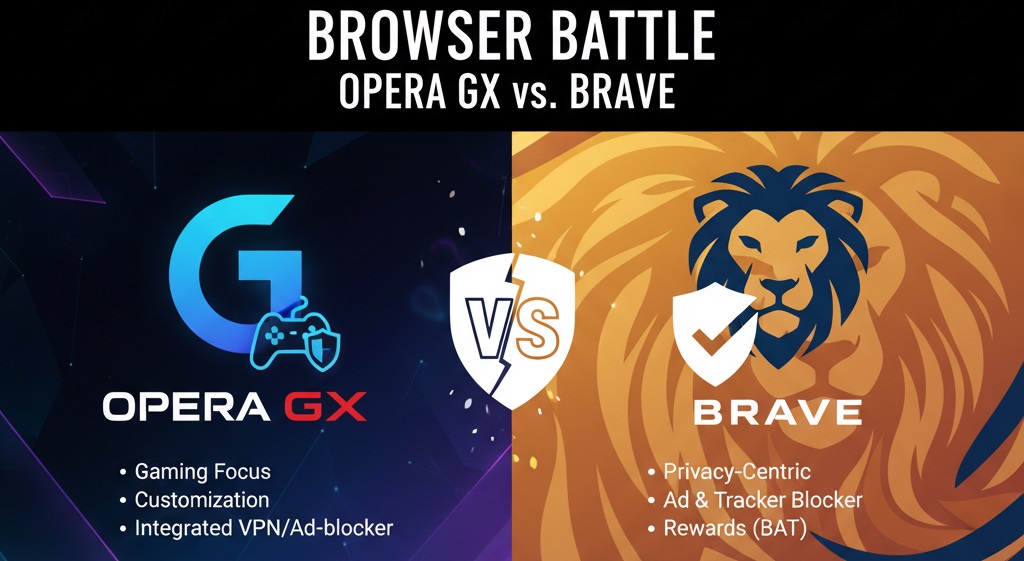
Both Opera GX and Brave bring strong features to the browser market, each serving different user needs. Opera GX appeals to gamers with its resource controls, visual customization, and gaming integrations like Twitch and Discord. Brave attracts privacy-conscious users through aggressive ad blocking, tracker protection, and the BAT rewards system. Neither browser claims absolute superiority since the best choice depends on individual priorities. Gamers benefit from Opera GX’s tools while privacy seekers find Brave more suitable. Both browsers run on Chromium, support Chrome extensions, and work across major platforms.
What is the Main Difference Between Opera GX and Brave?
The main difference between Opera GX and Brave is that Opera GX focuses on gaming features like CPU/RAM limiters, RGB lighting, and Twitch integration, while Brave prioritizes privacy with built-in ad blocking, tracker protection, and a cryptocurrency rewards system called BAT (Basic Attention Token).
Try Opera GX for yourself today.
What is Opera GX and What is Brave?
Opera GX is a gaming-focused browser developed by Opera Software. It launched in 2019. The browser offers tools specifically for gamers, such as hardware resource controls, GX Corner for gaming news, and integration with Discord and Twitch. It runs on the Chromium engine and supports Chrome extensions.
Brave is a privacy-centric browser created by Brendan Eich, co-founder of Mozilla. It debuted in 2016. Brave blocks ads and trackers by default. The browser also runs on Chromium. Users can earn BAT tokens by viewing optional privacy-respecting ads. Brave focuses on speed, security, and data protection.
Get started with the right browser now.
Key Differences Between Opera GX and Brave
- Target Audience: Opera GX targets gamers who want browser customization and performance controls, while Brave targets users who prioritize online privacy.
- Ad Blocking Approach: Brave blocks all ads and trackers by default at the browser level, whereas Opera GX offers ad blocking through an optional built-in extension.
- Cryptocurrency Integration: Brave has its own BAT token ecosystem that rewards users for viewing ads, while Opera GX includes a built-in crypto wallet without a native rewards system.
- Resource Management: Opera GX provides CPU and RAM limiters to control browser resource usage during gaming sessions, a feature Brave does not offer.
- Visual Customization: Opera GX offers extensive RGB color themes and sound effects, while Brave maintains a minimal, clean interface with limited visual options.
- Gaming Features: Opera GX has GX Corner for gaming news, Twitch sidebar integration, and Discord support built-in, none of which exist in Brave.
- Data Collection: Brave collects minimal user data and has strict privacy policies, while Opera GX collects more usage data for feature improvement.
- Mobile Sync Features: Both browsers offer mobile versions, but Brave Sync uses encrypted sync chains while Opera relies on account-based syncing.
- Built-in VPN: Opera GX provides a free built-in VPN proxy, while Brave offers a paid VPN service called Brave VPN.
See the full browser comparison here.
Key Similarities Between Opera GX and Brave
- Chromium Engine: Both browsers are built on the open-source Chromium engine, allowing compatibility with Chrome extensions.
- Cross-Platform Availability: Opera GX and Brave are available on Windows, macOS, Linux, Android, and iOS.
- Built-in Ad Blocking: Both browsers offer ad-blocking capabilities, though implementation differs.
- Speed Performance: Each browser delivers fast page loading times due to their Chromium foundation and optimization efforts.
- Crypto Wallet Support: Both browsers have integrated cryptocurrency wallet features for managing digital assets.
- Free to Use: Neither browser requires payment for basic functionality.
- Extension Support: Users can install Chrome Web Store extensions on both Opera GX and Brave.
Download your preferred browser now.
Features of Opera GX vs Features of Brave
- GX Control vs Shields: Opera GX offers hardware controls; Brave provides privacy shields.
- GX Corner vs Brave News: Opera GX has gaming news; Brave has customizable news feeds.
- Free VPN vs Paid VPN: Opera GX bundles a free proxy; Brave charges for VPN access.
- RGB Themes vs Clean Design: Opera GX prioritizes visual flair; Brave focuses on simplicity.
- Sidebar Messengers vs Tor Window: Opera GX integrates chat apps; Brave integrates anonymous browsing.
- Crypto Wallet vs BAT Wallet: Both offer wallets, but Brave’s integrates with its rewards ecosystem.
- Workspaces vs Tab Groups: Opera GX has dedicated workspaces; Brave uses standard tab grouping.
Check out the full feature breakdown.
Pros of Opera GX Over Brave
- GX Control Panel: The CPU, RAM, and network bandwidth limiters let users allocate system resources while gaming.
- Gaming News Hub: GX Corner provides curated gaming news, deals, and release calendars directly in the browser.
- Twitch Integration: Built-in Twitch sidebar allows quick access to streams without leaving the browser.
- Visual Themes: Extensive RGB customization and sound effects create a personalized gaming atmosphere.
- Discord Integration: Quick access to Discord servers and messages through the sidebar panel.
- Free VPN Included: No-cost VPN proxy service comes built into the browser.
- Workspaces Feature: Tab management through workspaces helps organize different browsing contexts.
Experience Opera GX gaming features today.
Cons of Opera GX Compared to Brave
- Privacy Concerns: Opera GX collects more user data than Brave for analytics purposes.
- No Native Rewards: Users cannot earn cryptocurrency for viewing advertisements.
- Higher Resource Usage: Default settings may consume more system resources than Brave.
- Limited VPN: The built-in VPN is actually a proxy with fewer server locations than dedicated services.
- Ownership Questions: Opera’s ownership by a Chinese consortium raises privacy concerns for some users.
- Ad Blocking Weaker: The default ad blocker is less aggressive than Brave’s Shields system.
Find your ideal browser match here.
Pros of Brave Over Opera GX
- Superior Privacy: Brave blocks trackers, fingerprinting, and ads by default without configuration.
- BAT Rewards: Users earn cryptocurrency tokens by opting into privacy-respecting advertisements.
- Faster Page Loads: Aggressive blocking of trackers results in quicker website loading times.
- Lower Data Collection: Brave has transparent privacy policies and collects minimal user information.
- Tor Integration: Built-in Tor window provides anonymous browsing without extra software.
- Independent Company: Brave Software operates independently without ties to larger corporations.
- IPFS Support: Native support for the InterPlanetary File System enables decentralized web access.
Cons of Brave Compared to Opera GX
- No Gaming Features: Brave lacks resource limiters, gaming news, or Twitch integration.
- Limited Customization: Visual personalization options are minimal compared to Opera GX’s themes.
- No Free VPN: Brave VPN requires a paid subscription for use.
- No Sidebar Apps: Quick access panels for messaging apps are not available.
- Basic Interface: The clean design may feel plain for users wanting more visual flair.
- BAT Complexity: The cryptocurrency rewards system can confuse new users.
- No Workspaces: Tab organization features are less developed than Opera GX.
Make your browser choice today.
Situations When Opera GX is Better Than Brave
- Gaming Sessions: When playing games while browsing, Opera GX’s resource limiters prevent performance drops.
- Twitch Streaming: For viewers who want quick access to streams without separate tabs.
- Discord Users: When frequent Discord access is needed while browsing.
- Visual Personalization: For users who want RGB themes and custom sound effects.
- Gaming Deal Hunting: When tracking game releases, sales, and gaming news.
- Free VPN Needs: For users wanting basic geo-restriction bypass without payment.
- Multiple Workspaces: When separating work, personal, and gaming browsing contexts.
Optimize your gaming setup now.
Situations When Brave is Better Than Opera GX
- Privacy Priority: When maximum data protection and tracker blocking matter most.
- Earning Rewards: For users interested in earning cryptocurrency through browsing.
- Anonymous Browsing: When Tor-level anonymity is needed for specific tasks.
- Slow Connections: On limited bandwidth, Brave’s aggressive blocking speeds up page loads.
- Minimal Design Preference: For users who prefer clean, distraction-free interfaces.
- IPFS Access: When accessing decentralized websites and protocols.
- Battery Conservation: On laptops, Brave’s efficient design can extend battery life.
Secure your browsing experience today.
Browser Performance and System Requirements
Both Opera GX and Brave handle modern websites without major issues. Your choice should depend on your hardware and daily activities.
RAM and CPU Usage Patterns
Opera GX allows you to set hard limits on how much RAM and CPU the browser can use. This proves useful during gaming sessions where you need every bit of performance. The GX Control panel sits in the sidebar for quick adjustments.
Brave takes a different approach. It reduces resource usage by blocking heavy ad scripts and trackers before they load. Most users see lower memory consumption compared to Chrome. Test results show Brave using 30-40% less RAM than standard Chromium browsers on ad-heavy sites.
Startup Speed Differences
Opera GX loads slightly slower due to its gaming features initializing at startup. The sidebar apps, GX Corner, and visual effects add milliseconds to launch time. Cold starts take about 2-3 seconds on modern hardware.
Brave starts faster with its minimal interface. Without extra panels or visual effects to load, the browser opens in under 2 seconds typically. Users with older computers will notice this difference more.
Test browser performance yourself.
Extension Impact on Performance
Both browsers support Chrome extensions from the Web Store. Heavy extensions affect each browser similarly. Opera GX users should monitor the GX Control panel to see resource spikes. Brave users can check the built-in task manager. Limiting extensions to necessities keeps both browsers running well.
Security Models and Data Handling
Security differs between these two browsers in several ways. Each takes its own stance on protecting user data.
Tracker and Fingerprint Protection
Brave’s Shields block third-party trackers automatically. The browser also randomizes fingerprinting data, making it harder for sites to identify you. These protections work on every website without configuration. Users can adjust shield levels per site if needed.
Opera GX offers tracker blocking through its ad blocker extension. The protection level doesn’t match Brave’s default settings. Users must manually enable stronger protections. Fingerprint protection exists but with fewer randomization techniques.
Data Encryption Methods
Brave encrypts sync data end-to-end. Your bookmarks, history, and passwords stay encrypted even on Brave’s servers. The sync chain phrase acts as your encryption key. Nobody, including Brave, can read your synced data.
Opera GX uses account-based syncing tied to your Opera account. Data transfers through Opera’s servers with standard encryption. The company can technically access synced data. This approach works for most users but falls short for privacy-focused individuals.
Protect your data with the right browser.
Update and Patch Frequency
Both browsers receive regular security updates. Brave typically releases patches within days of Chromium security fixes. Opera GX follows a similar schedule. Automatic updates keep most users protected. Manual update checks remain available in both browsers’ settings menus.
Customization Options and User Interface
Each browser offers different levels of visual and functional customization. Your preference for aesthetics will influence your choice.
Theme and Color Systems
Opera GX features an extensive color system with RGB options. Users can set custom color schemes that affect the entire browser interface. Preset themes match popular gaming setups. Sound effects accompany various browser actions. The visual experience feels immersive for gamers.
Brave keeps things simple. Light and dark modes cover the basic options. A few accent colors let users add minor personalization. The focus stays on function over form. Users who want distraction-free browsing prefer this approach.
Sidebar and Panel Configuration
Opera GX’s sidebar hosts multiple messenger integrations. Telegram, WhatsApp, Facebook Messenger, and others sit one click away. The GX Corner, Twitch panel, and player controls also live here. Users can show or hide each element. The sidebar collapses when not needed.
Brave lacks a customizable sidebar. The browser focuses on the main browsing area. Third-party extensions can add sidebar functionality. Native options remain limited. Users wanting quick messenger access need workarounds.
New Tab Page Options
Opera GX’s Speed Dial allows pinned sites, wallpapers, and quick access tiles. GX Corner headlines appear on new tabs. The layout suits users who want gaming information at a glance. Background images support animated options.
Brave’s new tab page shows a clean dashboard. Brave News displays customized stories. Brave Rewards status appears for participating users. Sponsored background images earn users BAT tokens. The design stays minimal and functional.
Customize your browser experience now.
Mobile Browser Experience
Both browsers offer mobile versions with different feature sets. Mobile performance matters for users who sync across devices.
Android App Differences
Opera GX Mobile brings the gaming aesthetic to phones. The dark theme and color options translate well. GX Control features don’t transfer since mobile resource management works differently. The app still feels connected to its desktop counterpart through visual design.
Brave for Android includes full Shields protection. Ad blocking and tracker protection work identically to desktop. BAT rewards function on mobile. The app feels consistent with the desktop privacy focus.
iOS Limitations
Apple’s requirements force both browsers to use WebKit on iOS. This limits some features. Opera GX iOS maintains visual themes but loses Chrome extension support. Brave iOS keeps Shields active but can’t offer the same blocking depth as Android.
Cross-Device Sync Quality
Opera syncs through your Opera account. Bookmarks, history, and Speed Dial entries transfer between devices. The sync works reliably but requires account creation.
Brave uses a sync chain code. No account needed. You scan a QR code or enter words to link devices. The decentralized approach appeals to privacy-focused users. Both systems work well for keeping browsers synchronized.
FAQs
Is Opera GX better for gaming than Brave?
Opera GX provides specific gaming features that Brave lacks. The CPU and RAM limiters help maintain game performance while browsing. GX Corner delivers gaming news and deals. Twitch and Discord integrations keep gamers connected. Brave offers none of these gaming-specific tools. For gamers who browse during sessions, Opera GX serves better. Casual users who game separately may not need these features.
Does Brave really block all ads?
Brave blocks most ads through its Shields system. Display ads, video pre-rolls, and pop-ups get stopped. Some native ads and sponsored placements may still appear depending on site implementation. Users can adjust Shields settings per site. The blocking works better than most browser extensions. Sites that detect ad blockers may still request whitelisting.
Can I use Chrome extensions on both browsers?
Yes, both Opera GX and Brave support Chrome Web Store extensions. The Chromium base enables this compatibility. Some extensions may require minor workarounds on Opera GX. Brave handles most extensions without issues. Not every extension works perfectly due to browser-specific differences. Testing extensions before relying on them remains wise.
Which browser uses less battery on laptops?
Brave typically consumes less battery than Opera GX. The aggressive ad and tracker blocking reduces processing needs. Opera GX’s visual effects and sidebar features require additional resources. Users can improve Opera GX battery life by disabling animations and limiting sidebar apps. For maximum battery life, Brave performs better out of the box.
Is the Opera GX VPN safe to use?
The Opera GX VPN is actually a proxy service. It encrypts traffic between your browser and Opera’s servers. The protection level falls below dedicated VPN services. Opera’s ownership structure raises concerns for some users. The service works for basic geo-restriction bypass. Sensitive activities warrant a full VPN solution instead.
How do BAT rewards work in Brave?
Brave rewards users with Basic Attention Tokens for viewing optional ads. You enable Brave Rewards in settings. Non-intrusive notifications show ads periodically. Each viewed ad earns a small BAT amount. Tokens accumulate in your built-in wallet. You can tip creators or withdraw to external wallets. Monthly earnings vary based on ad availability in your region.
Which browser offers better sync between devices?
Both browsers sync effectively but differently. Opera uses account-based sync requiring login credentials. Brave uses a sync chain with encrypted codes. Brave’s approach offers better privacy since no account exists. Opera’s method feels more familiar to most users. Reliability stays similar between both options. Your privacy preferences should guide this choice.
Can I import bookmarks from Chrome to both browsers?
Yes, both browsers offer Chrome import tools. During setup, you can import bookmarks, history, passwords, and settings. The process takes seconds for most users. Opera GX and Brave both handle Chrome data smoothly. You can also import from Firefox, Edge, and other browsers. The import options appear in settings menus after initial setup.
Opera GX vs Brave Summary
The Opera GX vs Brave comparison comes down to purpose. Opera GX delivers a gaming-centered experience with RGB themes, hardware limiters, and entertainment integrations. Brave prioritizes user privacy through Shields protection, minimal data collection, and cryptocurrency rewards for ad viewing. Gamers who browse during gaming sessions should try Opera GX for its resource management. Users concerned about online tracking and data privacy will find Brave more aligned with their values. Both browsers perform well for general use. Your specific needs determine the right pick. Test both to see which fits your workflow better.
Opera GX vs Brave Comparison Table
| Aspect | Opera GX | Brave |
|---|---|---|
| Primary Focus | Gaming and customization | Privacy and security |
| Ad Blocking | Optional built-in extension | Aggressive default blocking |
| VPN Service | Free proxy included | Paid subscription required |
| Cryptocurrency | Wallet support only | BAT rewards ecosystem |
| Resource Control | CPU/RAM limiters available | No hardware controls |
| Visual Themes | Extensive RGB customization | Minimal light/dark modes |
| Sidebar Features | Messengers, Twitch, Discord | None by default |
| Tor Browsing | Not available | Built-in Tor window |
| Data Collection | Moderate analytics | Minimal collection |
| Gaming News | GX Corner included | Not available |
| Fingerprint Protection | Basic protection | Advanced randomization |
| Sync Method | Account-based | Encrypted sync chain |
| Mobile Gaming Features | Limited transfer | Not applicable |
| Battery Efficiency | Higher consumption | Lower consumption |
| IPFS Support | Not available | Native support |